How to Start a Bookkeeping Business in 2026: The CPA's Step-by-Step Guide
Starting a bookkeeping business in 2026 means more than filing an LLC and buying accounting software. This step-by-step guide covers every phase — entity setup, niche selection, pricing strategy, first client acquisition, and the AI-native document workflows that prevent manual overhead from…
If you want to start a bookkeeping business in 2026, you are entering a market with genuine demand but brutal operational risk. The Bureau of Labor Statistics projects continued demand for accounting services among small businesses, yet the majority of new solo bookkeeping practices stall before they hit 30 clients — not because they lack expertise, but because manual document handling, ad-hoc billing, and disorganized client communication consume every hour that should go toward growth. For firms evaluating their start bookkeeping business approach, this trade-off compounds over time.
The difference between firms that scale and firms that plateau comes down to infrastructure decisions made in the first 90 days. Locking into a per-user pricing model, a feature-heavy platform with a steep learning curve, or a workflow built on email threads and shared drives creates compounding overhead that is nearly impossible to unwind once you have real clients depending on you. Each of these factors directly shapes how start bookkeeping business plays out in practice.
This guide walks through every phase of launching a bookkeeping practice — legal setup, niche selection, pricing strategy, client acquisition, document workflows, and billing — and shows where AI-native tooling eliminates the manual overhead that kills new firms in year one. Whether you are a CPA spinning out of a larger firm, a solo practitioner adding bookkeeping to your service line, or a first-time entrepreneur with an accounting background, the sequence below will help you build on solid ground. Understanding start bookkeeping business in this context is what separates firms that scale from those that stall.
Step 1: Choose Your Business Entity and Register Correctly
The first structural decision for your bookkeeping business setup is entity type. Most solo CPAs launching a bookkeeping practice choose a single-member LLC for its liability shield and pass-through tax treatment. As revenue grows, an S-corporation election via Form 2553 can reduce self-employment tax once your net profit exceeds roughly $50,000 annually — a move worth modeling with your own CPA before filing. This is precisely where a deliberate start bookkeeping business strategy pays off.
Register your LLC in your home state through the Secretary of State's office, obtain an EIN from the IRS, and open a dedicated business checking account immediately. Commingled finances are the single fastest way to lose liability protection and create bookkeeping headaches for your own firm. Start bookkeeping business sits at the center of this decision — get it wrong and the rest unravels.
If you hold a CPA license, verify your state board's rules on firm naming, ownership structure, and whether a bookkeeping-only entity requires the same peer review obligations as an attest firm. Many state CPA societies publish clear guidance — for example, the AICPA's peer review program documentation is a useful starting framework even if your state has its own overlay. Review your professional liability insurance options before your first paying client engages you — errors and omissions coverage is non-negotiable. When firms revisit their start bookkeeping business priorities, the gaps usually surface here.

Track every return from intake to filed with drag-and-drop pipeline management
Step 2: Define Your Niche and Service Scope
Generalist bookkeeping practices compete on price and lose. The most durable bookkeeping firms in 2026 are built around a defined vertical — real estate investors, e-commerce sellers, medical practices, law firms, or restaurant groups — where the owner can charge a premium for industry fluency and the client acquisition flywheel becomes referral-driven within a community. Practitioners who start bookkeeping business with a defined niche from day one consistently outpace generalists in both revenue and retention.
Within your chosen niche, map your service scope explicitly before quoting any client. Monthly bookkeeping (categorization, reconciliation, financial statements) is the core. Advisory services like cash flow forecasting, KPI reporting, and budget-to-actual analysis can be layered on as a higher-margin tier. Tax preparation integration — where your bookkeeping feeds directly into the tax return — is the stickiest service combination available to a CPA-credentialed bookkeeper, and it is the primary reason to consider AI-native practice management from day one rather than bolting it on later.
Document your service definitions in writing before you open any client engagement. Scope creep is the most common profitability killer for new bookkeeping firms, and a well-drafted engagement letter with explicit out-of-scope language is your primary defense.

Click any extracted field to see its source highlighted on the original PDF
Step 3: Build Your Pricing Model Before You Have Clients
Hourly billing is a trap for bookkeeping firms. It rewards slowness, punishes efficiency, and makes it nearly impossible to forecast your own revenue. The transition to value-based pricing or flat monthly retainers is the single highest-leverage financial decision you can make before onboarding your first client — and one of the most important choices you will make when you start bookkeeping business. Our flat fee billing guide walks through the mechanics in detail.
A workable pricing structure for a new bookkeeping practice in 2026 uses three tiers: a Starter tier covering monthly reconciliation and basic financial statements for businesses under $500K in annual revenue; a Growth tier adding payroll coordination, accounts payable review, and a monthly advisory call for businesses between $500K and $2M; and an Enterprise tier for complex entities, multi-entity consolidations, or businesses requiring weekly closes. Price each tier based on the time investment at your target effective hourly rate, then add a 20–30% technology and overhead buffer.
Flat monthly retainers collected via automated ACH or credit card are the operational standard in 2026. Platforms like TaxScout with built-in invoicing via Stripe Connect Express allow you to set up recurring billing from the same interface you use for client management — eliminating the separate invoicing tool that most new firms add unnecessarily to their tech stack.
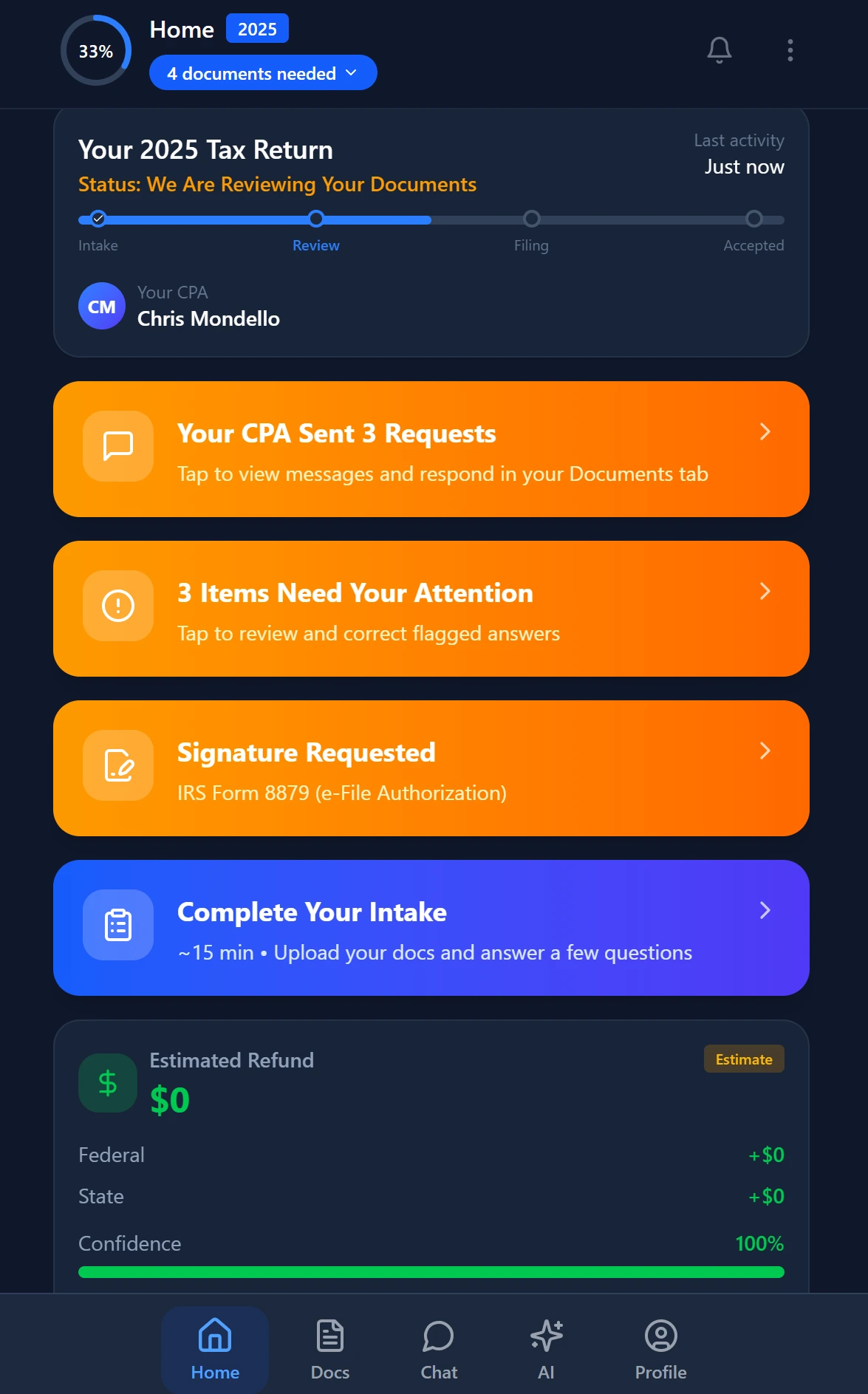
Smart intake auto-fills from uploaded documents and prior-year data
Tired of stitching together five tools to run a bookkeeping practice that barely launched?
TaxScout gives new bookkeeping firms AI document extraction, client portal, pipeline management, e-signatures, and automated billing in one flat-rate platform — starting at $49/month with no per-user fees.
Step 4: Set Up Your Technology Infrastructure from Day One
The software decisions you make when you start bookkeeping business are surprisingly hard to reverse. Clients connect to your portal, your workflows embed in your platform's logic, and your team (even if that team is just you) builds muscle memory around specific tools. Choosing wrong locks you into either a painful migration or an indefinitely mediocre operation.
The core stack for a new bookkeeping firm in 2026 has four layers: (1) a general ledger tool like QuickBooks Online or Xero where client books actually live; (2) a tax preparation platform like Drake, Lacerte, or UltraTax CS if you offer tax services; (3) a document management and workflow layer; and (4) a client communication and billing layer. The most common mistake is buying four separate SaaS tools to cover layers 3 and 4, paying per-user fees for each, and spending hours every week switching between them.
TaxScout consolidates layers 3 and 4 into a single platform that works alongside — not instead of — your existing tax software. It integrates with Drake, CCH Axcess, UltraTax CS, Lacerte, ProConnect, and ProSeries, so you are not forced to abandon the preparation workflow you already know. The AI document extraction engine handles 180+ tax form types with a 5-layer validation pipeline, which means incoming client documents are processed, classified, and cross-verified automatically rather than manually sorted into folders. Read more about how this works technically in our AI document extraction guide for CPAs.
For document security — a non-negotiable concern when you hold client SSNs, bank statements, and tax returns — TaxScout's security architecture uses AES-256-GCM encrypted SSN vaults and a 7-role RBAC system. You can review the full framework on the security page. For a deeper look at what every new firm should have in place before accepting client documents, see our cybersecurity essentials guide.

Your clients see your brand — OTP login, document upload, and real-time status
Step 5: Design Your Client Onboarding Workflow
A repeatable client onboarding workflow is what separates firms that scale from firms that scramble. Every new client should move through the same sequence: engagement letter signed, onboarding questionnaire completed, prior-period documents collected, access credentials issued, and first deliverable scheduled. When any step in that sequence is manual — a PDF emailed for wet signature, a questionnaire in Google Forms, documents requested via thread — the friction compounds across every new client. Firms that start bookkeeping business with this workflow already documented avoid the operational chaos that derails most practices in the first six months.
TaxScout's smart intake engine, modeled on IRS Form 13614-C, uses a 4-layer prefill system: document-first extraction, prior-year data, client profile data, and AI gap analysis. When a new client uploads their prior-year return and a folder of bank statements, the system pre-populates the intake questionnaire with what it can extract, flags missing items, and routes the remainder to the client for completion — all through a branded client portal with OTP login and no password required.
The engagement letter itself flows through e-signatures via Documenso, covering Form 8879, engagement letters, W-9s, and state-specific forms. Our e-signature compliance guide covers the legal standards in detail. The result is an onboarding sequence that a new bookkeeping firm can run end-to-end without a single email attachment or wet signature — a standard that clients now expect and that competitors like TaxDome require significantly more manual configuration to approximate. See how the platforms compare at /compare/taxdome-alternative.
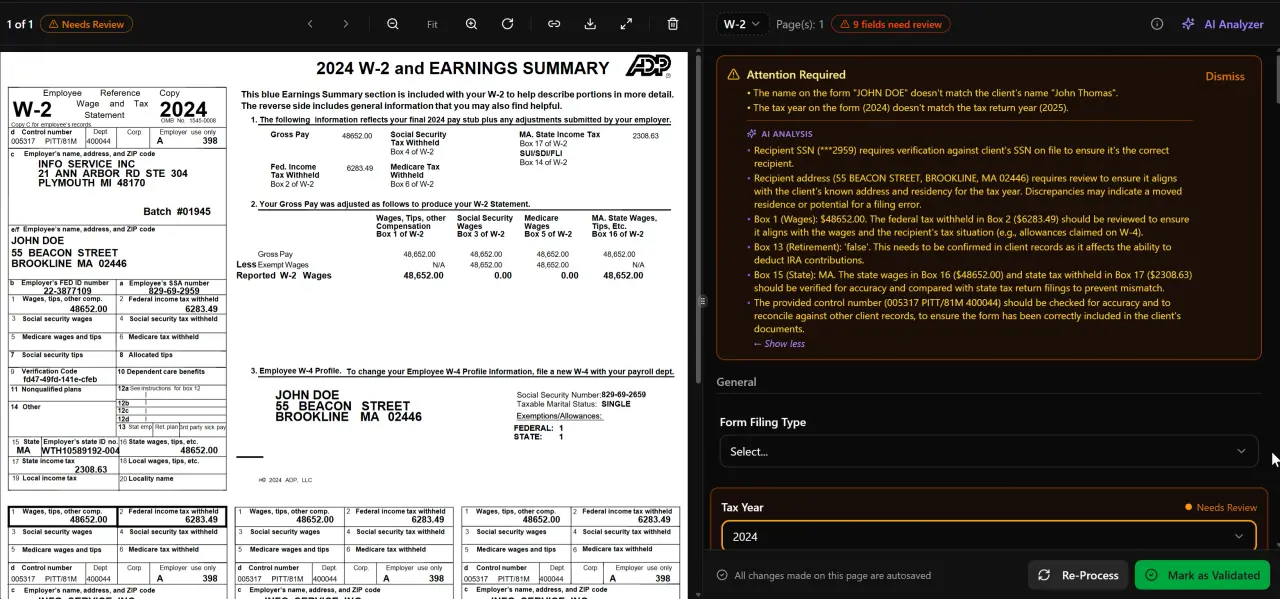
AI classifies, extracts, and validates every document automatically
Step 6: Acquire Your First 10 Clients
The first 10 clients for a new bookkeeping practice almost always come from the same three sources: personal network referrals, referrals from complementary professionals (attorneys, financial advisors, insurance agents), and a narrow digital presence targeting your chosen niche. Paid advertising before you have case studies and a defined niche is generally a waste of budget at this stage.
Referral programs formalized early create compounding returns. The SBA's guidance on small business marketing emphasizes that referral conversion rates are 3–5x higher than cold outreach for professional services. TaxScout includes a built-in referral program engine that tracks referral sources, automates follow-up, and gives you visibility into which referring relationships are actually generating revenue.
When you do build a digital presence, content marketing targeting small business owners in your niche is the highest-ROI channel for a solo bookkeeping firm. A single well-optimized service page, two or three educational blog posts answering specific questions your niche clients search for, and a CPA landing page that converts visitors into consultation requests is more effective than a complex multi-channel campaign. For additional approaches across the broader category, see other blog resources covering firm growth, client acquisition, and practice management.
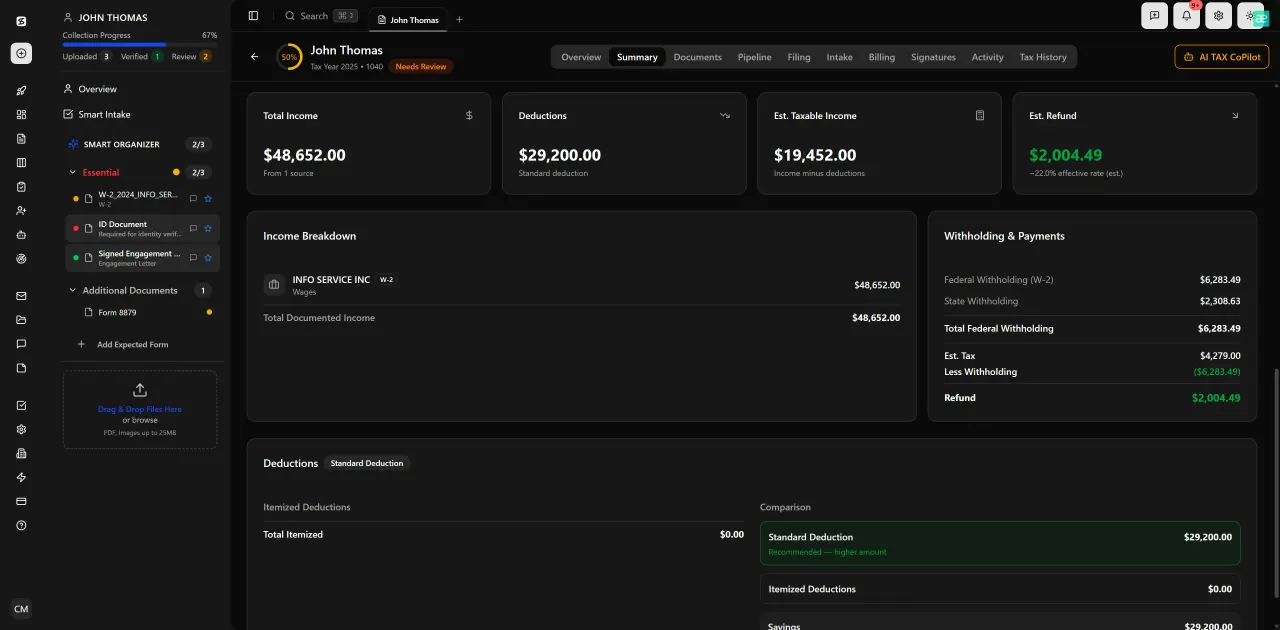
Review with AI assist — 9 agents answer questions with full client context
Step 7: Build Document Workflows That Scale Past You
The moment your bookkeeping firm starts adding clients faster than you can manually process their documents, you hit the solo-to-first-hire inflection point. This is the inflection point where software decisions get locked in — because the workflows you build for yourself become the training manual for your first hire, and undoing them is costly. Every founder who decides to start bookkeeping business should anticipate this threshold and build document infrastructure that can survive it.
AI-native document workflows are the difference between a firm that scales linearly with headcount and a firm that scales with capacity. TaxScout's pipeline management uses 12 customizable stages with a drag-and-drop kanban view, so every client's bookkeeping engagement has a clear status at all times. The split-screen PDF viewer with click-to-source field highlighting means that when a document needs human review, the reviewer sees exactly which extracted field maps to which position in the source document — reducing review time per document from minutes to seconds.
The 14+ PDF tools — including OCR, merge, split, Bates numbering, and PII masking — eliminate the need for a separate document processing subscription. Combined with AI document classification that handles 180+ form types, a new bookkeeping firm can process an entire client's onboarding document package in minutes rather than hours. For a complete framework on going paperless, see our guide on how to run a paperless accounting firm in 2026.
When you do make your first hire, the 7-role RBAC system means you can give a staff bookkeeper exactly the access they need — client files, pipeline stages, document upload — without exposing billing, SSN vault access, or firm-level settings. That permission architecture is something most new firms do not think about until a security incident or a staff departure makes it urgent.
Step 8: Automate Billing and Track Your Firm KPIs
Recurring monthly retainer billing should require zero manual action once it is set up. TaxScout's invoicing integration via Stripe Connect Express supports automated recurring billing, so retainer clients are charged on schedule without you generating an invoice. The guide to automating recurring client invoicing covers the configuration in detail.
Beyond cash flow, the KPIs that matter most for a new bookkeeping firm are: average revenue per client, client acquisition cost by channel, effective hourly rate by service tier, and document processing time per engagement. Tracking these from month one — not month twelve — gives you the data to make defensible pricing and capacity decisions before you are under pressure. Our accounting firm KPI dashboard guide covers the full metric framework.
One KPI that new firms consistently underweight is realization rate: the percentage of your estimated time budget that a client actually consumes. Flat-fee billing only works sustainably if you know whether a $500/month client is consuming $300 worth of time or $700 worth of time. TaxScout's pipeline and document tracking give you the activity data to calculate this without a separate time-tracking tool.
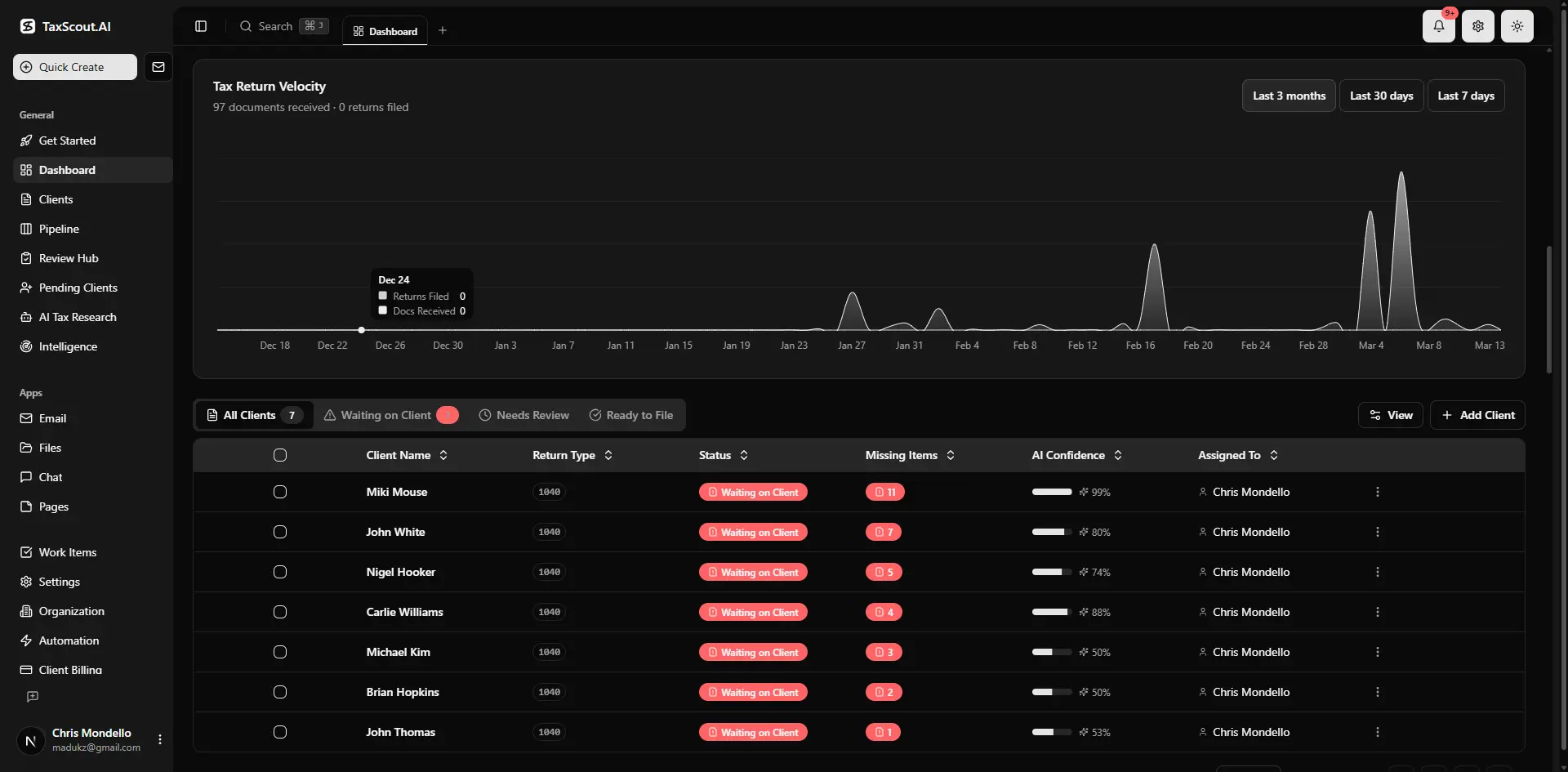
Real-time dashboard showing returns in progress, revenue, and upcoming deadlines
TaxScout vs TaxDome for New Bookkeeping Firms (2026 pricing, 10-seat scenario)
| Feature | TaxScout Prep Pro | TaxDome |
|---|---|---|
| Monthly cost (10 seats) | $149 flat (no per-user fee) | |
| AI document extraction | Yes — 180+ form types, 5-layer validation | No |
| 5-layer validation pipeline | Yes | No |
| Smart intake engine (IRS 13614-C model) | Yes — 4-layer prefill | No |
| 9 AI research agents | Yes — real-time IRS/Treasury/Cornell search | No |
| Client portal (OTP, no password) | Yes — branded | Yes — but no AI prefill |
| E-signatures | Yes — Documenso (8879, letters, FBAR, W-9, state) | Yes — add-on fees apply |
| Recurring billing via Stripe | Yes — built-in | Limited |
| SSN vault (AES-256-GCM) | Yes | No dedicated vault |
| Works with Drake / Lacerte / UltraTax | Yes — all major platforms | No native integration |
| Per-user fee | None | ~$100/user/month |

Every client gets organized documents, status tracking, and a complete history
Why AI-Native Infrastructure Beats Platform-Centric Feature Dumps
TaxDome is the most commonly referenced competitor when new bookkeeping firms evaluate practice management software. Its positioning is platform-centric: a large feature set organized around the platform's own logic, with a per-user pricing model that starts at approximately $100 per user per month. For a 10-person firm, that is roughly $500/month before any add-ons — compared to TaxScout's $149/month flat rate with no per-user fees and unlimited clients.
The more important distinction is architectural. TaxDome's feature set does not include AI document extraction, a 5-layer validation pipeline, IRS research agents, or an SSN vault. For a new bookkeeping firm that wants to differentiate on speed and accuracy — not just on having a client portal — the absence of AI extraction is not a minor gap. It means every document that arrives from a client requires manual review, manual data entry, and manual cross-checking against the source PDF. At 50 clients, that overhead is manageable. At 150 clients, it becomes a full-time job that your pricing model does not account for.
Canopy and Karbon have even less to offer the bookkeeping firm startup audience. Canopy charges approximately $45 per user per month per module, with smart intake costing $11 per client extra. Karbon, at approximately $59 per user per month, is built primarily around email workflow and lacks document management depth. Neither platform has published guidance for new bookkeeping business founders — this audience is underserved across the entire competitor landscape, which is precisely why those who start bookkeeping business on the right infrastructure from day one gain a meaningful competitive advantage, not just an operational preference.
Ready to build your bookkeeping firm on infrastructure that scales without adding headcount overhead?
TaxScout Prep Starter is $49/month — flat rate, 3 seats, 150 returns, AI extraction, smart intake, client portal, e-signatures, and automated billing included from day one.
Frequently Asked Questions
The hard costs to start a bookkeeping business are relatively low: LLC registration ($50–$500 depending on state), an EIN (free from the IRS), a business bank account, professional liability insurance ($500–$1,500/year for a solo practitioner), and your core software stack. With TaxScout Prep Starter at $49/month, you can launch with AI document extraction, a client portal, pipeline management, e-signatures, and automated billing for less than $600/year in platform costs — well below the per-user pricing of competitors like TaxDome ($500+/month for a 5-person team) or Canopy.
Keep reading
Deferred Revenue Recognition: How CPAs Handle Prepaid Income for Accrual Clients
Sep 15, 2026 · 1 min read
Close Automation Software for CPA Firms: Month-End Without the Tab-Switching
Aug 8, 2026 · 1 min read
Month-End Close Checklist for CPA Firms: How AI Cuts Close Time in Half
May 13, 2026 · 1 min read
Stay up to date
Get the latest tax tech insights delivered to your inbox.