The Smartest Tax Intake in the Industry.
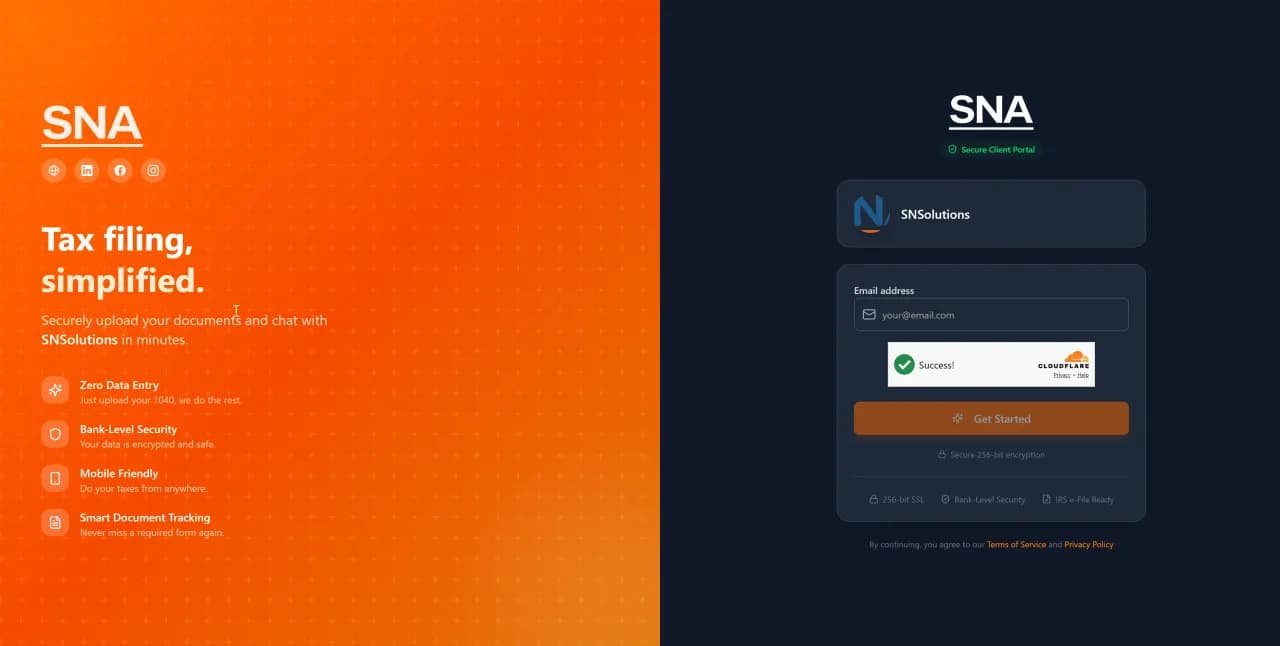
Your clients get a branded portal that looks like your firm — not ours. They log in with a one-time code (no passwords), and the intake is already half-filled from their uploaded documents and last year's return. Upload a W-2, watch the form fill itself.
The Problem: Client Intake Is a Black Hole
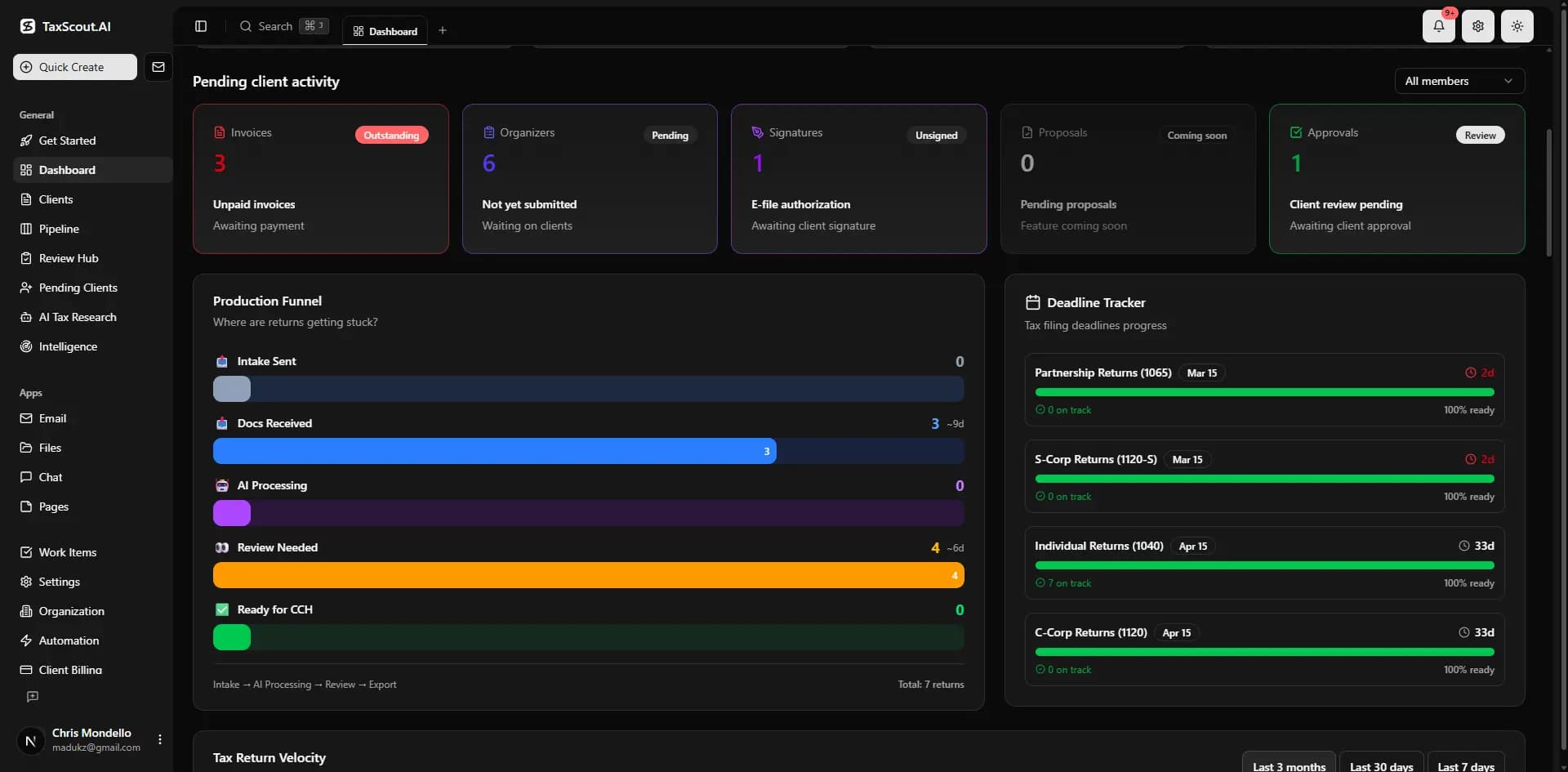
Clients forget passwords. They upload documents to the wrong folder. They leave intake forms half-finished and you have no idea what's missing. You end up emailing back and forth for weeks chasing the same information — every single year.
The Solution: AI-Powered Intake That Fills Itself
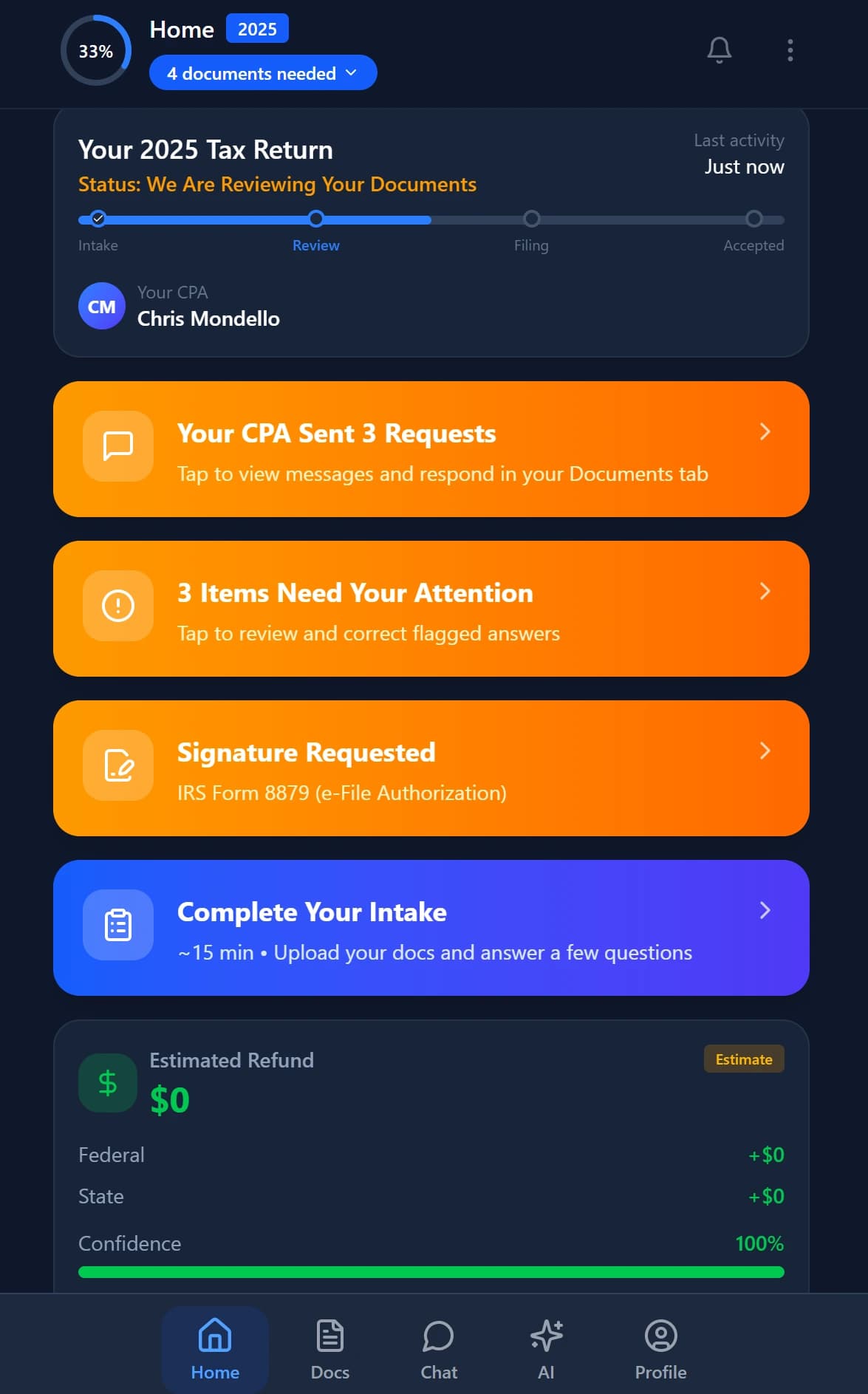
TaxScout's 4-layer prefill means clients see an intake form that's already 60-80% complete. Documents auto-fill fields. Last year's data carries forward. AI suggests values based on patterns. Clients only verify and fill gaps — cutting intake time from days to minutes.
How It Works
Invite Client
Enter their email. They receive a branded invitation to your portal — no account creation needed.
OTP Login
Client enters their email, receives a one-time code. No passwords to create or forget.
Upload Documents
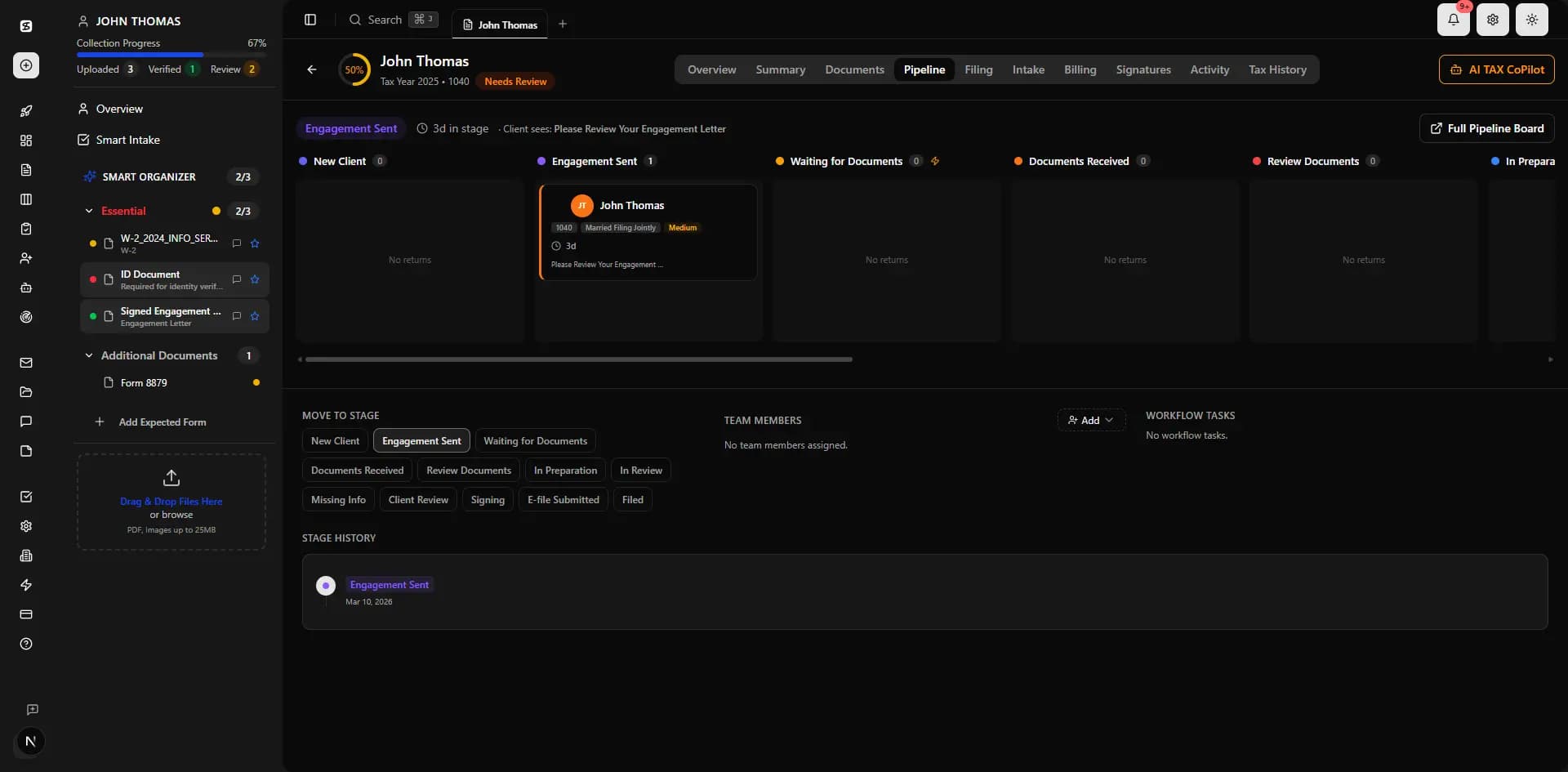
Client uploads W-2s, 1099s, and other documents. AI extracts data immediately.
Review Prefilled Intake
Intake form is auto-filled from documents + prior year + profile. Client reviews and fills gaps.
E-Sign & Submit
Sign engagement letters, 8879, and other forms directly in the portal. You're notified instantly.
vs. Competitors
TaxDome's client portal requires password-based login and manual intake forms. Canopy's portal has no AI prefill. TaxScout is the only one we are aware of with OTP login, 4-layer AI intake prefill, and in-portal e-signatures — all in one branded experience.
Frequently Asked Questions
Yes. The portal displays your firm's logo, brand colors, and custom URL. Clients see your brand, not TaxScout's.
See Client Portal in Action
Book a 15-minute walkthrough and see how it fits your firm.