Not a Kanban Board. A Workflow Engine.
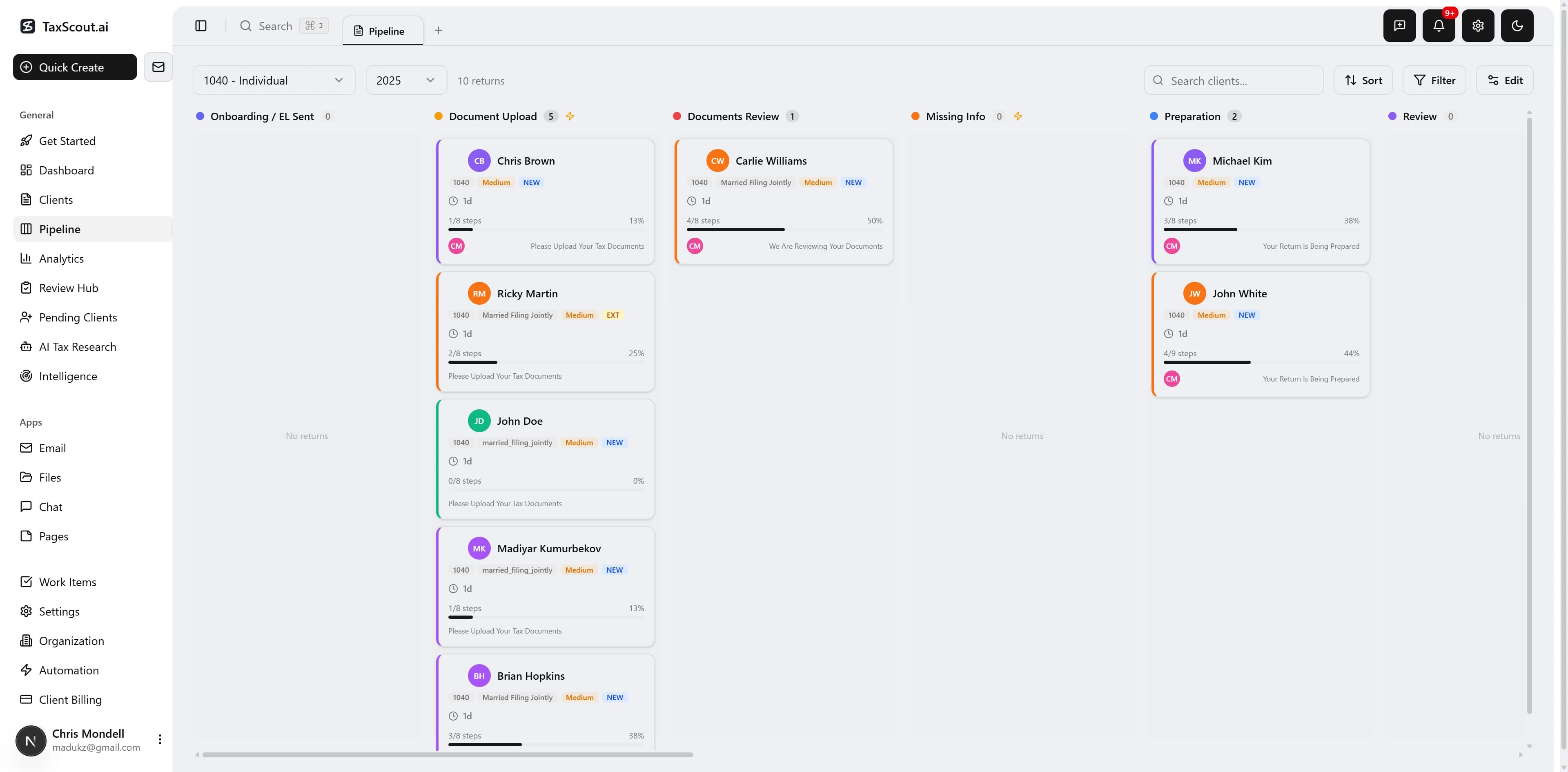
A 15-stage pipeline where every drag triggers real action — create an invoice, deliver a draft return, confirm missing documents. Returns auto-advance when clients sign, pay, or upload. The pipeline drives your workflow; you don't drive the pipeline.
The Problem: Spreadsheets Can't Track 200 Returns
Most CPA firms track return status in spreadsheets or their heads. During tax season, with 200+ returns in various stages, things fall through the cracks. Deadlines get missed. Returns sit in review for weeks because nobody knew they were ready. Corrections get lost. Billing gets forgotten.
The Solution: A 15-Stage Pipeline That Drives Your Workflow
TaxScout's pipeline was designed with practicing CPAs. 15 stages mirror the real tax season workflow, from engagement letter to IRS acceptance. But this isn't just drag-and-drop — every stage transition triggers the real action. Drop to Client Review and a deliver dialog opens for the draft return. Drop to Billing and an invoice auto-creates. Auto-advance rules move returns forward when clients sign, pay, or upload. The pipeline does the work.
15 Pipeline Stages
Every drag triggers a real action — create an invoice, deliver a draft return, confirm missing documents. Customizable per return type (1040, 1065, 1120S, 1120, Extension, Amendment).
Stage Actions — Not Just Drag-and-Drop
Every stage transition triggers the real workflow action. The pipeline drives your workflow; you don't drive the pipeline.
Deliver Dialog
Upload draft return PDF, select document type, add notes. Client sees AI-generated summary with refund numbers in portal.
Create Invoice
Invoice auto-creates from your template. Review line items, adjust fees, send to client. Portal locked with Pay Now button.
Confirm Missing Docs
Shows pending expected documents with checkboxes. Unchecked items auto-waived. Client sees orange 'X Documents Still Needed' card.
Correction Note
Enter note + tag source: Internal (QC error), Client Request, or E-file Error. Tracks correction rate per preparer.
Final Package
Deliver final package. Client receives congratulations email. Return archived.
6 Auto-Advance Rules
Returns move forward automatically when signals are met. Source-stage guards prevent stale flags from causing incorrect jumps after correction loops.
| Signal | From | To |
|---|---|---|
| Engagement letter signed | Onboarding | Document Upload |
| Client completes intake | Document Upload | Documents Review |
| All expected docs received | Missing Info | Documents Review |
| Invoice paid | Billing | Client Review |
| Client accepts return | Client Review | Signing |
| 8879 signed | Signing | Awaiting IRS ACK |
Client Portal — Stage by Stage
Every pipeline stage shows clients exactly what they need to do — without calling your office.
Document checklist with drag-and-drop upload. Expected docs highlighted.
Orange 'X Documents Still Needed' card. Upload triggers auto-match and auto-advance.
Full-page payment screen with Pay Now button. Return hidden behind billing gate. Promo code input.
AI-generated return summary with refund numbers. 'Looks Good — Continue to Signing' or 'Questions' buttons.
Form 8879 e-signature request. Sign directly in the portal.
Built for Tax Season
Billing Gate
Returns don't reach Client Review until the invoice is paid. CPA can waive billing for no-charge returns.
Client Review with Accept/Questions
CPA delivers draft return → AI generates summary → client sees 'Looks Good' or 'Questions' buttons. Questions open a chat channel.
Missing Info Auto-Return
CPA confirms which docs are missing. Client uploads → expected docs auto-matched → all received → auto-advances back to Documents Review.
Correction Source Tracking
Every correction tagged: Internal (QC error), Client Request, or E-file Error. Tracks rates per preparer for quality analytics.
Awaiting IRS ACK Stage
Dedicated stage between E-file and acceptance. 72-hour timeout alert if no response. Auto-advance on IRS accept.
Real-Time Board Sync
Board updates instantly when another CPA moves a return or auto-advance fires. No page refresh needed.
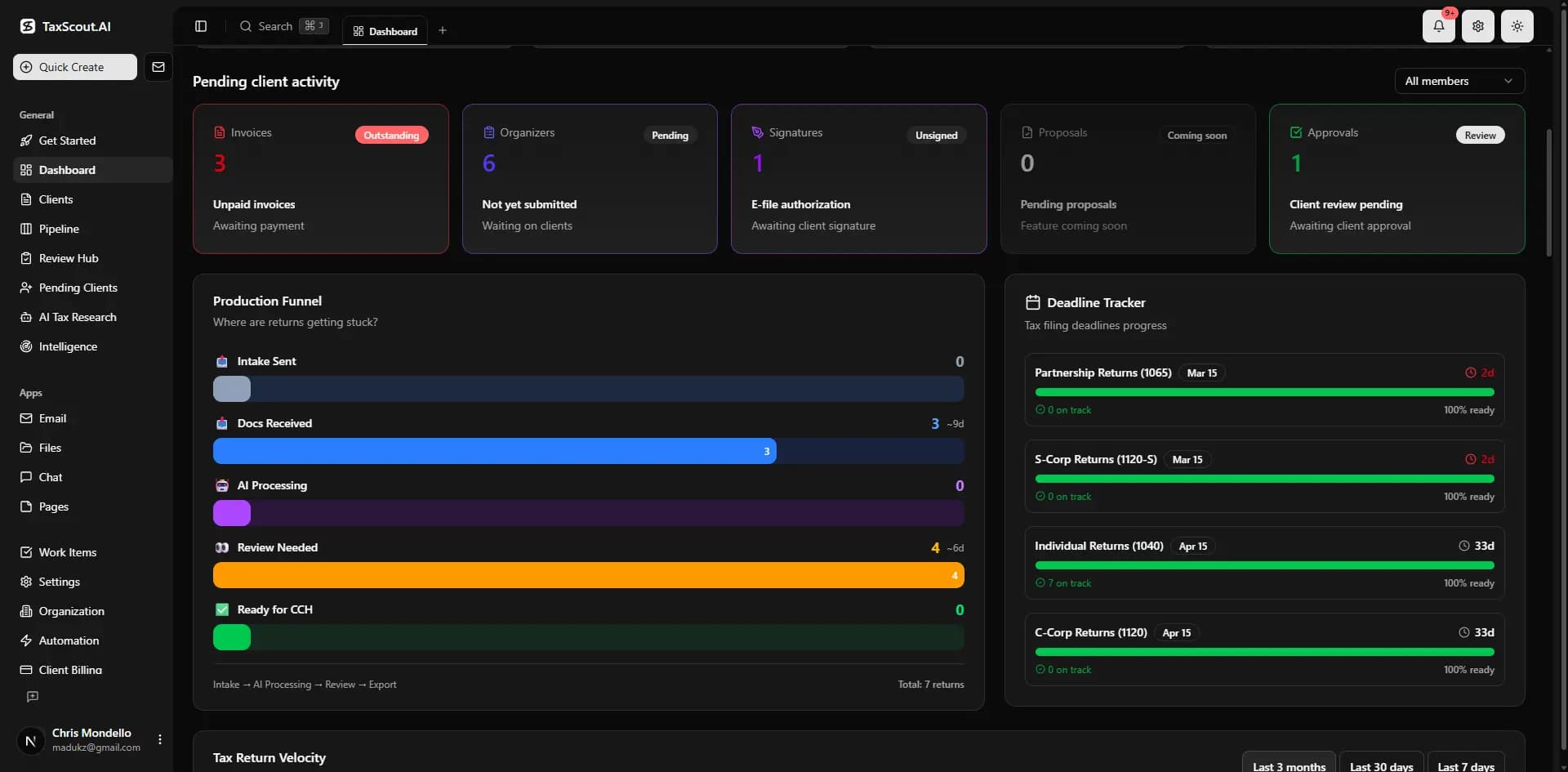
Pipeline Health Check
Weekly scan finds returns stuck 30+ days. Groups by preparer. Catches forgotten returns before clients complain.
Email Notifications
Clients get stage-specific emails with tone shifts per stage. CPAs get notified on key milestones. Portal link in every email.
Auto-Reminders
Clients get Day 3 + Day 7 reminders for document upload, missing info, signing, and billing. CPA team gets alerts for stuck returns.
Pipeline History
Full timeline of every stage transition: who, when, why, duration, and correction source. Complete audit trail.
How Our Pipeline Compares
| Feature | TaxScout | TaxDome | Canopy |
|---|---|---|---|
| Visual kanban pipeline | 15 stages, drag-and-drop | Basic workflow | Task management only |
| Stage action dialogs | |||
| Auto-advance (signal-driven) | 6 rules with guards | ||
| Billing gate | |||
| Client portal per stage | Accept/Questions, billing, missing info | Basic status | |
| Correction source tracking | |||
| Awaiting IRS ACK stage | |||
| Auto-reminders (client + CPA) | Day 3/7 per stage | ||
| Pipeline health check | |||
| Custom stages per return type | 6 return types | Limited | Fixed |
| Real-time board sync | |||
| Time-in-stage alerts | 7d warning, 14d critical |
How It Works
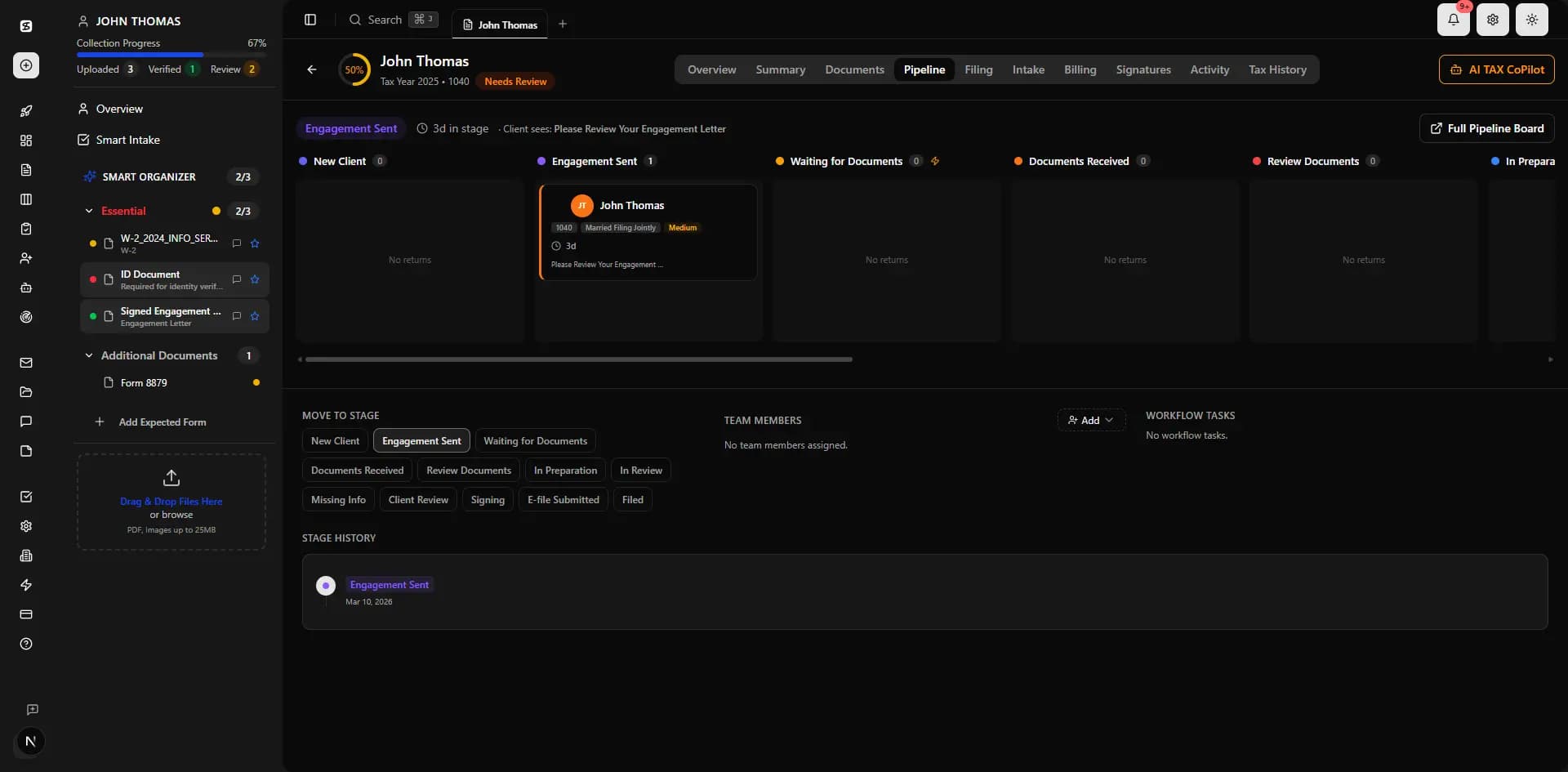
Configure Stages
Set up your pipeline stages per return type. 1040s, 1120s, 1065s, extensions, and amendments each have their own flow. Add custom stages anywhere.
Returns Enter Pipeline
New clients enter at Onboarding. When the engagement letter is signed, the return auto-advances to Document Upload. No manual step needed.
Documents & Intake
Clients upload docs and complete intake in the portal. When intake is complete, auto-advance to Documents Review. Missing docs? CPA confirms which ones — client sees an upload card in the portal.
CPA Prepares & Reviews
CPAs drag returns through Preparation → Review → Correction. Each correction is tagged (Internal/Client/E-file) for quality analytics. Frequent loopbacks skip the note dialog.
Billing Gate
Drop to Billing → invoice auto-creates from template. Client sees a full-page payment screen. Return hidden until paid. Payment confirmed → auto-advance to Client Review.
Client Reviews & Signs
CPA delivers draft return via dialog. Client sees AI summary with Accept/Questions buttons. Accept → auto-advance to Signing → 8879 sent → signed → auto-advance to Awaiting IRS ACK.
E-file & IRS Response
Return submitted. Dedicated Awaiting IRS ACK stage with 72-hour timeout alert. IRS accepts → move to Client Set → send final package → Done.
vs. Competitors
The platforms we have reviewed offer kanban boards where you manually drag cards. TaxScout's pipeline is a workflow engine — every stage transition triggers real action dialogs, returns auto-advance on 6 different signals with source-stage guards, and clients see stage-specific portal screens. no tool we have reviewed offers stage action dialogs, correction source tracking, IRS acknowledgment stages, or client-facing Accept/Questions flows.
Frequently Asked Questions
Every drag triggers a real action. Drop to Client Review and a dialog opens to upload the draft return. Drop to Billing and an invoice auto-creates. Drop to Correction and you tag the source (Internal, Client, E-file Error). The pipeline drives your workflow — it's not just a visual status tracker.
See Pipeline Management in Action
Book a 15-minute walkthrough and see how it fits your firm.