Upload a PDF. Every Field Extracted in Seconds.
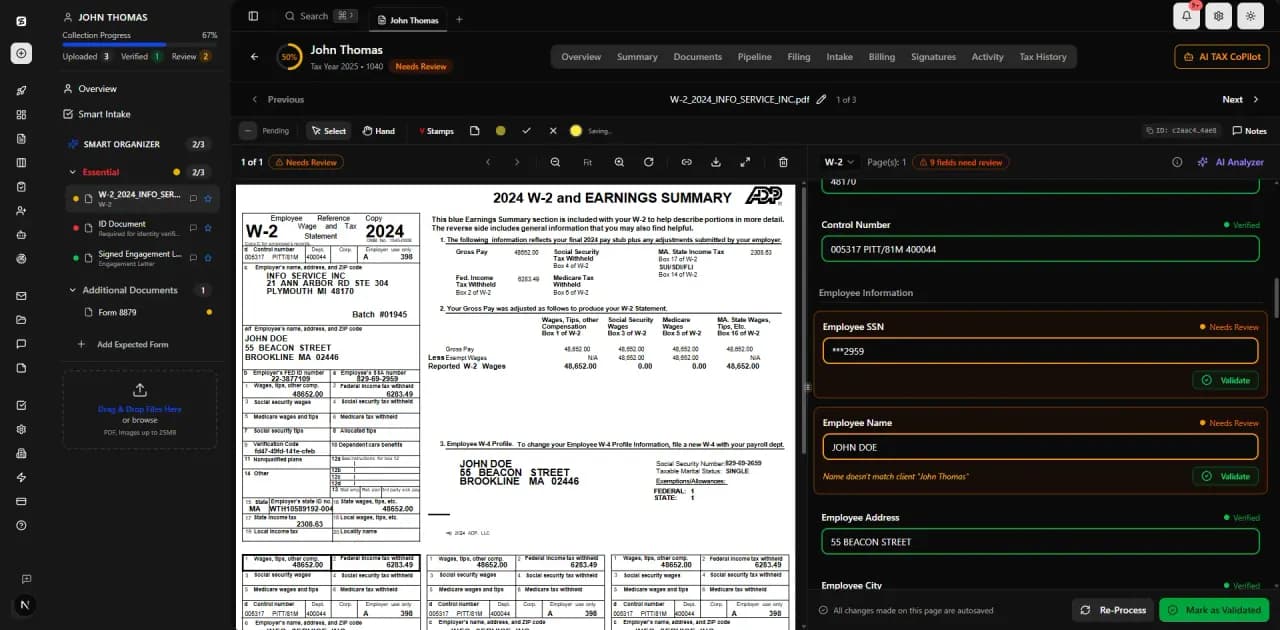
Drop any tax document — W-2, 1099, K-1, prior return, bank statement — and AI reads it instantly. Every number, every name, every box. Click any field to see exactly where it came from on the original PDF. 5 layers of validation ensure confidence-scored extraction with CPA review of low-confidence fields.
The Problem: Manual Data Entry Is Killing Your Margins
CPAs spend 40-60% of tax season manually keying data from PDFs into their software. Every keystroke is a chance for error. Every re-check is unbillable time. And when a client drops off 30 pages of documents at 4pm on April 14th, there's no way to process them accurately under pressure.
The Solution: Documents Classified, Fields Extracted, Values Linked to Their Source
TaxScout processes documents through a 5-layer validation pipeline. AI extracts every field with confidence scoring. OCR cross-verifies against the raw PDF text. 15 deterministic math rules catch arithmetic errors. 18 business-logic validations check SSNs, EINs, dates, and cross-document consistency. The result: data you can trust, extracted in seconds instead of hours.
Supported Document Classes
From common W-2s to complex K-1 partnership allocations — TaxScout handles them all.
5-Layer Validation Pipeline
Layer 0
Document Quality Routing
Incoming documents are assessed for quality and routed to the optimal extraction pipeline based on clarity, format, and form type.
Layer 1
AI Extraction with Confidence Scoring
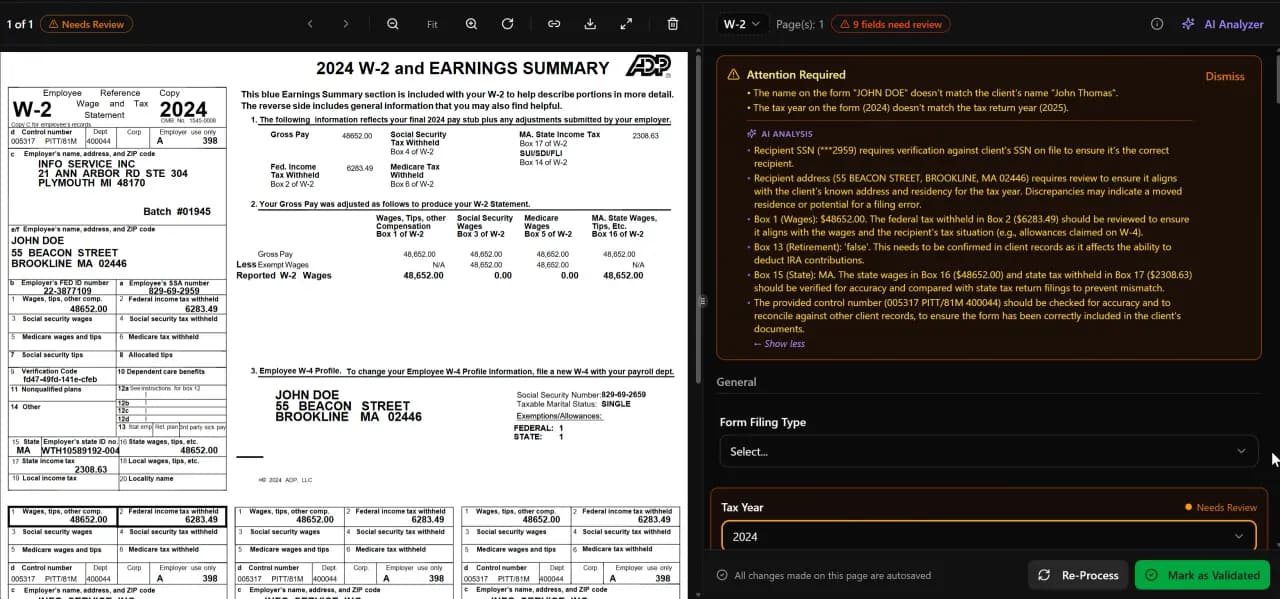
ML models extract every field with a 0.0–1.0 confidence score. Low-confidence fields are flagged for CPA review automatically.
Layer 1.5
OCR Cross-Verification
Four independent matching strategies cross-verify OCR output against AI extraction results to catch discrepancies.
Layer 2
15 Deterministic Math Rules
Hard-coded arithmetic checks ensure totals, subtotals, and computed fields are mathematically consistent — no AI hallucination.
Layer 3
18 Post-Extraction Validation Rules
Business-logic rules validate EINs, SSNs, date ranges, filing statuses, and cross-document consistency.
How It Works
Upload Documents
Drag and drop PDFs, photos, or scans. TaxScout accepts any format — even phone photos of W-2s.
Auto-Classify
AI identifies the form type (W-2, 1099, K-1, etc.) and routes to the optimal extraction pipeline.
Extract All Fields
Every field extracted with confidence scoring. Low-confidence fields flagged automatically.
5-Layer Validation
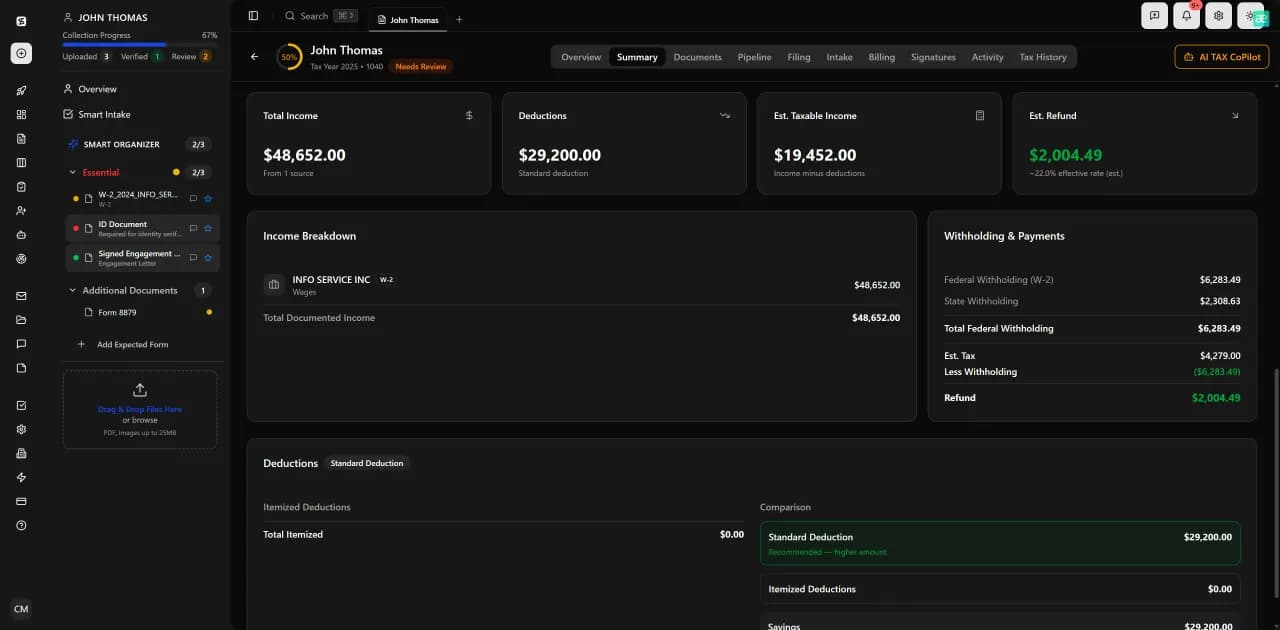
OCR cross-verification, math rules, and business-logic checks validate every extracted value.
Review & Approve
Review flagged fields in the split-screen viewer. Click any value to see its source on the original PDF.
vs. Competitors
TaxDome and Canopy require manual data entry or basic OCR that misses complex forms. TaxScout runs layered validation with confidence scoring and cross-document checks, and every extracted value keeps a link to the page it came from.
Frequently Asked Questions
TaxScout recognizes the common individual document classes — W-2, the 1099 series, K-1, 1040 schedules, bank statements, prior-year returns and multi-form PDFs. Recognition, field extraction, reviewed extraction schema, validation and workpaper mapping are separate capability levels; ask for the current per-form matrix rather than a single total.
See AI Document Extraction in Action
Book a 15-minute walkthrough and see how it fits your firm.