Forensic Accounting Software: What CPAs Need for Litigation and Fraud Engagements
Forensic engagements demand specialized software — but most CPA firms don't know where the purpose-built tools end and their existing practice management stack should begin. This guide compares ACL/Galvanize, IDEA, CaseWare, Relativity, and Excel-based workflows by engagement size, then shows how…
Forensic accounting software is a category that gets lumped together too quickly. A solo CPA taking a first business-valuation dispute engagement needs something entirely different from a Big Four team running a multi-entity fraud investigation for a federal receiver. Yet most buying guides treat every forensic practitioner as if they sit in the same seat — leaving small and mid-size CPA firms either overbuying enterprise tools they'll never fully use or patching together workflows with generic software that creates evidentiary risk.
The demand for forensic and litigation-support services is growing. The Association of Certified Fraud Examiners reports that organizations lose an estimated 5% of revenue to fraud each year, and CPAs with litigation-support credentials are increasingly called into disputes, divorces, bankruptcy proceedings, and regulatory investigations. Knowing which tools actually fit your engagement size — and how they connect to the rest of your practice — is a real competitive advantage. Much of this growth is being driven by the availability of purpose-built forensic accounting software that enables CPAs to take on complex fraud and litigation engagements more efficiently than ever before.
This guide is built for practicing CPAs evaluating forensic accountant tools, whether you're handling your first fraud referral or building a dedicated litigation-support practice. We cover the top purpose-built platforms, realistic engagement scenarios, and the often-overlooked question of how forensic work integrates with your existing document management and client communication stack. By the end, you'll have a clear framework for selecting the right forensic accounting software for your practice size, engagement type, and budget.
What Makes Forensic Accounting Software Different from Tax Software
Standard tax preparation software — Drake, Lacerte, UltraTax — is designed for compliance: assembling return data, applying tax law, and producing a signed document. Forensic CPA software solves a fundamentally different problem: it reconstructs financial reality from incomplete, disputed, or potentially manipulated records. That distinction drives every feature difference. For firms evaluating their forensic accounting software approach, this trade-off compounds over time.
Purpose-built forensic and accounting fraud detection software must handle large transaction datasets (often millions of rows), support statistical sampling for fraud risk, preserve chain of custody for evidence, and produce outputs that survive cross-examination. Many tools also offer Benford's Law analysis, duplicate transaction detection, and journal-entry testing aligned with PCAOB and AICPA auditing standards for fraud risk. Each of these factors directly shapes how forensic accounting software plays out in practice.
Because forensic engagements often end up in court or regulatory proceedings, the software you choose affects not just your efficiency but your professional credibility. Courts have increasingly scrutinized the methodology behind expert reports, and using a tool that lacks an audit trail or that analysts cannot clearly explain under oath creates unnecessary exposure. For a deeper look at how AI-based document extraction overlaps with evidence handling, see our post on what AI document extraction means for CPAs. Understanding forensic accounting software in this context is what separates firms that scale from those that stall.

Click any extracted field to see its source highlighted on the original PDF
Top Forensic Accounting Software Platforms and When to Use Each
The following platforms represent the core toolkit most forensic practitioners reference. None is universally best — engagement size, data volume, budget, and whether you need court-ready reporting all factor into the right choice. This is precisely where a deliberate forensic accounting software strategy pays off.
ACL Analytics (Galvanize / Diligent)
ACL, now part of Diligent's Galvanize platform, is the market leader for data analytics in audit and fraud investigation. It excels at importing large structured datasets from ERP systems (SAP, Oracle, QuickBooks exports), running continuous monitoring scripts, and documenting every analytical step in a reproducible log. Its scripting environment lets examiners build reusable test libraries — particularly useful for recurring engagements like internal audit outsourcing or ongoing fraud monitoring contracts. Forensic accounting software sits at the center of this decision — get it wrong and the rest unravels.
ACL is best suited for engagements involving more than 50,000 transactions, clients with ERP-level data exports, or situations where you need to deliver a repeatable methodology across multiple periods. Pricing is enterprise-tier and typically involves an annual contract. Solo practitioners or small firms doing occasional forensic work may find the cost-benefit unfavorable unless they expect significant forensic revenue volume. When firms revisit their forensic accounting software priorities, the gaps usually surface here.
IDEA Data Analysis
IDEA (Interactive Data Extraction and Analysis) from CaseWare is often described as the mid-market alternative to ACL. It handles most of the same analytical functions — Benford's Law, gap testing, duplicate detection, statistical sampling — with a lower price point and a Windows-native interface that many CPA-firm accountants find easier to adopt without dedicated IT support.
IDEA is an excellent starting point for small CPA firms entering litigation support accounting. It imports data from most accounting packages and bank formats, and its reports are designed to be attached to working papers. For firms already using CaseWare Working Papers (common in audit practices), IDEA integrates tightly into the existing file structure, which reduces workflow friction considerably.
CaseWare Working Papers
CaseWare Working Papers is the gold standard for structured working-paper management in audit and forensic engagements. Its value in forensic work is not data analytics per se, but documentation: it provides a rigorous, version-controlled file structure that organizes lead schedules, supporting exhibits, and expert-report drafts in a way that is defensible in litigation.
Many forensic practitioners use CaseWare alongside IDEA — IDEA for the analytical heavy lifting, CaseWare for assembling the final engagement file. If your firm already uses CaseWare for audit clients, extending it to forensic engagements is a natural low-friction step. CaseWare's own documentation covers integration options with common data-analytics add-ons.
Relativity (eDiscovery Platform)
Relativity is not accounting software — it is the dominant eDiscovery platform used by law firms and litigation consultants. CPAs working as expert witnesses or serving as financial advisors to legal teams may encounter Relativity because opposing counsel or the retaining law firm uses it to manage document productions.
For most CPA forensic practitioners, direct Relativity access is unnecessary unless you are embedded in a law firm's litigation team or handling very large document productions (hundreds of thousands of pages). Where it becomes relevant is understanding that the legal team managing your engagement may be producing financial records through Relativity, and your document intake process needs to accept Bates-numbered PDF productions — a capability covered below.
Excel-Based Forensic Workflows
For many small-firm forensic engagements — a single-entity embezzlement case, a marital dissolution requiring business valuation, or a straightforward accounts-payable fraud — Excel remains the most practical tool. It requires no additional software cost, every attorney and judge understands it, and when structured correctly (separate data, calculation, and output tabs with locked formula cells), it produces defensible workpapers.
The limitation of Excel-only workflows surfaces at scale: more than 100,000 rows, multi-entity consolidations, or engagements requiring randomized statistical samples where formula errors carry professional-liability risk. TaxScout's own Excel 1040 calculator uses 66 sheets and approximately 36,000 formulas — a useful benchmark for understanding where Excel-native complexity becomes a liability without disciplined version control.
Forensic Accounting Software Comparison by Engagement Profile
| Tool | Best For | Data Volume Sweet Spot | Court-Ready Output | Approximate Cost Tier |
|---|---|---|---|---|
| ACL / Galvanize (Diligent) | Large-scale fraud, continuous monitoring, ERP data | 500K+ transactions | Yes — full audit log | Enterprise (annual contract, $5K+/yr) |
| IDEA (CaseWare) | Mid-market forensic, bank-statement analysis, Benford's | 10K–500K transactions | Yes — exportable workpapers | Mid-market (~$1,500–$3,000/yr) |
| CaseWare Working Papers | Workpaper organization, audit trail, expert-report assembly | N/A (documentation tool) | Yes — structured file | Mid-market (~$800–$2,500/yr) |
| Relativity | eDiscovery, large document productions (law firm context) | 100K+ documents | Yes (eDiscovery native) | Enterprise (consumption-based) |
| Excel (structured) | Small engagements, marital dissolution, single-entity fraud | Under 50K rows | Yes, if well-structured | Free (labor-intensive) |
| TaxScout (AI practice management) | Document intake, client communication, engagement management | Any | Complements above tools | From $49/month flat |
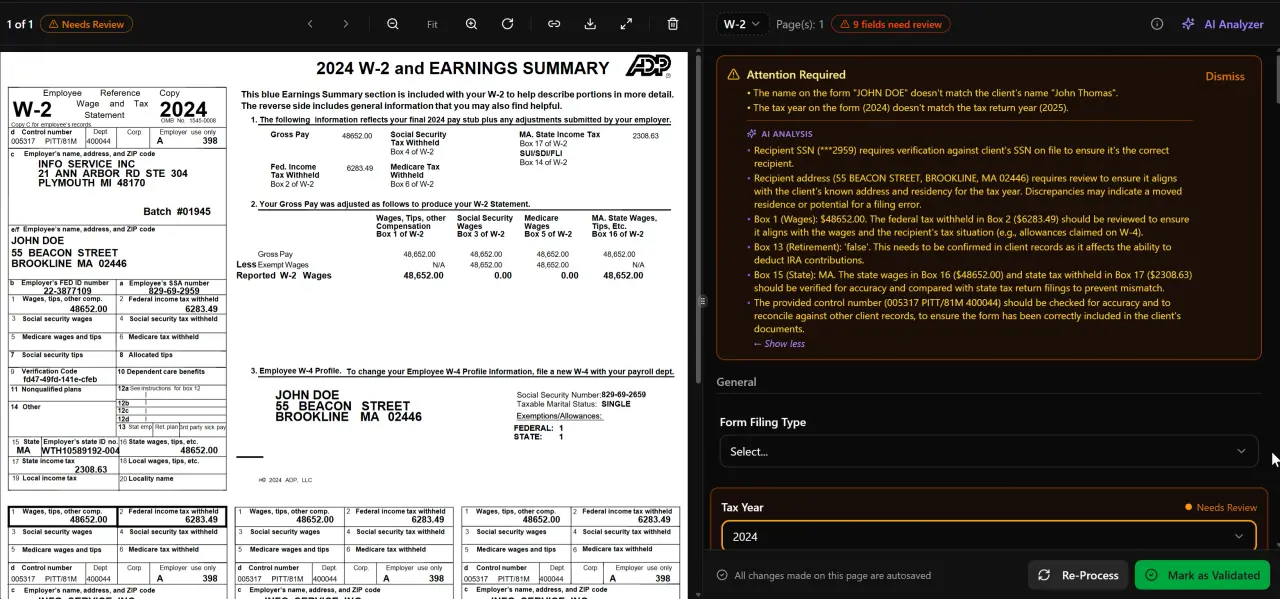
AI classifies, extracts, and validates every document automatically
Managing forensic document productions with shared drives and email threads?
TaxScout gives CPA firms a secure, AI-powered document hub with Bates-ready PDF tools, OTP client portal, and e-signatures — starting at $49/month flat with no per-user fees.

Your clients see your brand — OTP login, document upload, and real-time status
How AI-Native Practice Management Fits Into Forensic Workflows
A common misconception is that forensic engagements require a completely separate technology stack, siloed from a firm's regular practice management tools. In reality, most forensic engagements involve the same operational needs as any complex advisory engagement: secure document collection, client communication, engagement-letter execution, time tracking, and invoicing. The difference is in what you do with the documents once they arrive.
This is where an AI-native platform like TaxScout complements — rather than replaces — purpose-built forensic software. TaxScout handles the intake and communication layer: clients upload financial records through a branded client portal using OTP login (no passwords to share or compromise), documents are processed through AI document extraction with a 5-layer validation pipeline, and the resulting classified files are available in a split-screen PDF viewer with click-to-source field highlighting. That classified, organized document set then feeds into IDEA or ACL for the actual analytical work.
For document productions from opposing counsel arriving as Bates-numbered PDFs, TaxScout's PDF tools include OCR, merge, split, Bates numbering, and PII masking across 14+ functions — meaning your team can process inbound productions, re-Bates internal exhibits, and redact sensitive identifiers before sharing with clients, all without leaving the platform.
Engagement letters, retainer agreements, and expert-report authorization forms can be executed through e-signatures via Documenso — covering Form 8879, engagement letters, and W-9s. Combined with pipeline management across 12 customizable stages, a forensic engagement can be tracked from initial referral through document collection, analysis, draft report, and expert-testimony preparation in a single kanban view.
You can explore the full feature set and other blog resources covering document management, AI workflows, and firm operations to understand how these capabilities extend across a full CPA practice.
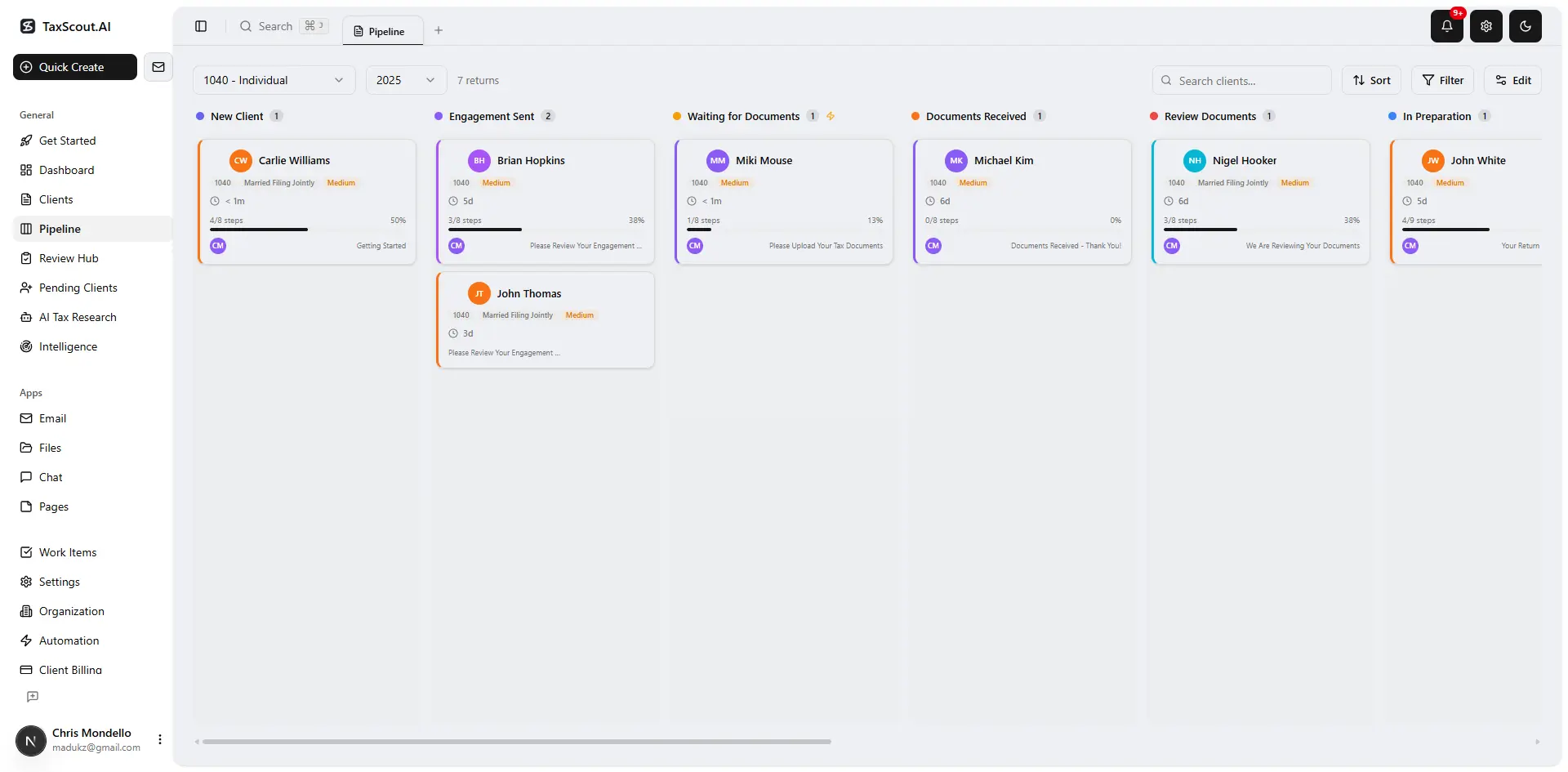
Track every return from intake to filed with drag-and-drop pipeline management
Forensic Engagement Scenarios by Firm Size
Understanding which tools are appropriate requires mapping them to realistic engagement scenarios. The three scenarios below represent the most common entry points for small and mid-size CPA firms into forensic and litigation-support work.
Scenario 1: Solo CPA, Marital Dissolution Business Valuation
A solo practitioner receives a referral from a family-law attorney to value a closely held S-corporation in a divorce proceeding. The engagement involves three years of QuickBooks data, personal and business bank statements, and two prior-year tax returns. Total transaction count: approximately 8,000 rows.
Recommended stack: Excel (structured workpapers) plus CaseWare Working Papers for file organization. TaxScout handles client document collection via the secure portal, AI extraction of the tax returns and K-1s, and e-signature on the engagement letter. The attorney receives a Bates-numbered PDF exhibit package produced through TaxScout's PDF tools. Total additional forensic software cost: ~$800/year for CaseWare. No ACL or IDEA license required at this volume.
Scenario 2: Three-Person Firm, Accounts Payable Fraud Investigation
A small firm is retained by a privately held manufacturer to investigate suspected vendor fraud involving fictitious invoices. The client's accounting system exports 180,000 vendor transactions over four years. The engagement will likely result in an expert-witness report.
Recommended stack: IDEA for Benford's Law analysis, duplicate-vendor detection, and statistical sampling. CaseWare Working Papers for the engagement file. TaxScout manages client communication through the portal and communication hub, tracks the engagement through pipeline stages, and handles invoice issuance via Stripe Connect. The AI research agents can surface relevant IRS guidance on fraud penalties and Treasury Financial Crimes Enforcement Network (FinCEN) SAR-filing obligations if the facts warrant.
Scenario 3: Mid-Size Firm, Federal Bankruptcy Receiver Engagement
A seven-person CPA firm is appointed as financial advisor to a bankruptcy trustee. The engagement involves reconstructing three years of financial statements from commingled accounts, producing an expert report, and testifying. Document volume includes 400,000+ pages of bank records and corporate documents produced through Relativity by opposing parties.
Recommended stack: ACL for transaction analysis at scale, CaseWare Working Papers for the engagement file, Relativity access through the law firm's environment for document review. TaxScout manages the client-portal communication channel with the trustee, processes inbound PDF productions with Bates tools, and handles e-signature workflows for court-required authorization forms. The written information security plan (WISP) that governs data handling in this type of engagement is supported by TaxScout's encryption in transit and at rest, role-based access with MFA, and data-subject deletion capabilities.
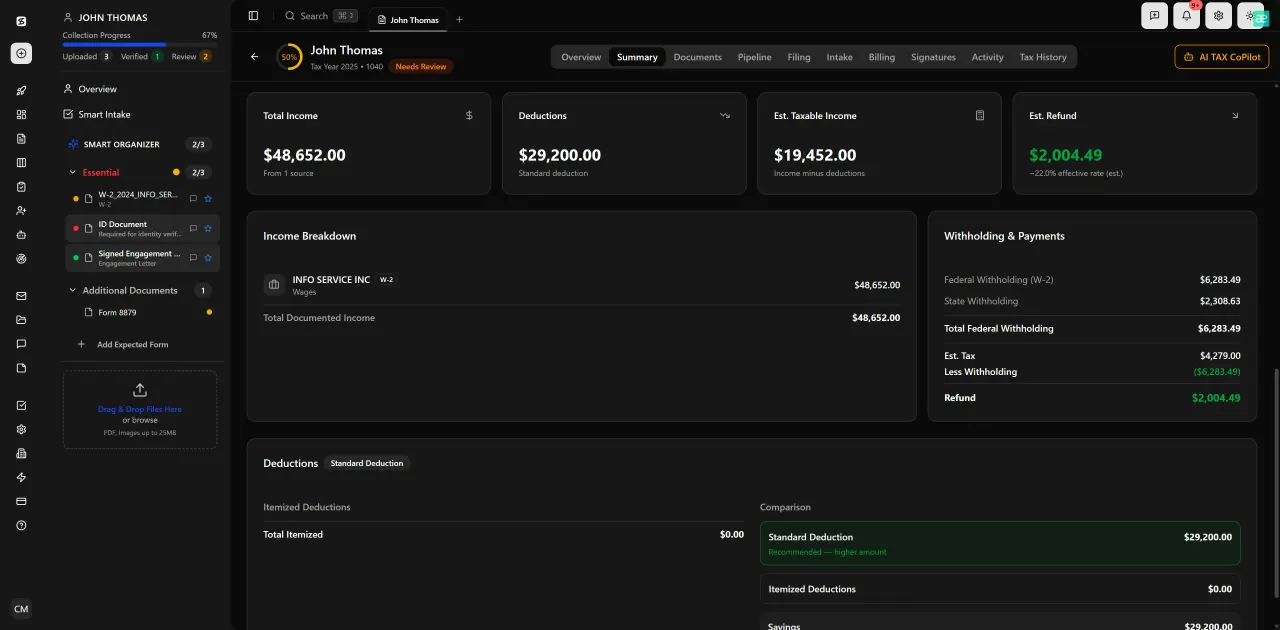
Review with AI assist — 9 agents answer questions with full client context
Evidence Handling and Chain of Custody Considerations for CPAs
One area where forensic CPA software buying guides consistently fall short is evidence handling. The moment you accept a document production in a litigation matter, you assume responsibility for its integrity. Altering a file — even unintentionally, by running it through a PDF compressor that strips metadata — can create chain-of-custody challenges under Federal Rule of Evidence 901, which governs authentication of documents.
Best practices for CPA firms handling forensic document productions include: (1) creating a hash-verified original copy on receipt, (2) working only from duplicate copies for annotation and analysis, (3) logging every file access with timestamps and user identifiers, and (4) using tools that do not modify original file metadata during processing. TaxScout's document storage preserves original files and maintains access logs consistent with these requirements.
For CPA firms that handle forensic documents alongside regular tax-season client files, the document management infrastructure you choose must be capable of satisfying both workflows. A tool that is adequate for sharing a W-2 with a client may not meet the metadata-preservation and access-logging requirements for a forensic engagement. Evaluating that dual-purpose capability is one of the most overlooked aspects of building a forensic practice within an existing firm.
The AICPA's forensic and valuation services guidance emphasizes that CPAs serving as expert witnesses must be able to explain their methodology clearly and completely. Software tools that produce opaque outputs or that require proprietary interpretation undermine that standard.
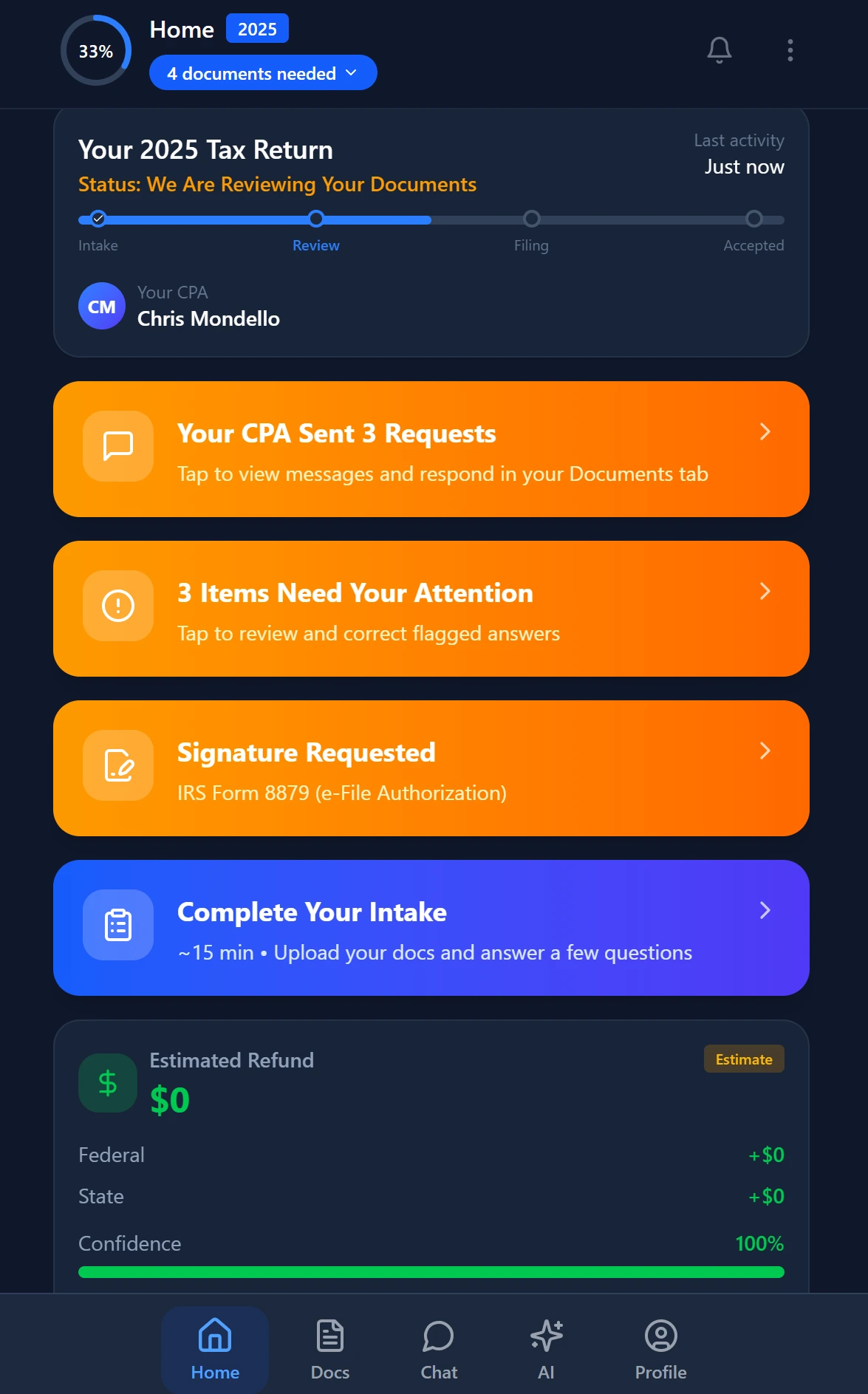
Smart intake auto-fills from uploaded documents and prior-year data
Building a Forensic Practice Without Dedicated Forensic Staff
One of the most practical gaps in existing forensic accounting content is guidance for small firms that want to take on forensic referrals without hiring a full-time forensic specialist. The good news is that the analytical tools have become accessible enough that a CPA with solid accounting fundamentals, a working knowledge of IDEA or Excel, and the right practice-management infrastructure can handle a significant portion of the forensic referral market — particularly in the business-valuation, embezzlement, and small-business fraud categories.
The key investment is training, not just software. The ACFE's Certified Fraud Examiner (CFE) credential is the recognized standard for forensic practitioners and covers both analytical methodology and legal context. Many state CPA societies also offer forensic accounting CPE that counts toward your license requirements while building practical skills. Adding a CFE or forensic-services specialty to your profile gives referring attorneys a specific reason to send you engagements.
On the workflow side, the biggest friction point for small firms entering forensic work is the document-collection and engagement-management layer. Forensic clients — attorneys, trustees, corporate counsel — expect organized, secure, and responsive communication. A branded client portal with OTP login, combined with pipeline tracking and AI-powered intake, removes the administrative friction that causes small firms to decline forensic referrals they could otherwise handle.
Pricing forensic engagements is also different from tax compliance work. Forensic and litigation-support engagements almost always use hourly billing or a hybrid retainer model, and scope creep is the primary profitability risk. Our guide to flat fee billing for CPAs covers the trade-offs, and the niche pricing strategy guide addresses how forensic specialization supports premium rate positioning.
For firms that are already managing document-heavy engagements like cost segregation or nonprofit audits, the operational infrastructure largely transfers. See our posts on cost segregation studies and nonprofit audit preparation for parallel workflow models.
Ready to take on forensic referrals without rebuilding your entire workflow?
TaxScout's AI-native platform handles document intake, secure client communication, PDF evidence processing, and engagement management — so you can focus on the analysis, not the administration.
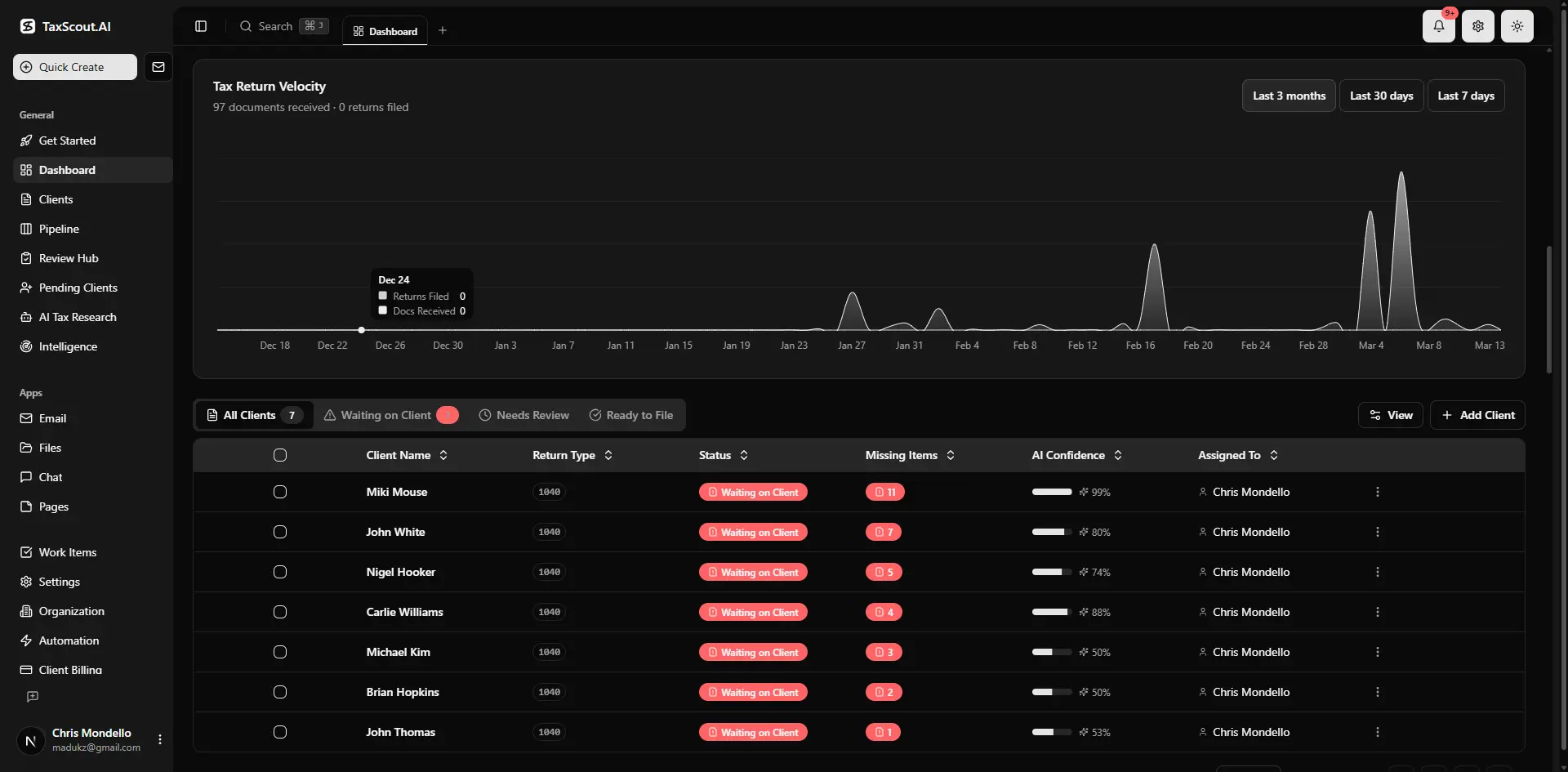
Real-time dashboard showing returns in progress, revenue, and upcoming deadlines
Frequently Asked Questions
For small CPA firms, IDEA (CaseWare) paired with CaseWare Working Papers is the most practical entry point. IDEA handles data analytics — Benford's Law, duplicate detection, statistical sampling — at a mid-market price point (roughly $1,500–$3,000/year), while CaseWare Working Papers provides the structured, version-controlled engagement file expected in litigation contexts. For very small engagements under 50,000 transactions, a well-structured Excel workpaper supported by an AI-native practice management platform like TaxScout for document intake and client communication is often sufficient.
Keep reading
Amended FBAR Procedures: How CPAs Correct Foreign Account Errors Without Triggering Penalties
Oct 12, 2026 · 1 min read
Transparency in Coverage Final Rules: What CPA Firms Must Do Now
Oct 12, 2026 · 1 min read
Backdoor Roth IRA: How CPAs Execute the Strategy for High-Income Clients
Oct 12, 2026 · 1 min read
Stay up to date
Get the latest tax tech insights delivered to your inbox.