Accounting Project Management: What AI-Powered Firms Do Differently
Generic project management guides tell accountants to use task templates and set deadlines. AI-powered firms do something fundamentally different: they let software triage return complexity, flag missing documents before deadlines hit, and benchmark capacity against real preparer workforce data…
Accounting project management looks deceptively simple from the outside: assign returns, track deadlines, deliver work. But anyone who has run a tax practice through a busy season knows the real problem isn't having a task list — it's the invisible overhead that accumulates when complexity is uneven, documents arrive late, and staff capacity is impossible to predict before March turns into April.
The existing guides on this topic cover the fundamentals competently: stakeholder alignment, workflow phases, software feature checklists. What they don't address is how AI is reshaping the specific mechanics of project management for tax-focused firms — the ones where every 'project' has a hard IRS deadline, where a single missing K-1 can hold up an entire return, and where the difference between a profitable season and a scramble often comes down to whether complexity was identified on day one or discovered at filing time. Most existing resources on accounting project management cover the fundamentals competently: stakeholder alignment, workflow phases, and software feature checklists.
This guide goes beyond the standard playbook. We use first-party data from the TaxScout directory, which tracks 69,088 US tax preparers matched against the IRS federal preparer directory, to show real capacity patterns that generic PM frameworks ignore. We also close with a decision framework — spreadsheet, traditional PM software, or AI-native platform — to help you pick the right setup for your firm.
Why Accounting Is Naturally Project-Driven
Unlike continuous business operations, tax and accounting work is structured around discrete, deadline-bound deliverables: a 1040, an audit, a business return, an FBAR filing. Each engagement has a defined start (client intake), execution phase (document collection and preparation), review gate, and close (filing and archiving). That structure is inherently project-shaped — which is why project management for accountants has become a discipline in its own right rather than an afterthought. Unlike continuous business operations, accounting project management is structured around discrete, deadline-bound deliverables: a 1040, an audit, a business return, an FBAR filing.
The IRS PTIN registration database gives a useful macro view of this workforce. As of November 2026, the TaxScout directory lists 69,088 US tax preparers, of whom 32,239 are CPAs and 11,112 are enrolled agents. The remaining practitioners hold a PTIN only or another credential type. That credential distribution matters for project management: CPAs and EAs operating under Circular 230 carry representation and due-diligence obligations that add review steps most generic PM tools never model. For firms evaluating their accounting project management approach, this trade-off compounds over time.
Accounting also differs from general project management in its external dependencies. A software project can proceed once internal resources are assembled. A tax return cannot proceed until the client delivers source documents — W-2s, 1099 series forms, K-1s, 1095s — many of which arrive on issuer-controlled schedules. That external dependency is the single biggest driver of project delays in tax firms, and it's the gap that AI-assisted triage directly addresses. Each of these factors directly shapes how accounting project management plays out in practice.
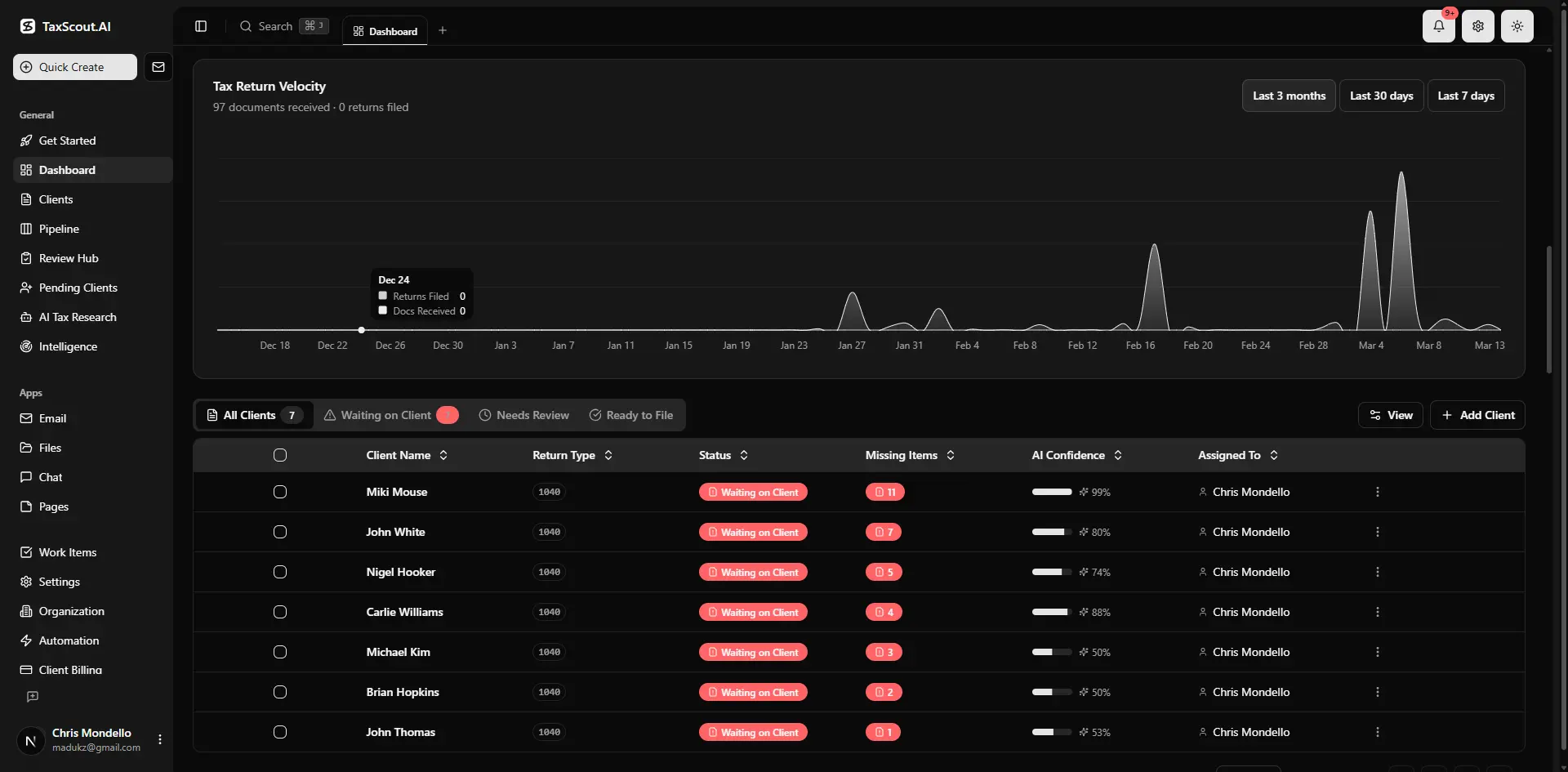
Real-time dashboard showing returns in progress, revenue, and upcoming deadlines
The Capacity Reality: What Preparer Density Data Reveals
Generic PM guides treat all accounting firms as roughly equivalent when discussing workload planning. The TaxScout directory data tells a more nuanced story. With 69,088 preparers distributed unevenly across states, practitioners in California and New York operate in markets with dramatically higher preparer density — and correspondingly higher client expectations around turnaround time — than a three-person CPA firm in a lower-volume market. That density difference changes what 'good' project throughput looks like. Understanding accounting project management in this context is what separates firms that scale from those that stall.
Solo EAs in high-density states face a specific throughput challenge: they cannot afford the administrative drag of manual complexity sorting because every hour spent triaging documents is an hour not spent on billable preparation. The Bureau of Labor Statistics Occupational Outlook for Accountants projects continued demand growth, which means capacity pressure is structural, not cyclical. Firms that solve the triage problem with AI free up the hours that manual sorting would otherwise consume. This is precisely where a deliberate accounting project management strategy pays off.
For multi-preparer firms, the capacity question shifts to allocation: which staff member handles which return complexity tier? Without automated complexity scoring, that decision defaults to whoever picks up the work first — a de facto random assignment that creates uneven workloads and unpredictable review queues. AI-native pipeline management allows complexity to drive assignment rather than availability, which produces more consistent project timelines across the team. Accounting project management sits at the center of this decision — get it wrong and the rest unravels.
You can explore the full preparer distribution by credential and state in the TaxScout preparer directory, which is matched against the IRS federal preparer directory and updated regularly. When firms revisit their accounting project management priorities, the gaps usually surface here.
Tired of discovering missing documents at filing time instead of intake?
TaxScout's AI intake engine flags gaps before they become deadline problems — no manual checklist required.
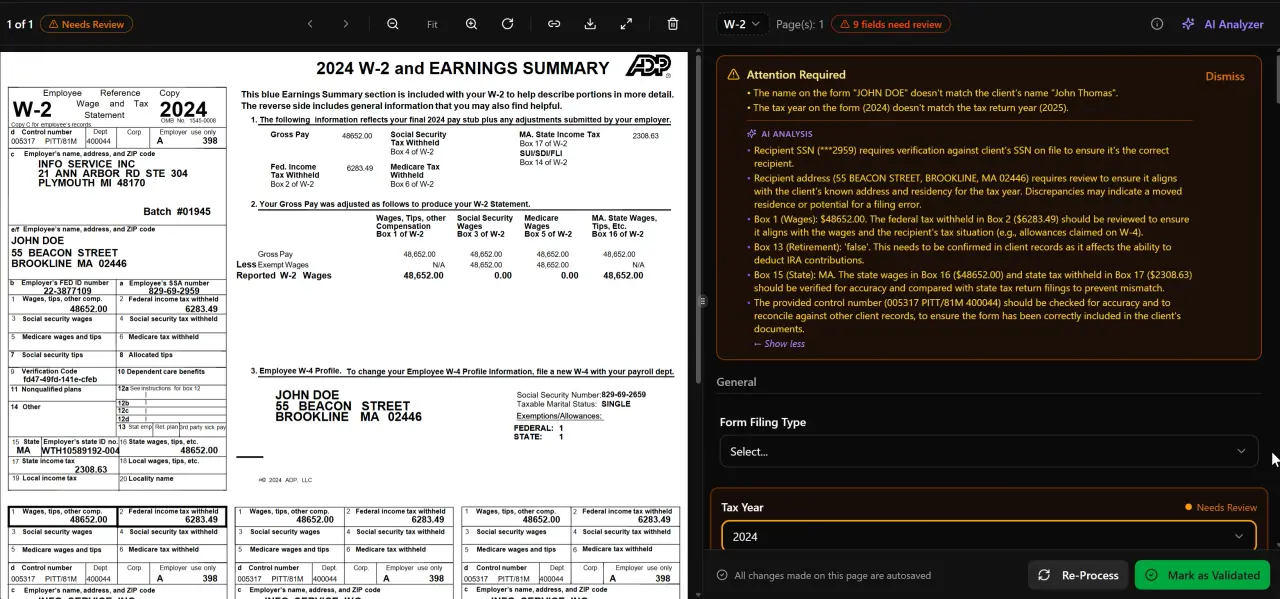
AI classifies, extracts, and validates every document automatically

Click any extracted field to see its source highlighted on the original PDF
The Five Phases of Accounting Project Management
Structuring tax engagements as formal projects — with defined phases rather than ad hoc task lists — is the foundation of effective CPA firm workflow management. The phases below apply to any firm, regardless of software; what AI changes is the labor intensity of each phase.
Understanding these phases also sets the stage for the decision framework at the end of this guide, where the right tool depends entirely on which phases generate the most friction in your practice. For additional context on the broader category, see our complete guide resources.
Phase 1: Initiation — Scope and Engagement Setup
Initiation covers everything from the first client conversation to a signed engagement letter. In traditional practice management, this means manually drafting scope documents, sending e-signatures for Form 8879 or engagement letters, and entering client data into the system. AI-assisted initiation changes the input burden: prior-year return data and document history can pre-populate the engagement scope, and the AI intake engine modeled on IRS Form 13614-C uses four-layer prefill — document-first, prior-year, profile, and AI gap analysis — to surface scope questions the firm might otherwise miss.
Phase 2: Planning — Workflow Mapping and Deadline Assignment
Planning translates scope into an actionable work sequence: which documents are required, which team member handles which steps, and what the internal review deadline must be to meet the IRS filing date. The state tax deadlines layer adds complexity for multi-state filers, since state due dates don't always mirror federal deadlines. A 12-stage pipeline management system with customizable kanban lets firms model their actual workflow rather than conforming to a vendor's generic template.
Phase 3: Execution — Document Collection and Extraction
Execution is where most project delays originate. Clients upload documents at unpredictable times, documents arrive with quality issues, and manually verifying extraction accuracy consumes preparer time that could go toward review and advice. AI document processing across recognized individual document classes — W-2, the full 1099 series, K-1s, 1098 and 1095 series, 1040 schedules, and supporting records — combined with a 5-layer validation pipeline covering document quality routing, AI extraction with confidence scoring, OCR cross-verification, 15 deterministic math rules, 18 post-extraction rules, and cross-document validation, eliminates most manual extraction labor. The split-screen PDF viewer with click-to-source field highlighting lets preparers verify flagged fields in seconds rather than hunting through the original document.
Phase 4: Monitoring and Control — Managing Bottlenecks
Monitoring in a tax firm means knowing, in real time, which returns are stalled and why. The most common stall points are missing documents, unresolved review comments, and client non-response. AI classification of incoming email — across Gmail OAuth, Outlook Graph, and IMAP/POP3 — routes client messages to the correct engagement automatically, reducing the manual triage that buries project status in an unread inbox. When bottlenecks do form, the production funnel dashboard surfaces them before they threaten deadlines.
Phase 5: Closing — Review, Delivery, and Archiving
Closing covers partner or manager review, client delivery, e-signature collection, invoicing, and archiving. Firms that handle closing manually — PDF exports, email chains, separate invoicing systems — spend significant time on coordination that software can automate. E-signatures via Documenso cover Form 8879, 4868, FBAR, engagement letters, W-9, and state forms. Invoicing via Stripe Connect Express closes the billing loop without leaving the platform. Post-cancellation, a Retained Archive option ($99/year) provides a 7-year read-only record for professional liability purposes.
What AI Does That Traditional Accounting Practice Management Software Cannot
The accounting practice management software market has converged on a similar feature set: task management, document storage, client portals, and time tracking. What differentiates AI-native platforms is not any single feature but the ability to reduce manual decision-making across the project lifecycle — specifically in the areas of complexity triage, gap detection, and research.
Complexity triage is the most underappreciated time sink in tax firm project tracking. When a client's documents arrive, someone must review them and decide: is this a straightforward W-2 return, or does the K-1 from a partnership create passive activity complications? Manual triage requires a preparer to open every document. AI extraction with confidence scoring assigns a complexity signal automatically — returns with multiple Schedule K-1s, foreign income documents, or high-variance year-over-year figures can be routed to senior staff before a preparer manually reviews a single page.
Gap detection before the deadline — rather than at filing time — is the second major differentiator. The AI intake engine's gap analysis layer compares documents received against the prior-year return profile and flags expected documents that haven't arrived. A client with a brokerage account who hasn't yet uploaded a 1099-B triggers a gap alert automatically, allowing the firm to request the document weeks before the due date rather than discovering its absence during final review. For a deeper look at how automation reshapes this process, see Accounting Automation for CPA Firms: What AI Actually Changes.
The third differentiator is embedded tax research. AI research agents with real-time search across IRS, Treasury, Cornell Law, SSA, and Congress databases mean that a preparer encountering an unfamiliar situation — a client's first year with PFIC exposure, say, or a question about the interaction of the permanent 20% QBI deduction under IRC §199A with a new SSTB classification — can get a sourced answer without leaving the return workflow. That integration eliminates the context-switching that fragments project focus and extends preparation time.
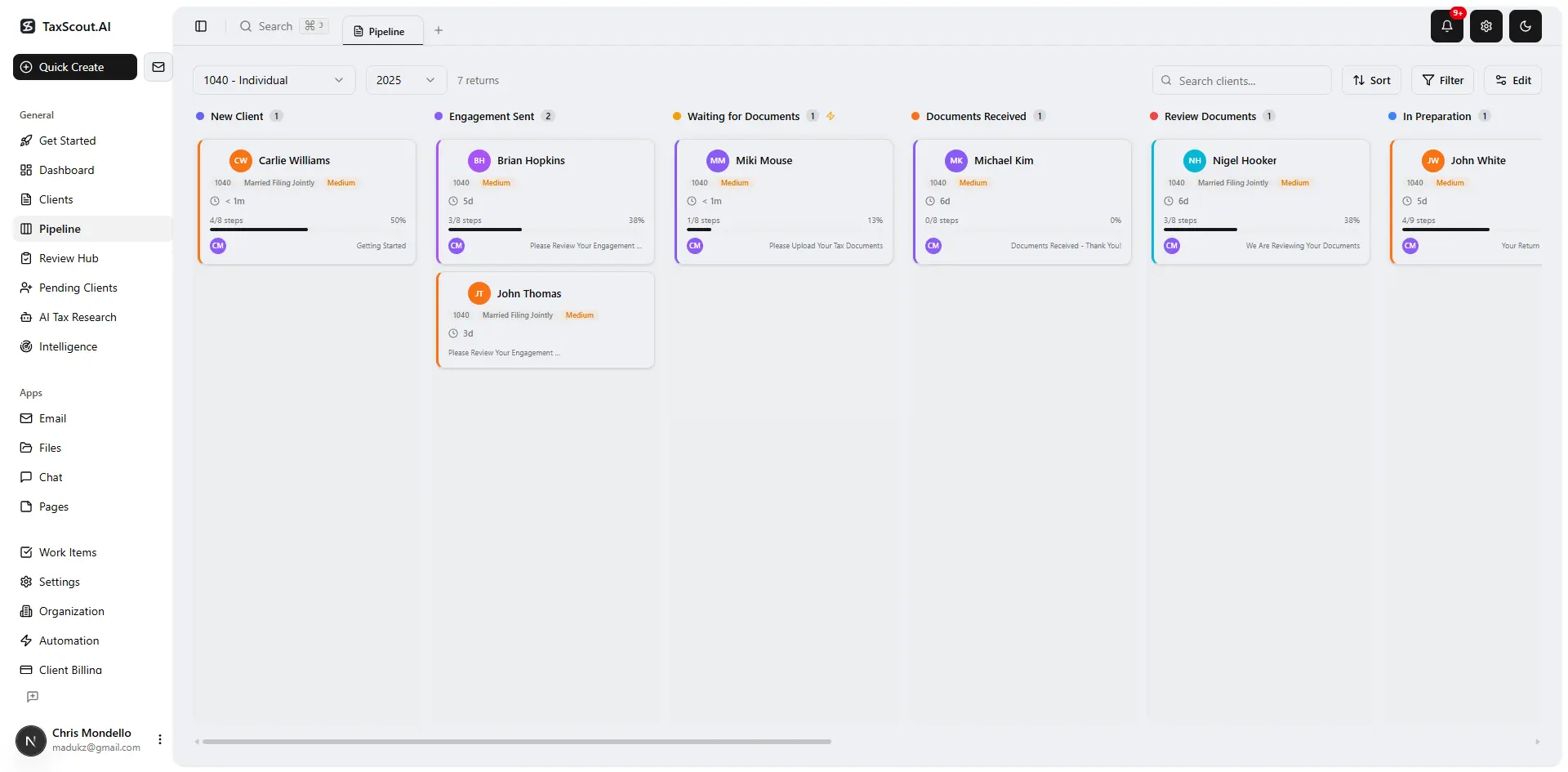
Track every return from intake to filed with drag-and-drop pipeline management

Your clients see your brand — OTP login, document upload, and real-time status
Key Features to Evaluate in Accounting Project Management Software
When evaluating accounting workflow automation tools, the standard checklist — workflow automation, deadline tracking, document sharing, time tracking, client portals — is a floor, not a ceiling. The features below are what separate capable platforms from genuinely AI-native ones.
Client-context AI memory is one feature generic PM tools don't offer: the system retains entity structures, filing history, and prior returns so that each new engagement starts with a populated context rather than a blank record. Branded client portals with OTP login (no passwords) reduce the friction that causes clients to email documents instead of using the portal, which keeps documents in the platform where automated processing can act on them. The communication hub consolidates email, portal messages, and internal notes so that project status is visible from one screen rather than distributed across inboxes.
Integrations with existing tax preparation software matter because most firms won't — and shouldn't — abandon Drake, CCH Axcess, UltraTax CS, Lacerte, ProConnect, or ProSeries to adopt a new PM platform. TaxScout works alongside all of these, handling intake, document processing, client communication, e-signatures, and invoicing while the tax software handles the actual return preparation. That separation of concerns lets firms adopt AI-native project management without a software migration.
For AI adoption guidance specific to CPA firms, including the organizational changes that make adoption successful, the linked guide covers implementation patterns in detail.
Accounting project management software: representative pricing comparison (all figures from vendor sources as noted)
| Platform | Pricing Model | Per-User Fees | AI Document Processing |
|---|---|---|---|
| TaxScout Solo | $49/month for the whole firm or $470/yr — unlimited team members, 150 return credits/term | None | Included |
| TaxScout Firm | $149/month for the whole firm or $1,430/yr — unlimited team members, 500 return credits/term | None | Included |
| TaxDome | Not independently verified (last read 2026-07-31: $800–$1,200/seat/yr on a 1-year term; Essentials plan limited to one team member) | Yes — per seat | Limited |
| Canopy | $74/user/mo billed annually, as of 2026-08-01; tax workflow automation from $34/client/year extra | Yes — per user | Not included in base |
| Karbon | $59/user/mo billed annually, as of 2026-08-01 | Yes — per user | Not included |
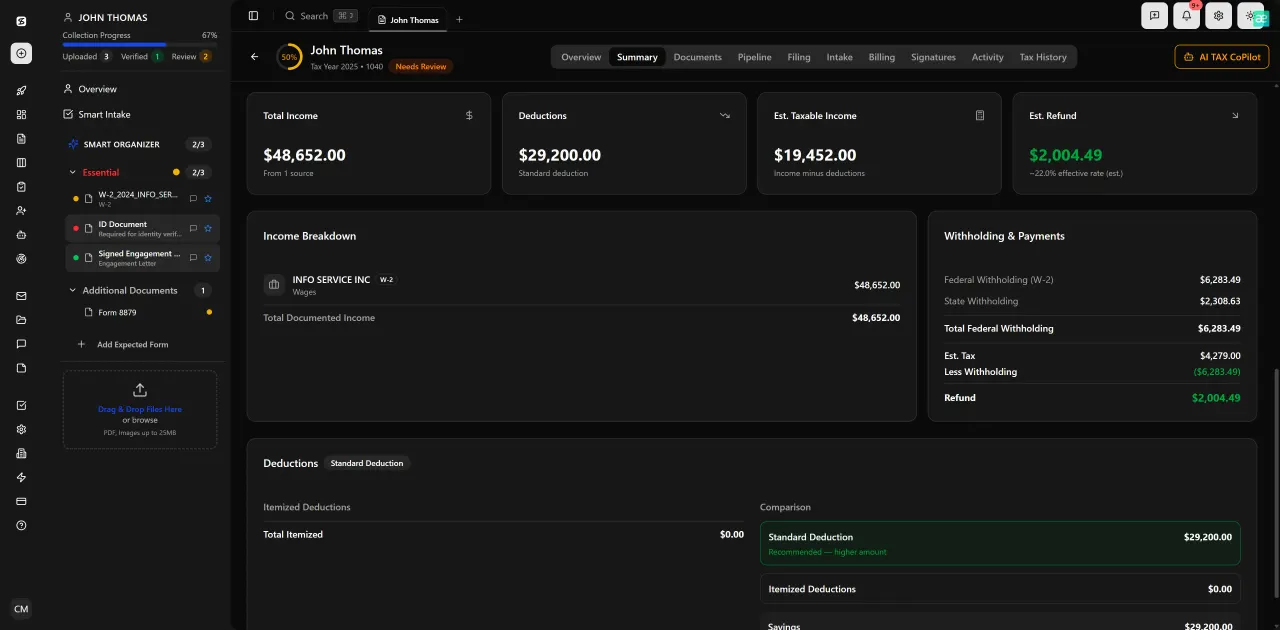
Review with AI assist — AI agents answer questions with full client context
Common Challenges Without Proper Accounting Project Management
The failure modes are consistent across firm sizes and credentials. Missed deadlines and compliance risks top the list: the IRS penalty framework for late filing and late payment creates direct financial consequences for clients and reputational risk for the firm. When project tracking lives in a spreadsheet or a generic project tool, deadline visibility depends on someone manually updating a due-date column — a process that breaks down under volume.
Overloaded staff and burnout are structural outcomes of poor capacity planning. The Journal of Accountancy has documented staffing pressure as a persistent challenge for CPA firms. Without visibility into which preparers have available capacity, managers assign work based on familiarity or proximity rather than actual workload — producing uneven distributions that push some staff to the edge while others have slack. AI-driven pipeline management with real-time stage tracking makes workload visible at a glance.
Lack of visibility into project status is the third major failure mode. When a firm owner can't answer 'how many returns are in review right now, and which ones are at risk?' without opening five different spreadsheets, the firm is managing reactively. The same applies to client communication: when client interactions are scattered across personal email inboxes, the firm has no audit trail and no way to identify which clients haven't responded to document requests. These challenges are not software-specific — they reflect a structural absence of project discipline that tools alone cannot fix without process changes.
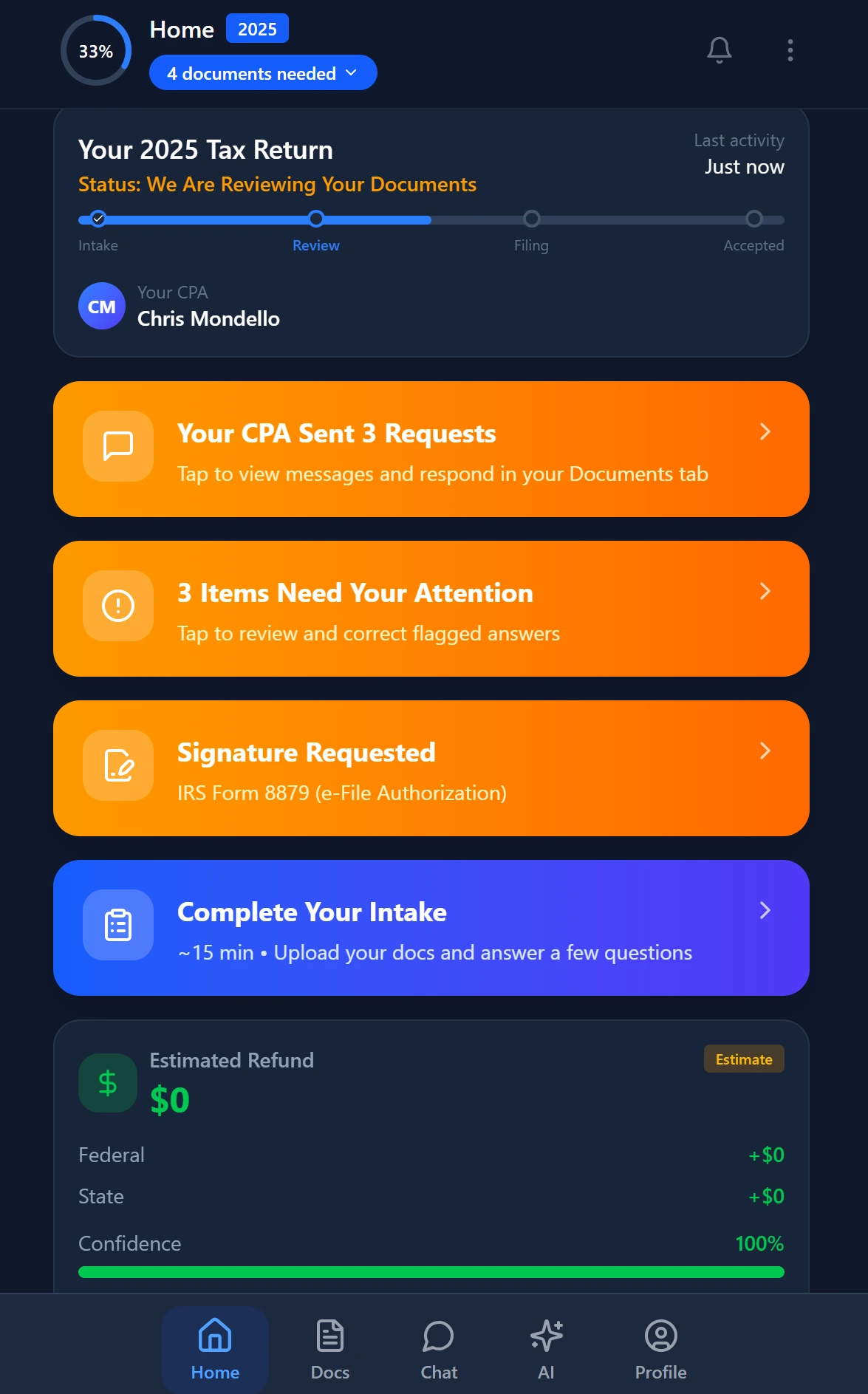
Smart intake auto-fills from uploaded documents and prior-year data
Decision Framework: Spreadsheet, Traditional PM Software, or AI-Native Platform
No competing guide provides this framework — which is precisely where most accountants get stuck. They know their current process is breaking down, but they're uncertain which tier of investment is warranted. Here is a practical decision model based on firm size, volume, and where friction actually lives.
A spreadsheet is enough when: your firm handles fewer than 50 returns per year, all preparers are in the same physical location, every return is roughly the same complexity tier (e.g., all W-2 filers with no business income), and client communication happens through a single shared inbox that everyone monitors. At this scale, the overhead of adopting and maintaining software often exceeds the time saved. A well-structured spreadsheet with deadline columns, status codes, and a shared document folder can serve a micro-practice adequately.
Traditional accounting practice management software fits when: your firm has 50–300 returns per year, you have two or more preparers who need task assignment visibility, clients require a portal for document uploads, and you bill by time. Generic PM tools — including category leaders — deliver genuine value at this scale by replacing email-based coordination with structured workflows. The limitation is that they don't reduce the manual work of document review and complexity triage; they organize it more legibly. If your bottleneck is coordination, traditional PM software solves it. If your bottleneck is the extraction and triage workload itself, it doesn't.
An AI-native platform pays off when: your firm processes 300+ returns per term, complexity is variable (a mix of simple 1040s, Schedule C businesses, S-corps, partnerships, and clients with K-1s from multiple entities), document collection from clients is a persistent source of delay, or you are a solo or two-person firm trying to scale throughput without adding headcount. At this point, the value of AI is not organizational visibility — it's direct labor substitution on the extraction, gap detection, and triage steps that consume hours per return at scale. The TaxScout Firm plan at $149/month for the whole firm with unlimited team members and 500 return credits is designed for exactly this profile, with no per-user fees that inflate cost as the team grows.
The How to Start an Accounting Firm guide covers the initial infrastructure decisions in more detail for firms evaluating their first PM investment.
Ready to see where AI-native project management fits your practice?
TaxScout gives CPA firms unlimited team members, AI document extraction, and a 12-stage pipeline — starting at $49/month with no per-user fees.
Frequently Asked Questions
Tax and accounting projects have hard external deadlines set by the IRS and state agencies, depend on documents that clients control and deliver on unpredictable schedules, and carry compliance obligations under Circular 230 for licensed preparers. Generic PM frameworks don't model missing-document risk, complexity triage, or the multi-party review gates that tax engagements require. Purpose-built accounting practice management software addresses these specifics; general tools like Asana or Monday.com do not.
Stay up to date
Get the latest tax tech insights delivered to your inbox.