Tax Software Updates Mid-Season: How CPA Firms Stay Productive Without Downtime
When a tax software update drops mid-busy season, firms without a system scramble — and lose billable hours to duplicate work and version confusion. This guide frames tax software change management as a process problem, not a technology problem, and shows how AI-native practice management…
Every year, the same crisis plays out across CPA firms: a tax software updates CPA staff haven't prepared for drops at the worst possible moment — February, March, or right before a cluster of April 15 deadlines. One preparer is still on the previous version. Another has a workflow checklist that references menu options that no longer exist. A third completed two returns using a since-corrected calculation before anyone noticed. The result is not just frustration — it is measurable billable-hour loss and professional liability exposure.
The firms that sail through mid-season updates are not the ones who got lucky with a quiet release cycle. They are the ones that treat every software update as a change management event, not a simple IT task. They have centralized process documentation, a clear communication chain, and a platform that propagates workflow changes to every team member automatically — before the first return is opened on the new version. Understanding how tax software updates CPA firms must manage has become a core competency separating high-performing practices from those that scramble every season.
This guide explains why accounting firm downtime caused by software updates is a systems failure, not a technology failure, and shows how AI-native practice management platforms solve the problem at scale. You will also find a practical 5-step update readiness checklist any CPA firm can complete in under 30 minutes. Every tax software updates CPA workflow disruption traced back to poor change management reveals a deeper gap in how firms operationalize technology.
Why Tax Software Updates Cause Accounting Firm Downtime
Desktop-installed tax software — including legacy versions of Drake, CCH Axcess local installs, and ProSeries — updates on a per-workstation basis. A preparers' machine may auto-update overnight while a reviewer's workstation does not. Suddenly, the same return looks different in two environments, form references diverge, and the firm's checklist becomes unreliable because it was written against the previous version. This version fragmentation is the root cause of most mid-season workflow breakdowns. This version fragmentation is one of the most common tax software updates CPA firms report as a source of mid-season errors and rework.
The problem is compounded when firms use a separate, disconnected practice management tool — or no tool at all — for workflow. When the software changes, someone must manually update every template, checklist, and task sequence stored in spreadsheets, ClickUp boards, or standalone tools. As our article on ClickUp for accounting firms explains, general-purpose tools lack the tax-context awareness to flag when a workflow step has become obsolete because of a software change. For firms evaluating their tax software updates CPA approach, this trade-off compounds over time.
According to the IRS's published return filing statistics, tens of millions of individual returns are filed in a six-week window between late February and April 15. Any disruption to a firm's production pipeline during that window directly erodes revenue per hour. The hidden cost is not just the hour spent troubleshooting the update — it is the two returns that were finalized on the wrong version, the partner review that had to restart from scratch, and the client who called because their refund amount changed between the draft and the e-filed return. Each of these factors directly shapes how tax software updates CPA plays out in practice.
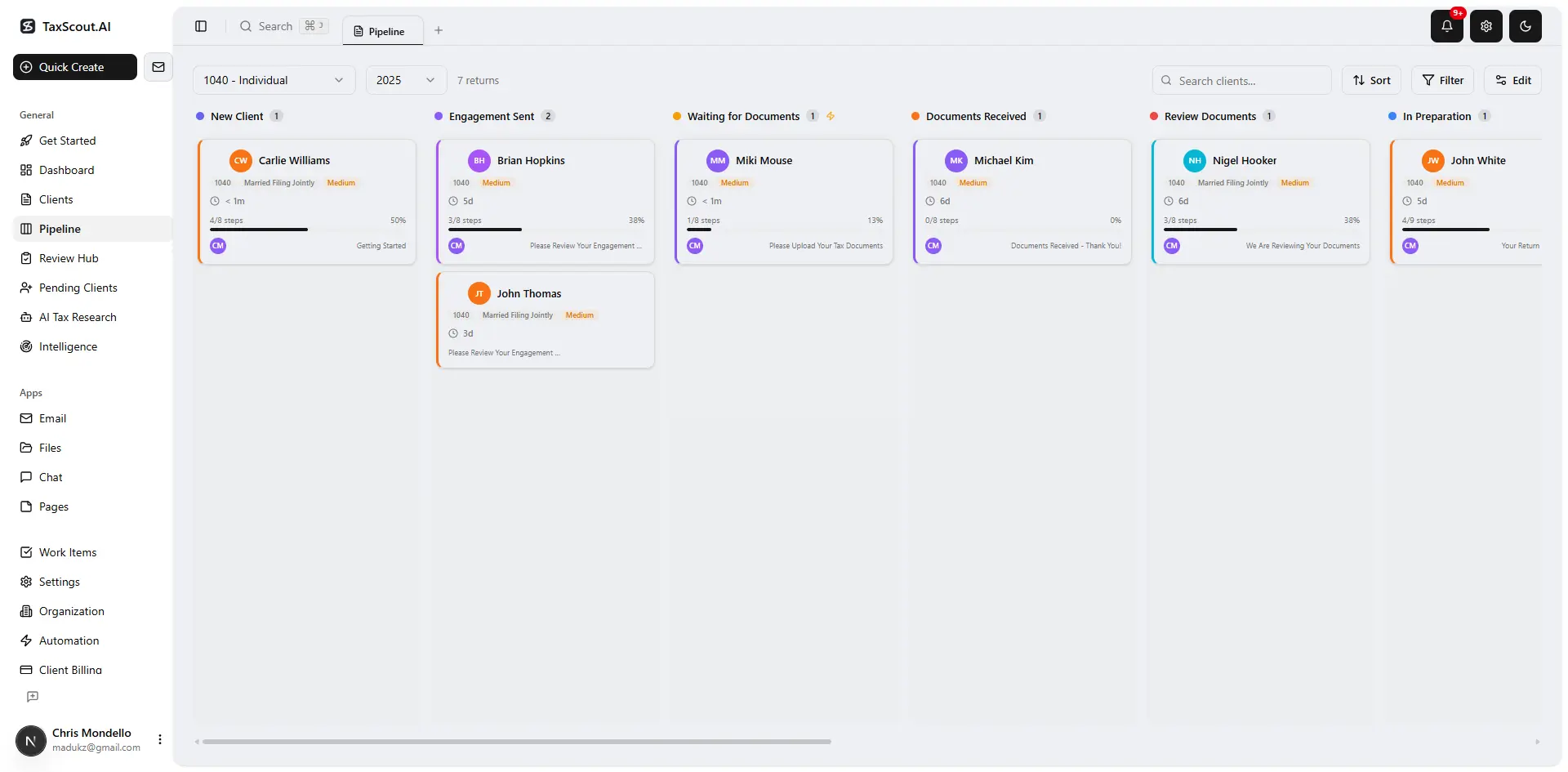
Track every return from intake to filed with drag-and-drop pipeline management
Change Management vs Technology Management: The Right Frame
Tax software change management is not the IT department's problem. It is a firm-wide process problem that requires a communication plan, a documented rollback procedure, a template update protocol, and a staff notification system. Firms that treat it as a technology issue assign it to whoever handles software licenses and declare victory when the update installs cleanly. Firms that treat it as a change management issue ask four questions before any update goes live: What workflow steps will change? Who needs to know before they open the software? Which task templates must be revised? And how do we confirm every preparer is working on the same version? Understanding tax software updates CPA in this context is what separates firms that scale from those that stall.
The Journal of Accountancy has consistently noted that technology adoption failures in CPA firms trace back to communication gaps rather than software quality. The same dynamic applies to updates: the software may work perfectly, but if staff are not informed of changed interfaces, new form positions, or revised e-file diagnostics in advance, errors follow. This is precisely where a deliberate tax software updates CPA strategy pays off most visibly — firms that communicate version changes proactively before staff open a single return on the new build consistently see fewer review cycles and fewer client-facing corrections.
This reframe matters for platform selection. A cloud-native, AI-integrated practice management platform is not just a better version of a desktop workflow tool — it is the infrastructure that makes tax software change management possible at the firm level, not the preparer level. Tax software updates CPA sits at the center of this decision — get it wrong and the rest unravels.
Tired of scrambling every time a software update drops mid-season?
TaxScout.ai centralizes your firm's workflows, task templates, and team communication so updates never derail your busy season pipeline. When firms revisit their tax software updates CPA priorities, the gaps usually surface here.

Track firm performance with real-time analytics and client activity monitoring
How AI-Native Practice Management Eliminates Update Chaos
An AI-native platform like TaxScout.ai approaches busy season workflow continuity differently from legacy tools. Because pipeline management lives in the cloud with 12 customizable stages and version-consistent task templates, a firm principal can update a workflow stage once and have the change reflected immediately for every preparer on the team — without manually editing individual checklists or hoping someone forwards the right email.
The AI automation layer goes further by surfacing workflow gaps in real time. When a new software version changes the flow for a specific form type — say, revised Schedules K-2 and K-3 requirements that alter the partnership return workflow — the platform's task templates can be updated centrally and pushed to all active returns in that stage. Staff receive an in-app notification tied to the specific affected workflow step, not a generic all-hands email that gets buried in the busy season inbox flood. For any firm still relying on manual processes to manage tax software updates CPA, this centralized push model alone can eliminate the most common version-fragmentation errors.
TaxScout also integrates with the tax preparation software your firm already uses. As detailed in how TaxScout works with Drake Tax Software, the platform sits alongside Drake, CCH Axcess, UltraTax CS, Lacerte, and others — managing the firm's process layer while the tax engine handles the calculation layer. This separation of concerns means a Drake update affects the calculation environment but does not destabilize the practice management workflow, because the two layers are architecturally independent.
Compare this to a desktop-only setup where the workflow lives inside the tax software itself, or in a spreadsheet tied to menu navigation that changes with every update. In those environments, an update to the software is simultaneously an update to every process artifact the firm has built around it.
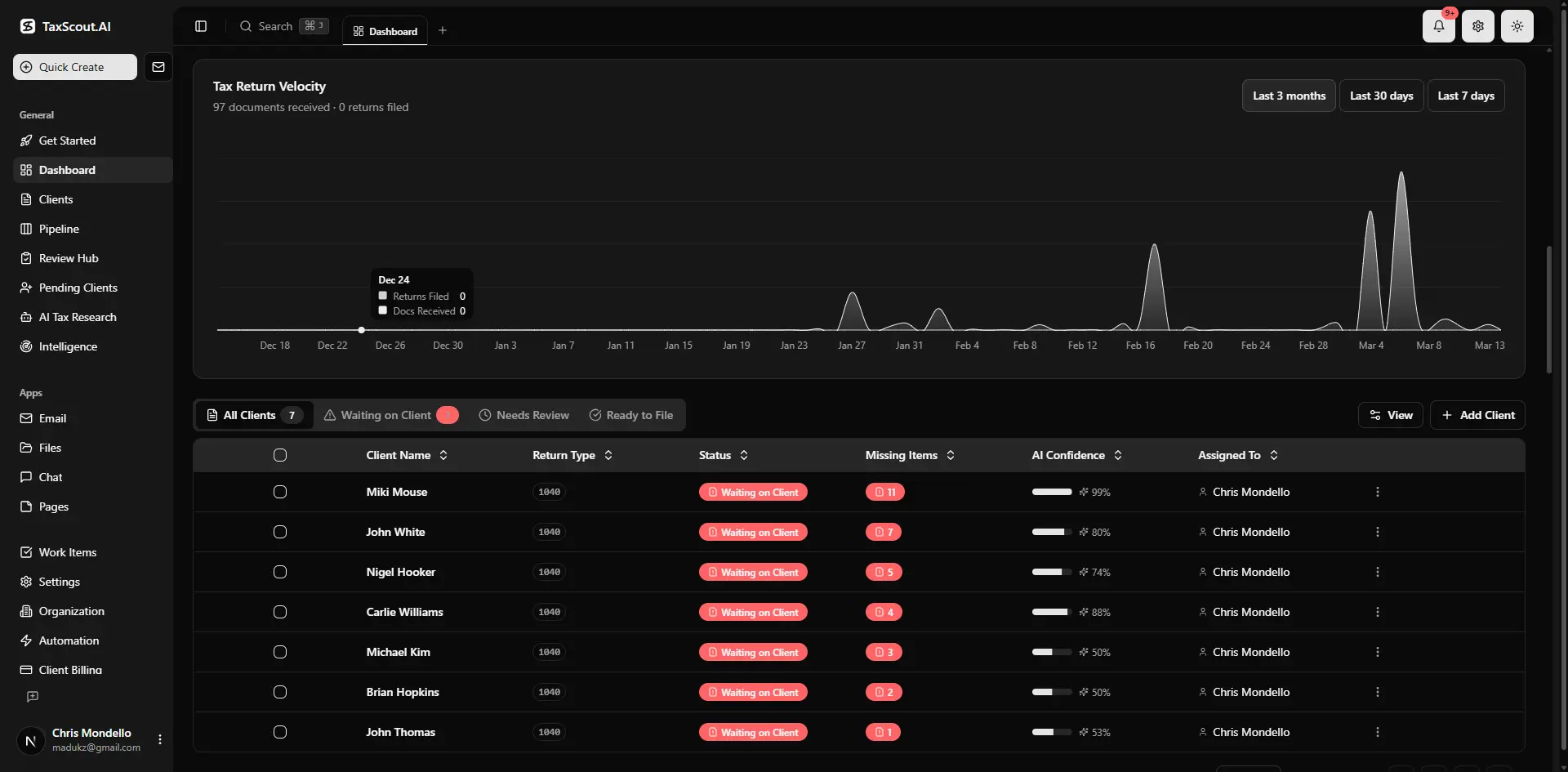
Real-time dashboard showing returns in progress, revenue, and upcoming deadlines
The Hidden Cost of Update Errors in Billable Hours
Version confusion is expensive in ways that rarely appear on a firm's P&L. When two preparers are on different software versions, the firm may not discover the discrepancy until a reviewer catches a calculation difference and has to trace it back through both environments. That review cycle — which might have taken 20 minutes on a clean return — can expand to 90 minutes or more once the version mismatch is identified, isolated, and corrected.
Duplicate work is the other silent killer. A preparer who completes a return on version N, then discovers the e-file diagnostic changed in version N+1 and the return must be re-opened and re-checked, has effectively done 1.5x the work for one billable unit. Multiply that across a 10-person firm handling 500 returns per season, and even a 5% duplicate-work rate from version confusion represents dozens of unbillable hours. This is why firms that have standardized their tax software updates CPA protocols consistently report fewer unbillable correction cycles and tighter margins at the end of busy season.
The Bureau of Labor Statistics reports median CPA hourly wages well above $40/hour, and billing rates in metropolitan markets commonly run $150–$350/hour. A single mid-season update handled poorly can quietly consume $2,000–$5,000 in unrecoverable staff time across a mid-sized firm. Proper tax software change management is not a nice-to-have — it is a direct margin protection measure.
Explore other blog resources on firm operations, AI workflows, and busy season management across TaxScout's content library.
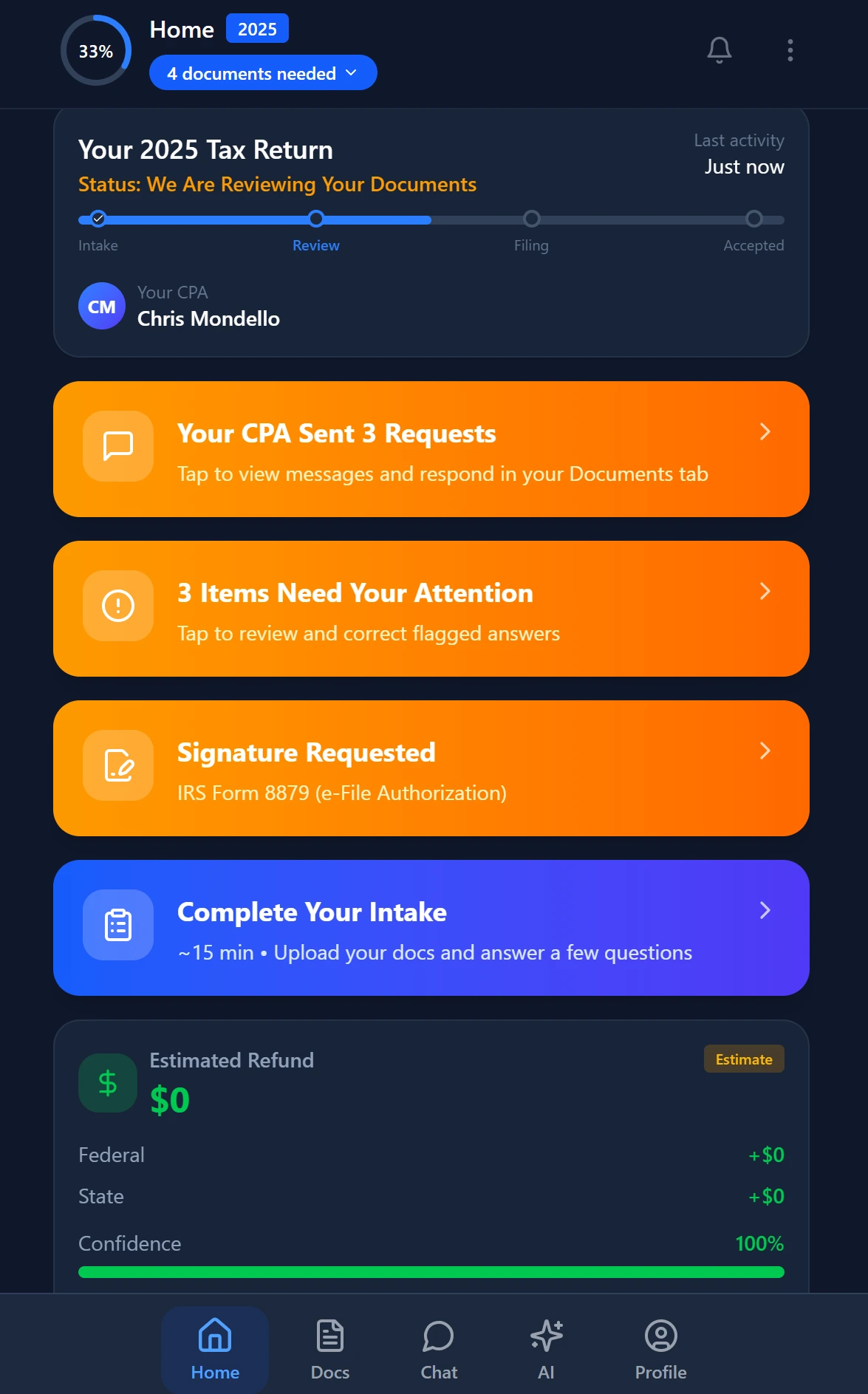
Smart intake auto-fills from uploaded documents and prior-year data
5-Step Tax Software Update Readiness Checklist for CPA Firms
This checklist is designed to be completed in under 30 minutes by a firm manager or operations lead. Run it before any major mid-season update is deployed to production workstations or cloud accounts.
Step 1: Identify the scope of the update. Read the vendor's release notes before approving the update. Note specifically which forms, e-file diagnostics, or calculation methods have changed. The IRS e-file technical resource library and your software vendor's release notes are your primary sources. Flag any changes that affect your top 20% of return types by volume.
Step 2: Audit your active workflow templates. Open your practice management platform and pull up the task templates for every return stage currently in progress. Cross-reference each workflow step against the release notes. Any step that references a menu path, form location, or diagnostic code that has changed in the update must be revised before staff open the new version.
Step 3: Communicate before the update installs. Draft a brief internal notice — two to three sentences per affected workflow — describing what changed and what staff should do differently. Send it through your firm's primary communication channel (in-platform notifications, team chat, or email) before the update window, not after. For guidance on eliminating inbox chaos, see our post on shared inbox management for accounting firms.
Step 4: Designate a version gatekeeper. One person — not the whole team — should install and test the update on a non-production return first. This person confirms that the e-file diagnostics, form calculations, and print outputs match expectations before the update is pushed to all workstations or approved for all users in the cloud environment. Treating this role as a standing position within the firm — not an ad-hoc assignment — is one of the clearest markers of a mature tax software updates CPA process.
Step 5: Confirm version uniformity before reopening returns. After the update is deployed, verify that every preparer's environment shows the same version number. In a cloud-native setup this is automatic; in a hybrid or desktop environment, a quick all-hands confirmation in your team chat or a version screenshot takes under five minutes and prevents the most common source of mid-season version fragmentation.
Firms that run this checklist consistently report significantly fewer update-related support tickets, fewer re-review cycles, and a measurable reduction in the preparer anxiety that accompanies busy season software changes. The checklist is not complex — but having it written down and assigned to a specific person transforms an ad-hoc scramble into a repeatable CPA firm continuity protocol.
Cloud-Native vs Desktop Tax Software: Continuity Implications
The cloud-native vs desktop distinction matters more for update management than it does for any other operational dimension of a CPA firm. Cloud-native tax software — including browser-based versions of CCH Axcess and ProConnect — updates server-side, meaning every user is on the same version automatically. Desktop-installed software updates per machine, creating the version fragmentation risk described above.
This is why the practice management platform choice amplifies or mitigates the underlying software architecture risk. A firm on a desktop tax engine with a cloud-native AI practice management layer (like TaxScout) can compensate for per-machine update lag by centralizing all workflow documentation and change communications in the practice management platform. The tax software version may temporarily differ across workstations, but the firm's process layer — checklists, task assignments, client stage tracking, team notifications — remains consistent and current for everyone.
Firms still using spreadsheet-based workflows or standalone tools like Asana or Trello for tax workflow management have no equivalent safety net. When the tax software changes, the workflow documentation stored outside the platform must be updated manually, in parallel, by someone who has both the time and the awareness to do it. During busy season, neither condition is reliably present. The firms most exposed to tax software updates CPA disruption are almost always those without a centralized, purpose-built process layer to absorb the change.
The SBA's small business continuity guidance frames operational continuity as a documentation and communication problem — the same framing that applies to tax software update management. Firms that treat their practice management platform as the single source of truth for all workflow documentation are better positioned to absorb any mid-season change, software-related or otherwise.
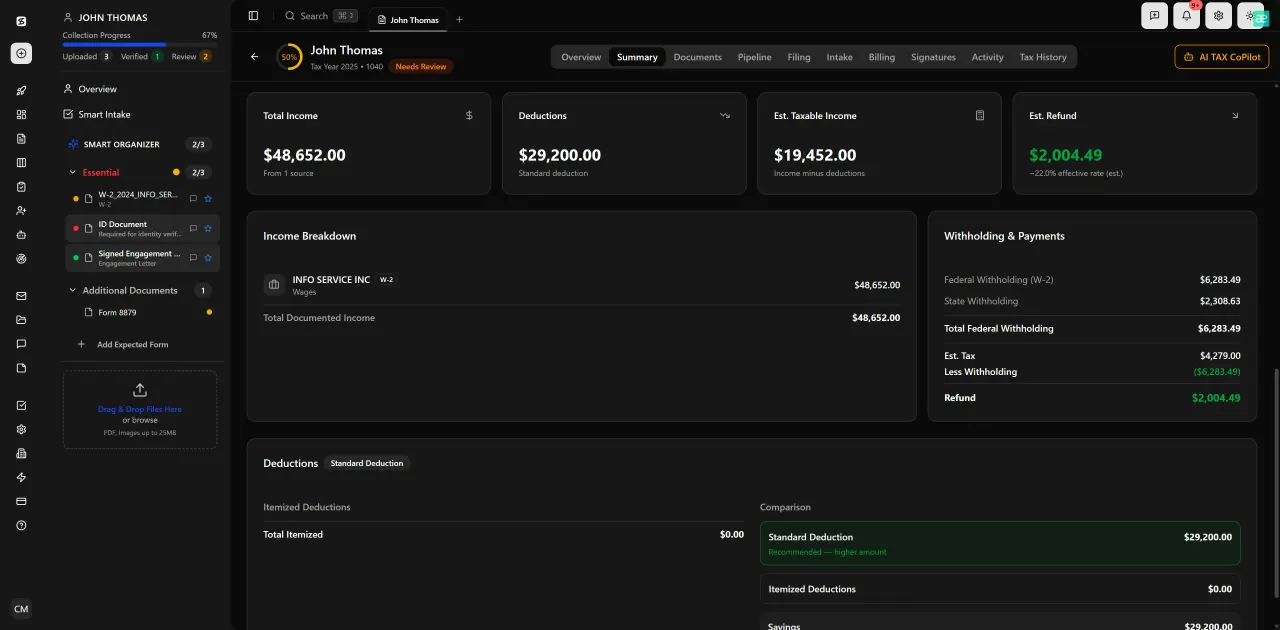
Review with AI assist — 9 agents answer questions with full client context
How TaxScout compares to legacy tools for tax software update management
| Capability | TaxScout.ai (AI-Native) | Desktop Tax Software Only | Generic Workflow Tool (ClickUp, Asana) |
|---|---|---|---|
| Centralized workflow templates | Yes — 12-stage pipeline, cloud-native | No — workflow lives in spreadsheets | Partial — not tax-context aware |
| Automatic staff notification on workflow change | Yes — in-platform notifications tied to affected stages | No — manual email or verbal | No — requires manual update and re-assign |
| Version uniformity enforcement | Yes — cloud platform, single version | No — per-workstation installs | N/A — unrelated to tax software |
| Works alongside existing tax software | Yes — Drake, CCH, Lacerte, UltraTax, ProConnect | N/A (is the tax software) | No integration with tax engines |
| Update readiness documentation | Yes — knowledge base and task templates updated centrally | No native capability | Manual — no automation |
| Cost for 10-person firm | $149/month flat, unlimited clients | Per-seat licensing varies | ~$100–$200/month, no tax workflow context |
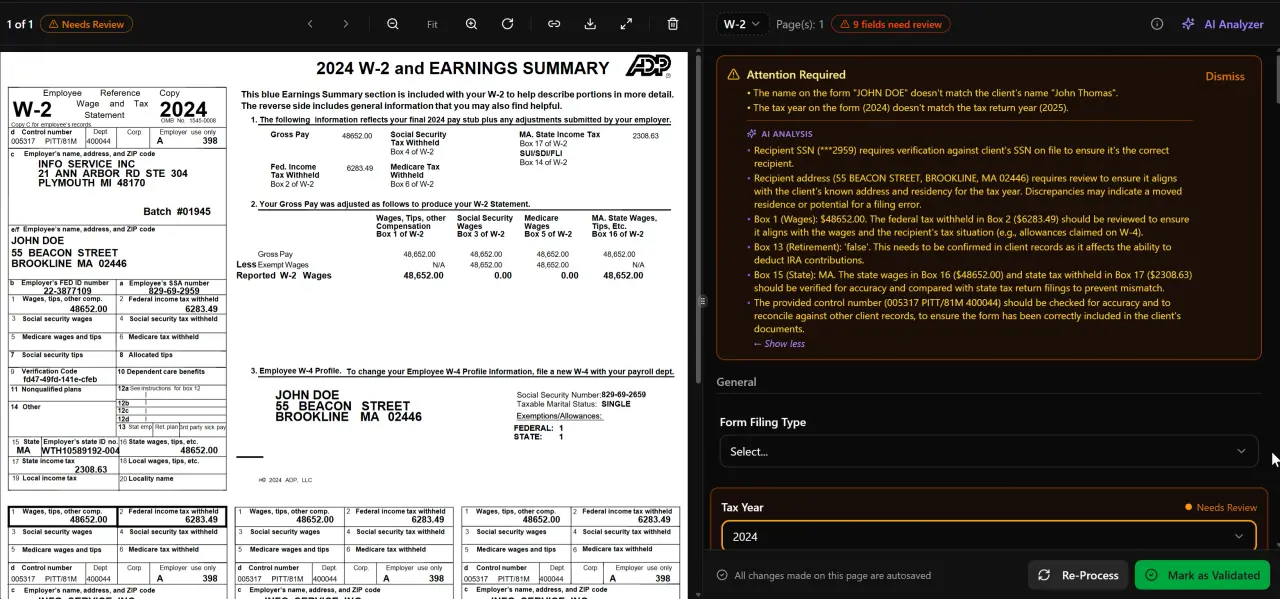
AI classifies, extracts, and validates every document automatically
What AI Research Agents Add to Update Season Compliance
Beyond internal workflow management, tax software updates often coincide with — or are triggered by — regulatory changes from the IRS, Treasury, or Congress. A form revision in your tax software is frequently the downstream effect of a Treasury regulation update or a new IRS notice that affects how a specific line is calculated or disclosed.
TaxScout's 9 AI research agents monitor IRS, Treasury, Cornell Law School's Legal Information Institute, SSA, and Congressional sources in real time. When a software update coincides with a regulatory change, preparers can query the research agents directly — asking, for example, why the software now requires a new disclosure on Schedule B, or how a revised depreciation calculation aligns with Section 168(k) bonus depreciation rules — and receive sourced, citable answers without leaving the platform.
This is the capability gap that no competitor currently addresses: the link between an external regulatory event, the software update it triggers, and the in-workflow research support preparers need to handle returns correctly on the new version. Generic workflow tools and legacy practice management platforms have no equivalent. See our guide on AI accounting productivity for a broader look at how AI research tools reduce the research burden during high-volume filing periods.
Building a Tax Software Change Management Culture
The 5-step checklist above is a procedure. But lasting CPA firm continuity requires a culture — a shared expectation that software updates are anticipated, documented, and communicated as a matter of course, not managed reactively under deadline pressure.
Firms that build this culture share a few common practices. They maintain a running change log in their practice management knowledge base — a brief note for each update, what changed, and what was revised in the workflow templates as a result. They designate a 'process owner' for each major software platform, who is responsible for monitoring vendor release channels and running the checklist before each update. And they use their capacity planning cycle to build in 30–60 minutes per major software update event, treating it as a scheduled firm activity rather than an interruption.
The firms that suffer the most from tax software updates are not the ones using bad software. They are the ones that have never formalized how they handle change. An AI-native practice management platform like TaxScout provides the infrastructure — centralized templates, automated notifications, real-time research support, and cloud-native version consistency — but the culture of treating updates as change management events is what makes the infrastructure useful.
If your firm is evaluating platforms with this lens, see TaxScout's full pricing — flat-rate, no per-user fees, unlimited clients — and compare it against what you are currently paying for tools that were not built for this problem.
Ready to stop treating every software update like a fire drill?
TaxScout.ai gives your firm a single, cloud-native hub for workflows, team communication, AI research, and document management — so mid-season updates become routine, not crises.

Every client gets organized documents, status tracking, and a complete history
Frequently Asked Questions
Mid-season updates can create version fragmentation across workstations, render existing workflow checklists obsolete, and trigger duplicate work when preparers and reviewers are unknowingly on different versions. The root cause is almost always a lack of a formal change management process — not the update itself.
Keep reading
Tangible Property Regulations: How CPAs Apply Capitalization vs Expensing Rules
Oct 15, 2026 · 1 min read
Amended FBAR Procedures: How CPAs Correct Foreign Account Errors Without Triggering Penalties
Oct 12, 2026 · 1 min read
Transparency in Coverage Final Rules: What CPA Firms Must Do Now
Oct 12, 2026 · 1 min read
Stay up to date
Get the latest tax tech insights delivered to your inbox.