CRM for Accountants: What Most Guides Miss About Client Retention
Every CRM guide for accountants is a feature-comparison listicle. This one is different: it maps the three moments tax firms lose clients to the actual CRM capabilities that prevent them. Using data from 70,000+ preparers across CA, TX, NY, and FL, we show what high-retention firms do differently…
Search for 'CRM for accountants' and you will find the same article published a dozen times: a numbered list of tools, a pricing table, a paragraph about integrations, and a verdict. What none of those guides address is the reason you need accounting CRM software in the first place — clients leave, and they leave at predictable moments you can instrument and prevent.
TaxScout's preparer directory covers more than 70,000 active PTIN holders across the United States. When we look at the high-retention firms in dense, competitive markets — California, Texas, New York, and Florida — a consistent pattern emerges. They are not necessarily using more expensive software. They are responding faster at intake, following up after filing, and reaching out before the next tax season begins. Their CRM is not a contact database; it is an engagement lifecycle engine. What separates these high-retention firms is not budget but how deliberately they have chosen and configured a CRM for accountants that fits the specific rhythms of tax practice.
This guide will show you the three moments tax firms lose clients, explain what the CRM capabilities that map to each moment actually look like in practice, and give you an honest evaluation matrix that includes AI-native features most comparisons ignore entirely. Whether you are a solo CPA, a multi-partner firm, or a bookkeeping shop looking for the best CRM for bookkeepers, the framework here applies. If you have ever searched for a CRM for accountants and walked away with a generic sales tool that felt like it was built for a software startup, this guide is for you.
Why Most CRM Guides for Accountants Get It Wrong
The standard approach to writing about CRM for tax firms is to pull together five or six tools, line up their monthly prices per seat, check whether they connect to QuickBooks, and call it a comparison. That approach misses the point because CRM selection is not primarily a software procurement question — it is a client lifecycle design question. A genuinely useful evaluation of CRM for accountants has to start with the question of which client relationships are actually breaking down and why, before a single feature is compared.
The IRS Taxpayer Experience Office has documented that taxpayer satisfaction correlates strongly with timely communication and clear process transparency. When a client does not hear back within 48 hours of submitting documents, they do not just get annoyed — they start comparing you to the competitor they saw on a Google ad last week. For firms evaluating their CRM for accountants approach, this trade-off compounds over time.
Traditional CRM guides also conflate general-purpose CRM tools (Salesforce, HubSpot) with practice-specific workflow platforms. A general-purpose CRM tracks leads and deals. A CRM for CPAs must also track document status, filing deadlines, e-signature completions, and payment collection — all within the context of IRS-defined forms and deadlines. Those are fundamentally different requirements, and a listicle organized by price tier will not surface that distinction. Each of these factors directly shapes how CRM for accountants plays out in practice.
For a broader look at practice management approaches across the profession, see our complete guide to accounting practice resources. Understanding CRM for accountants in this context is what separates firms that scale from those that stall.
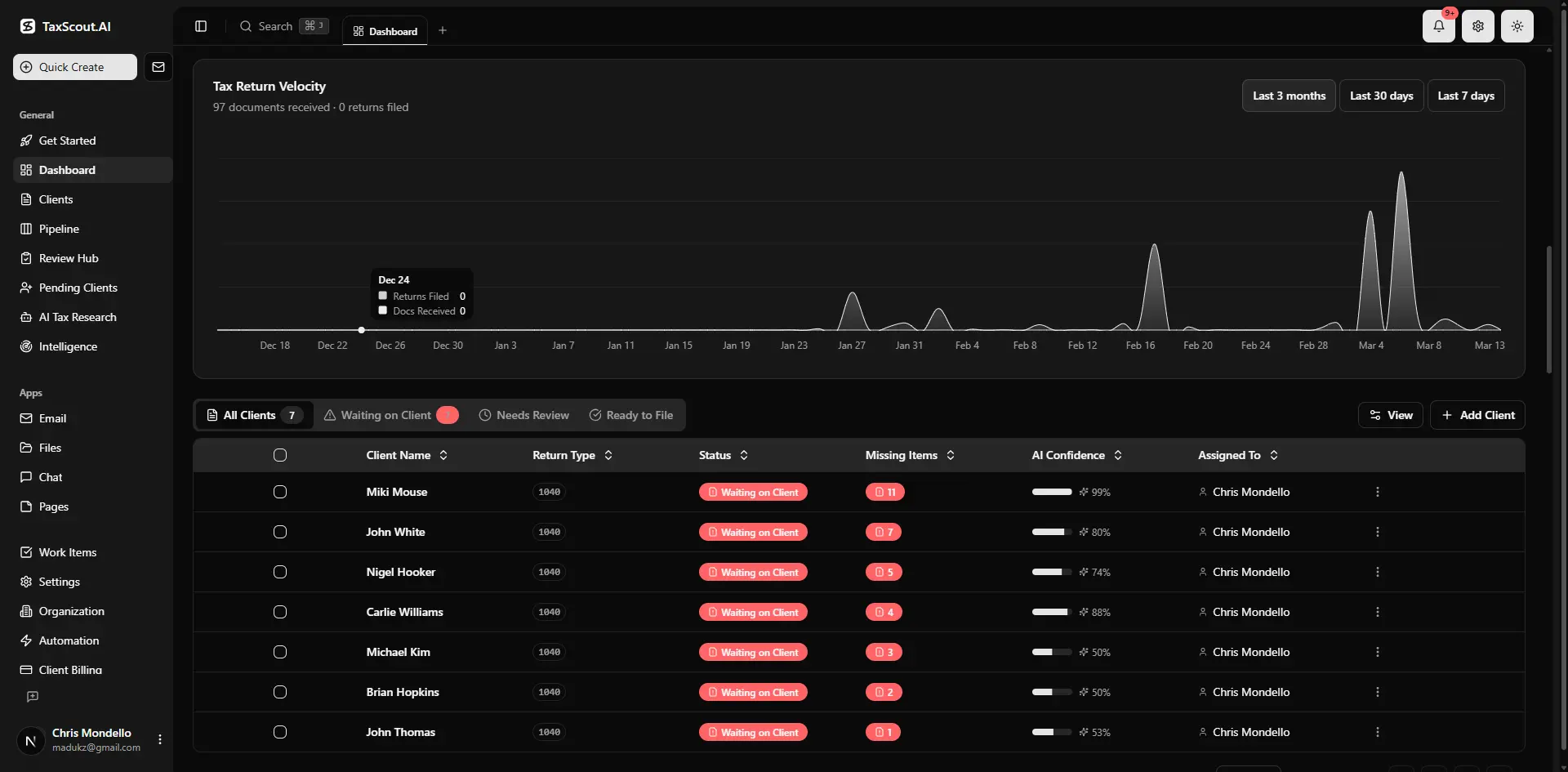
Real-time dashboard showing returns in progress, revenue, and upcoming deadlines
The Three Moments Tax Firms Lose Clients
Retention failure in accounting practices almost always traces back to one of three friction points in the engagement lifecycle. Understanding these moments is the prerequisite for choosing the right accounting CRM software. This is precisely where a deliberate CRM for accountants strategy pays off.
Moment 1: Slow Response at Intake
The engagement begins the moment a prospective or returning client submits their first document or inquiry. In high-competition markets like Los Angeles County or the Dallas–Fort Worth metro, that client may have contacted two or three other preparers simultaneously. Firms that respond with a structured intake request — a personalized organizer, a portal link, a clear document checklist — within hours convert at dramatically higher rates than firms that respond with a generic email 48–72 hours later. CRM for accountants sits at the center of this decision — get it wrong and the rest unravels.
The IRS Form 13614-C is the gold standard interview framework for comprehensive intake. Firms that digitize and prefill this interview using prior-year data and AI document analysis eliminate the friction that causes prospective clients to abandon the process. The smart intake engine at TaxScout models exactly this workflow, using a four-layer prefill approach — document-first, prior-year, profile, and AI gap analysis — to reduce the time a client spends answering questions they have already answered. When firms revisit their CRM for accountants priorities, the gaps usually surface here.
Moment 2: No Follow-Up After Filing
The period immediately after a return is filed is the highest-churn window in the tax engagement calendar. The work is done, the invoice is paid, and both parties move on. For the client, this is the moment they are most likely to reassess their relationship with their preparer — especially if the filing process was stressful or communication was inconsistent.
High-retention firms treat the post-filing period as the beginning of the next engagement, not the end of the current one. They send a structured follow-up that summarizes key numbers from the return, flags any estimated payment obligations, and previews what the client should be thinking about before next year. This is not a marketing email — it is a professional deliverable. Firms that automate this touchpoint using pipeline management and communication workflows retain clients at measurably higher rates than those that do not.
The Journal of Accountancy has noted that client advisory relationships, which begin precisely in this post-filing window, are among the fastest-growing revenue streams in the profession.
Moment 3: No Proactive Outreach Before Tax Season
The third moment is the most preventable and the most commonly missed. In October and November, clients who had a passable but not exceptional experience with their current preparer are actively open to switching. They have not yet received their W-2s. They have not yet thought about their appointment. They are, in every behavioral sense, unbounded.
Firms that send a proactive outreach sequence in October — confirming the engagement, previewing the document checklist, noting any relevant law changes — lock in renewals before competitors have a chance to intercept. Firms that wait until January to re-engage are competing with aggressive advertising from national chains and new entrants. The IRS PTIN database shows that active preparer counts in states like California and New York have grown steadily, meaning competitive pressure on client retention is increasing every cycle.
Tired of losing clients between filing season and the next engagement?
TaxScout's pipeline management, smart intake, and campaign engine are built around the exact three moments firms lose clients — so you can instrument and close those gaps automatically.
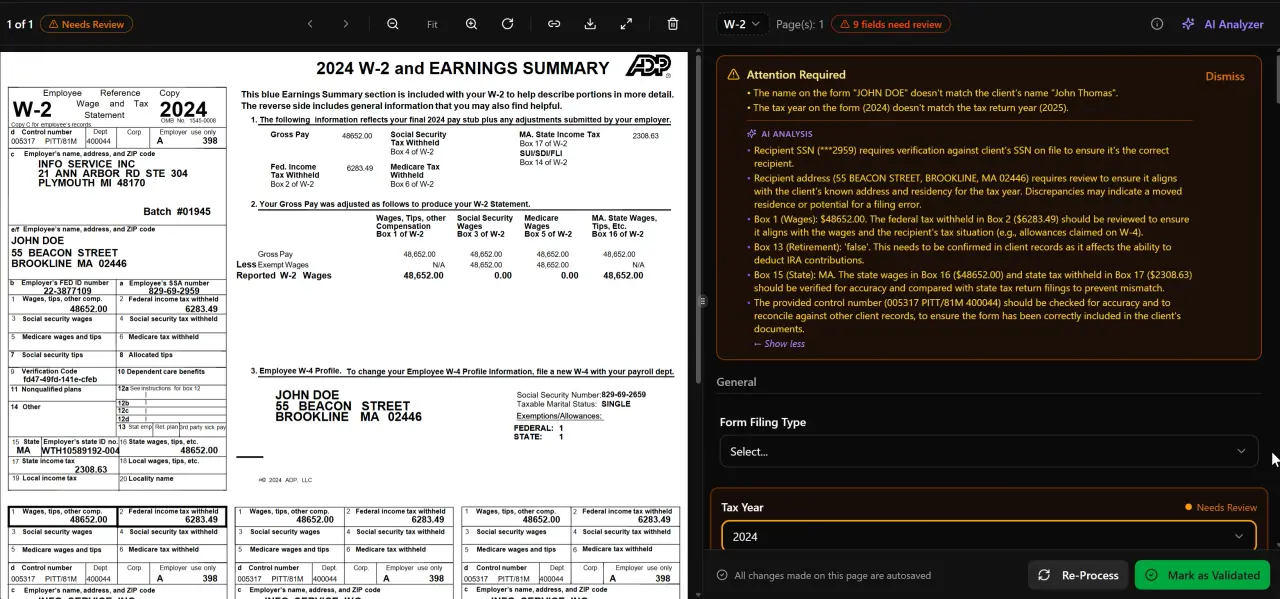
AI classifies, extracts, and validates every document automatically

Click any extracted field to see its source highlighted on the original PDF
What High-Retention Firms in CA, TX, NY, and FL Do Differently
Analyzing patterns across TaxScout's directory of 70,000+ preparers, the firms with the lowest observable churn rates in competitive state markets share a set of operational practices that map directly onto CRM capabilities.
In California, where the Franchise Tax Board enforces both state income and franchise obligations with its own deadlines separate from the IRS, high-retention firms maintain a two-calendar system — one for federal deadlines, one for state — and use automated reminders tied to both. They also tend to offer a branded client portal as the primary communication channel, which reduces the email volume that causes information to get lost in threads.
In Texas, where there is no individual income tax but significant franchise tax and sales tax exposure for business clients, top-performing firms differentiate on business client service. They use structured entity profiles — tracking ownership percentages, fiscal year ends, and multi-entity relationships — so every team member can answer a client question without hunting through files. This is a direct function of client management architecture, not just contact management.
In New York and Florida, where the preparer density is highest relative to population, the differentiating factor is response speed at every touchpoint. Firms in Manhattan and Miami that have automated their document collection, e-signature, and payment workflows report that clients cite 'responsiveness' as their primary reason for staying — even when a competitor offers a lower fee. The U.S. Bureau of Labor Statistics Occupational Outlook for accountants confirms that the profession is growing, which means the supply of alternatives for any given client is also growing.
The common thread is not a specific software vendor — it is the deliberate design of touchpoints across the engagement lifecycle, supported by automation that makes high-touch behavior sustainable at scale.
CRM Features That Actually Map to the Tax Engagement Lifecycle
Most CRM feature comparisons list capabilities in the abstract: contact management, task assignment, email integration, document storage. Here is how those abstract features translate into the tax engagement lifecycle — and which capabilities most guides omit entirely.
Intake automation is the CRM capability that addresses Moment 1. It is not just a web form. A well-designed intake for a tax engagement prefills known data from prior returns, prompts the client only for genuinely new information, classifies incoming documents automatically, and routes incomplete submissions back to the client with specific instructions. The difference between a generic intake form and a document-aware intake flow can reduce the average time from first contact to engagement letter execution by several days.
Pipeline visibility is the CRM capability that prevents engagements from falling through the cracks between Moment 1 and the filing deadline. A tax pipeline stage model should reflect the actual states a return moves through — intake received, documents complete, in preparation, in review, awaiting signature, filed — not a generic sales funnel. Drag-and-drop kanban boards with deadline indicators and staff assignment give managers real-time visibility without requiring manual status updates.
Post-filing automation is the CRM capability that addresses Moment 2. It requires the system to know when a return has been filed (either by detecting an e-file acceptance or by a stage transition) and to trigger a structured follow-up sequence automatically. This is categorically different from a manual task reminder.
Campaign and renewal outreach is the CRM capability that addresses Moment 3. It requires the system to know which clients are up for renewal, segment them by service type or complexity, and generate personalized outreach — not a mass newsletter — at the right point in the calendar. TaxScout's campaign engine is built for exactly this use case.
AI document extraction is the capability that most CRM guides ignore entirely, even though it is increasingly the most time-sensitive bottleneck in the engagement. When a client uploads a W-2 or a 1099, the system should extract the relevant figures, validate them against prior-year data and cross-document math, and surface any discrepancies before the preparer even opens the file. TaxScout's AI document extraction runs a five-layer validation pipeline — document quality routing, AI extraction with confidence scoring, OCR cross-verification, 15 deterministic math rules, 18 post-extraction rules, and cross-document validation — a capability that does not exist in any general-purpose CRM and is absent from most practice management platforms.
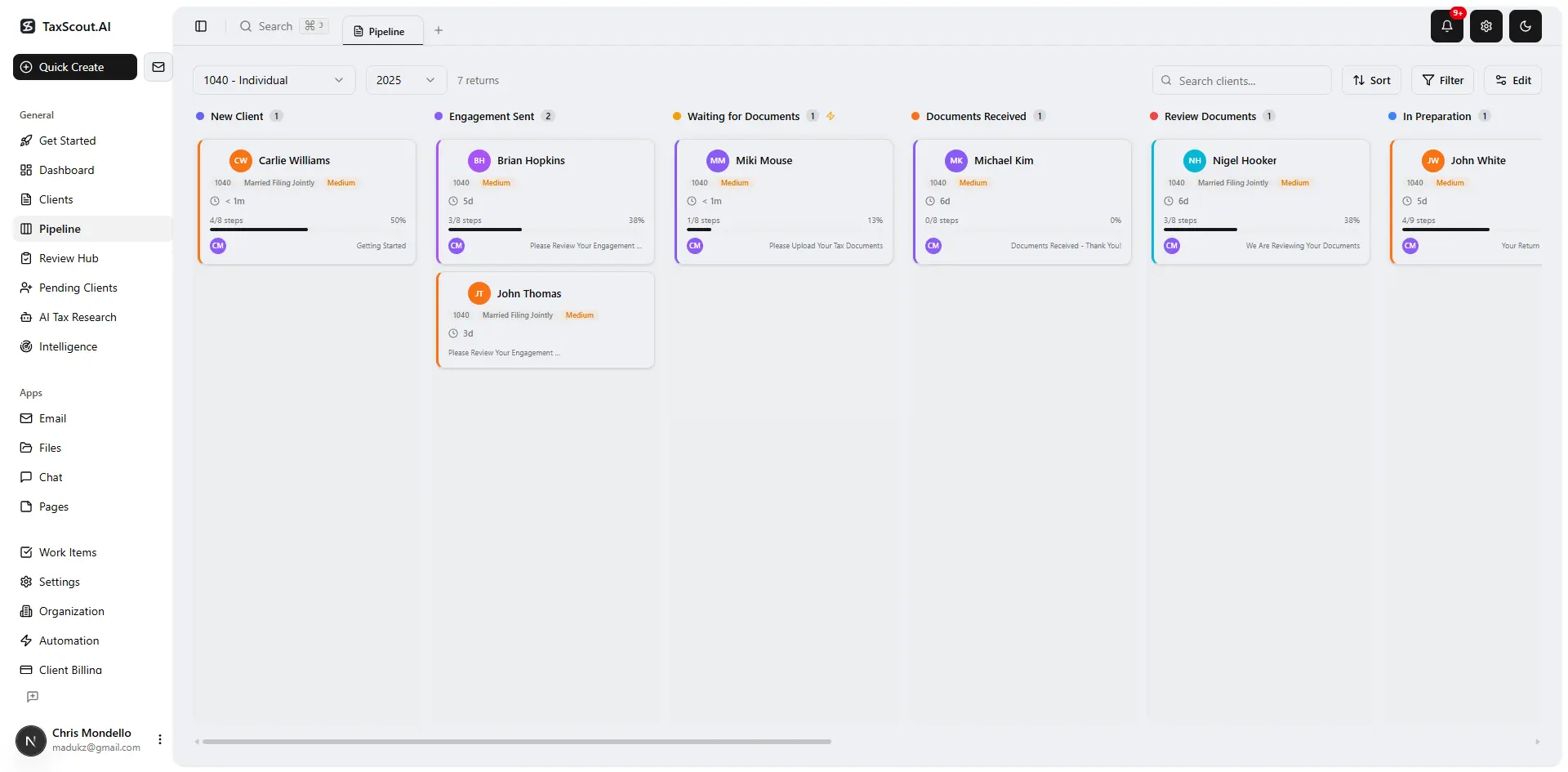
Track every return from intake to filed with drag-and-drop pipeline management

Your clients see your brand — OTP login, document upload, and real-time status
CRM for Accountants: Honest Evaluation Matrix
The table below evaluates the major CRM and practice management platforms against the capabilities that directly map to the three client-loss moments described above. Pricing is per the verified competitor registry (checked July–August 2026).
CRM for accountants: feature coverage across the tax engagement lifecycle (March 2026)
| Capability | TaxScout | TaxDome ($800–$1,200/seat/yr) | Canopy ($74/user/mo, billed annually) | Karbon ($59/user/mo, billed annually) |
|---|---|---|---|---|
| AI document extraction with validation pipeline | Yes — 5-layer pipeline | No | No | No |
| Tax-specific intake (IRS 13614-C model) | Yes — 4-layer prefill | Basic forms | Add-on ($11/client extra) | No |
| Pipeline kanban with 12 customizable stages | Yes | Yes | Yes | Yes |
| Post-filing automation and renewal campaigns | Yes — campaign engine | Limited | Limited | No |
| AI research agents (9 specialized agents) | Yes | No | No | No |
| Branded client portal with OTP login | Yes | Yes | Yes | No |
| E-signatures (8879, 4868, FBAR, W-9, state) | Yes — via Documenso | Yes | Yes | No |
| Flat pricing — no per-user fee | Yes | No | No | No |
| Works alongside Drake / Lacerte / CCH / UltraTax | Yes | Partial | Partial | No |
| Sensitive-identifier (PII) protection in PDFs | Yes — 14+ PDF tools | No | No | No |
The Per-User Pricing Trap in Accounting CRM Software
One factor that most CRM comparisons underweight is the compounding cost of per-user pricing as a firm adds staff. TaxDome lists $800–$1,200 per seat per year on a one-year term (checked 2026-07-31). Canopy lists $74 per user per month billed annually (checked 2026-08-01). Karbon lists $59 per user per month billed annually (checked 2026-08-01). In each case, the cost scales linearly with headcount.
TaxScout charges a flat rate regardless of team size. TaxScout Solo is $49 per month with 150 return credits and unlimited team members. TaxScout Firm is $149 per month with 500 return credits, unlimited team members, all nine AI research agents, and the full PDF toolbox. For a firm with even four or five staff members, the per-user math on competitors quickly dwarfs the flat TaxScout price.
This is not a minor point for practice management decisions. The SBA's guidance on small business cost management emphasizes that fixed costs with predictable scaling are materially better for cash flow planning than variable costs tied to headcount. A CRM whose cost grows every time you hire creates a disincentive to staff up — which is exactly the wrong incentive structure for a growing firm.
If you are evaluating alternatives to your current platform, the detailed side-by-side comparisons at TaxScout vs. TaxDome, TaxScout vs. Canopy, and TaxScout vs. Karbon cover the full feature-and-price breakdown.
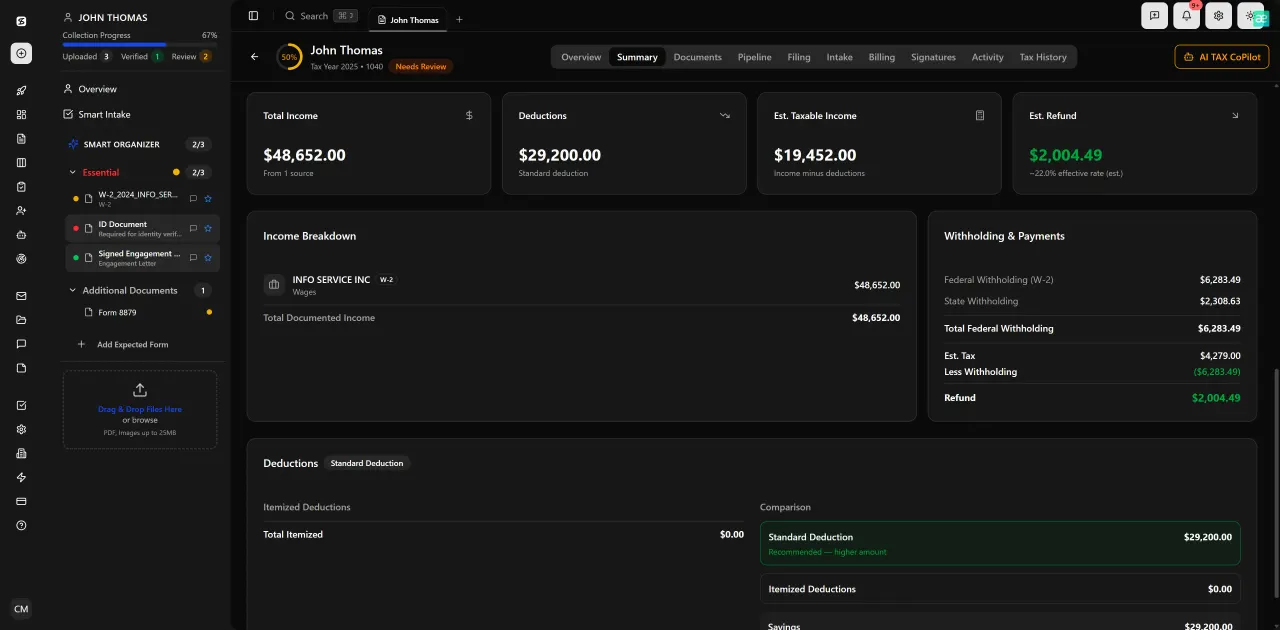
Review with AI assist — 9 agents answer questions with full client context
AI-Native Features That Change What CRM for Tax Firms Can Do
The gap between traditional practice management platforms and AI-native ones is widening faster than most annual CRM comparison articles can track. The features below represent capabilities that did not exist in meaningful form three years ago and that are not yet represented in most evaluation frameworks.
AI research agents change the economics of complex client questions. When a client asks about the tax treatment of a 1031 exchange boot — a question that requires consulting IRC guidance on like-kind exchanges — a preparer using a general-purpose CRM has to exit the platform, search manually, and return with an answer. TaxScout's nine specialized AI research agents search IRS, Treasury, Cornell Legal Information Institute, SSA, and congressional sources in real time and surface the relevant authority within the client record. For preparers handling complex returns, this capability reduces research time from 30–45 minutes per question to under five minutes. For a related practical example, see the 1040 extension strategy guide for how AI research accelerates deadline-driven decisions.
Client-context AI memory means the system retains entity structures, filing history, and prior return data across engagements. When a business client's ownership structure changes — triggering questions about basis, guaranteed payments, or self-employment tax planning — the AI has the prior-year context to flag the implication immediately rather than requiring the preparer to reconstruct it from scratch.
Split-screen document review with click-to-source field highlighting may sound like a UI detail, but it eliminates the cognitive overhead of toggling between a PDF viewer and a data entry screen. When a preparer can click on a field value and see exactly which line of the source document it came from, review time drops and error rates follow.
These capabilities are not available in TaxDome, Canopy, or Karbon. They are not add-on modules. They are native to TaxScout's architecture because the platform was designed around the tax document lifecycle from the ground up, not adapted from a general-purpose workflow tool.
Ready to stop evaluating listicles and start running a retention-first practice?
TaxScout is the only AI-native CRM for accountants built around the tax engagement lifecycle — flat pricing, unlimited team members, and the AI document extraction and research tools your next client deserves.
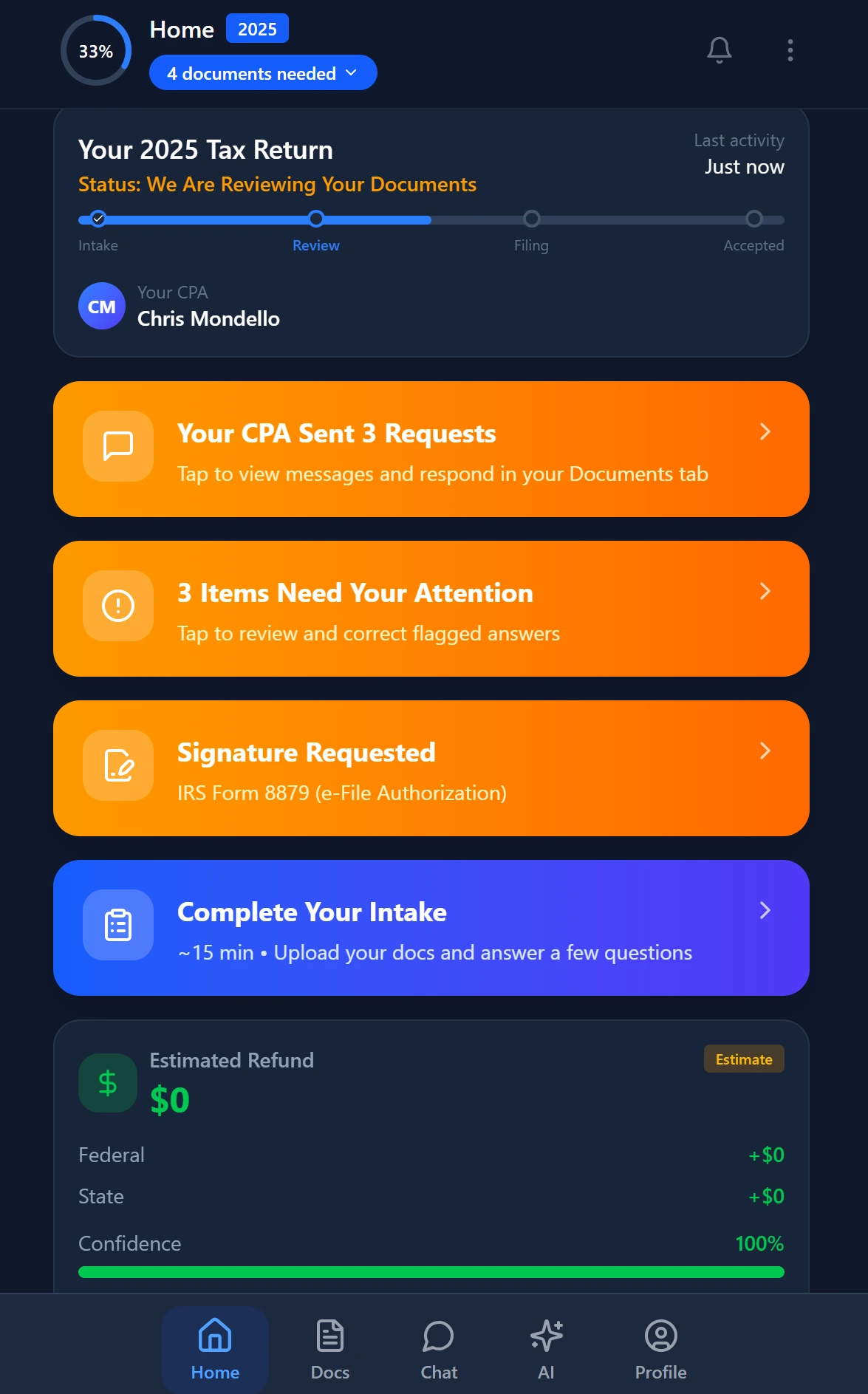
Smart intake auto-fills from uploaded documents and prior-year data
Frequently Asked Questions
A CRM for accountants must track tax-specific data points — document collection status, IRS filing deadlines, e-signature completions, return stages, and entity structures — that general-purpose CRMs like Salesforce or HubSpot are not designed to handle. Accounting CRM software also needs to work alongside tax preparation software (Drake, Lacerte, CCH Axcess, UltraTax CS) rather than replacing it, and it must enforce compliance requirements like role-based access, data encryption, and audit trails that are standard in tax practice but optional in general business CRM tools.
Keep reading
IRC 163(j) Interest Limitation: How CPAs Minimize the Impact on Heavily Leveraged Clients
Nov 7, 2026 · 1 min read
Passive Foreign Investment Company Rules: How CPAs Minimize PFIC Tax for Clients With Foreign Mutual Funds
Nov 7, 2026 · 1 min read
Meals and Entertainment Deductions: How CPAs Navigate the Post-TCJA Rules for Business Clients
Nov 5, 2026 · 1 min read
Stay up to date
Get the latest tax tech insights delivered to your inbox.