Accounts Receivable Aging for CPA Firms: Turn Overdue Invoices Into Cash
Many CPA firms are profitable on paper but cash-strapped in practice because nobody is systematically working the AR aging report. This guide walks through how to read an aging report in a CPA context, build tiered dunning workflows by days-overdue bucket, and use AI monitoring to catch high-risk…
Accounts receivable aging for CPA firms is one of those operational problems that hides in plain sight. Your billing software shows $180,000 in outstanding invoices, your P&L looks healthy, and yet payroll is tight. The gap between recognized revenue and collected cash is not a profitability problem — it is a collections discipline problem, and the AR aging report is the diagnostic tool most firm owners run once a quarter when they should be running it weekly.
The core issue is that most CPA billing content covers how to send an invoice or which payment processor to use. Almost nothing walks through the specific mechanics of reading an aging bucket report, identifying which clients are chronically slow payers versus genuinely confused, and then routing each cohort to the right follow-up action. Without that structure, every overdue invoice gets the same generic reminder — and the $12,000 balance sitting at 91 days gets the same email as the $400 balance at 32 days. Understanding accounts receivable aging for CPA firms means going far beyond basic invoicing advice to master the nuanced mechanics of client payment behavior.
This guide gives you a complete framework: how to read your AR aging report, how to build tiered follow-up workflows calibrated to professional services billing norms, and how AI-driven monitoring can surface high-risk balances before tax season write-offs eat into your margin. The result is a repeatable accounts receivable workflow that converts outstanding balances into cash without damaging client relationships. Accounts receivable aging for CPA firms requires a tailored approach, since professional services billing norms differ significantly from those in other industries.
What an AR Aging Report Actually Tells a CPA Firm
An AR aging report is a snapshot of every open invoice sorted into time buckets — typically current (not yet due), 1–30 days, 31–60 days, 61–90 days, and 90+ days past due. For a CPA firm, it is more than a collections list. The aging distribution reveals your billing model's structural weaknesses, your client mix's payment culture, and your staff's follow-up consistency. When used correctly, accounts receivable aging for CPA firms becomes a diagnostic tool that exposes not just late payments but deeper structural issues in your billing and client management processes.
A healthy AR aging report for a professional services firm generally shows 70–80% of balances in the current bucket, with a sharp dropoff at 31–60 days and almost nothing beyond 90 days. When you see a firm with 25–30% of receivables sitting past 60 days, the root cause is almost always one of three things: invoices are going out late relative to when work was delivered, follow-up is inconsistent or nonexistent, or a billing model mismatch exists where clients expect retainer pricing but are receiving per-project invoices that feel like surprises. For firms evaluating their accounts receivable aging for CPA firms approach, this trade-off compounds over time.
The IRS's own guidance on cash-basis versus accrual-basis accounting underscores why this matters: firms using accrual accounting recognize revenue when earned, not when paid. That means your taxable income can exceed your actual cash position if collections lag — a painful scenario during estimated tax payment quarters. Understanding your AR aging report is therefore both a cash flow tool and a tax planning input. For a deeper look at how billing and revenue tracking connect to practice-wide KPIs, see the Accounting Firm KPI Dashboard guide. Each of these factors directly shapes how accounts receivable aging for CPA firms plays out in practice.
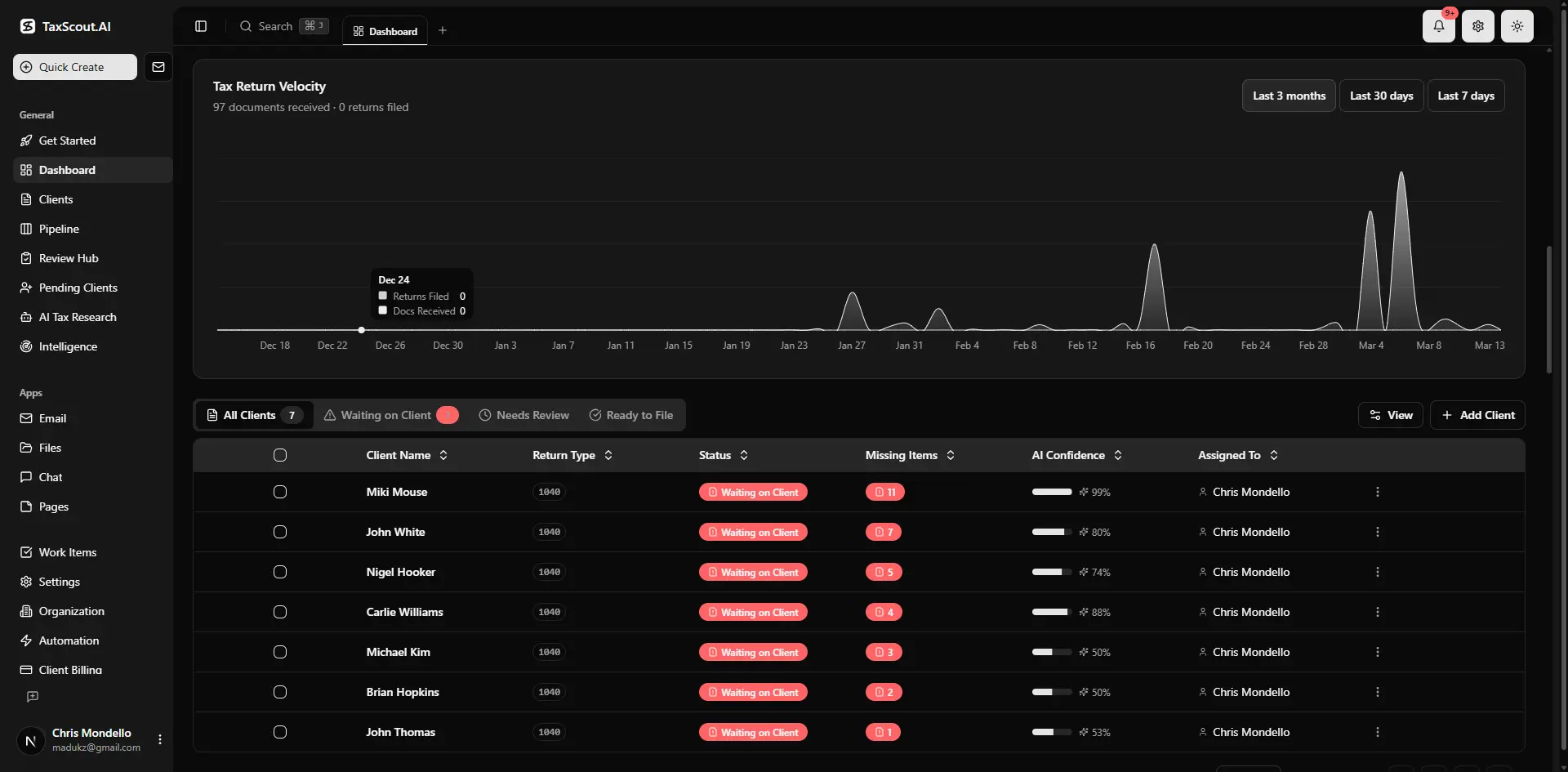
Real-time dashboard showing returns in progress, revenue, and upcoming deadlines
The Four Aging Buckets and What Each Demands
Each aging bucket requires a different response. Treating them uniformly is the single biggest mistake CPA firms make in client billing follow-up. Here is how to calibrate your workflow to each tier. Understanding accounts receivable aging for CPA firms in this context is what separates firms that scale from those that stall.
Current to 30 Days: Confirmation and Friction Removal
Invoices in the current-to-30-day window are not a collections problem yet — they are an accessibility problem. The most effective action here is not a reminder but a frictionless payment experience. Confirm the invoice was received, that the amount matches the engagement letter scope, and that the client has a direct link to pay online. Stripe's research on payment timing consistently shows that invoices with embedded payment links get settled 4–7 days faster than those that require clients to log in separately. At this stage, one proactive touch — a brief email confirmation from the client portal — prevents most balances from aging further. This is precisely where a deliberate accounts receivable aging for CPA firms strategy pays off earliest, since catching slow payers at 30 days costs a fraction of what it costs to chase them at 90.
31 to 60 Days: Structured Reminder Sequence
Once an invoice crosses 30 days past due, a structured three-touch sequence should activate automatically: a polite email reminder on day 31, a phone or portal message follow-up on day 45, and a firmer written notice on day 58 that references the payment terms in the original engagement letter. The key distinction at this stage is separating clients who are slow by habit from those experiencing genuine financial difficulty. A quick call at day 45 almost always surfaces which category you are dealing with — and the answer changes your response. Clients with a documented hardship get a payment plan discussion; chronic slow payers get an escalation to day-60 holds on new work. Accounts receivable aging for CPA firms sits at the center of this decision — get it wrong and the rest unravels.
61 to 90 Days: Work-Hold and Escalation
The 61–90-day bucket is where professional norms require a more direct posture. Your engagement letter should already authorize you to pause deliverables when balances exceed a defined threshold — and if it does not, that is a contract gap to fix immediately. At this stage, your follow-up should come from a partner or firm owner, not staff, and it should reference the specific dollar amount and invoice date rather than a generic overdue notice. The AICPA's professional standards acknowledge that withholding services for nonpayment is ethically permissible provided you give adequate notice and do not abandon a client in the middle of a time-sensitive filing obligation. Document every communication for your engagement file. When firms revisit their accounts receivable aging for CPA firms priorities, the gaps usually surface here, where informal follow-up habits break down and balances cross into write-off territory unnecessarily.
90 Plus Days: Write-Off Triage and Collections Decision
Balances beyond 90 days require a triage decision: pursue aggressively, negotiate a settlement, or write off. The right answer depends on three factors — the dollar amount relative to your cost to pursue, the client's long-term revenue value, and whether the dispute involves a billing disagreement versus pure avoidance. For balances under $1,500, the administrative cost of collections often exceeds recovery. For balances above $5,000, a structured collections protocol — including a formal demand letter referencing your state's professional services statutes — is warranted. The Small Business Administration's guide to collecting business debts outlines escalation options including small claims court thresholds by state.
Tired of manually chasing overdue invoices while your cash position stays tight?
TaxScout's invoicing and pipeline tools give you a real-time AR view and automated follow-up sequences — so you spend time on clients, not collections.

Track every return from intake to filed with drag-and-drop pipeline management
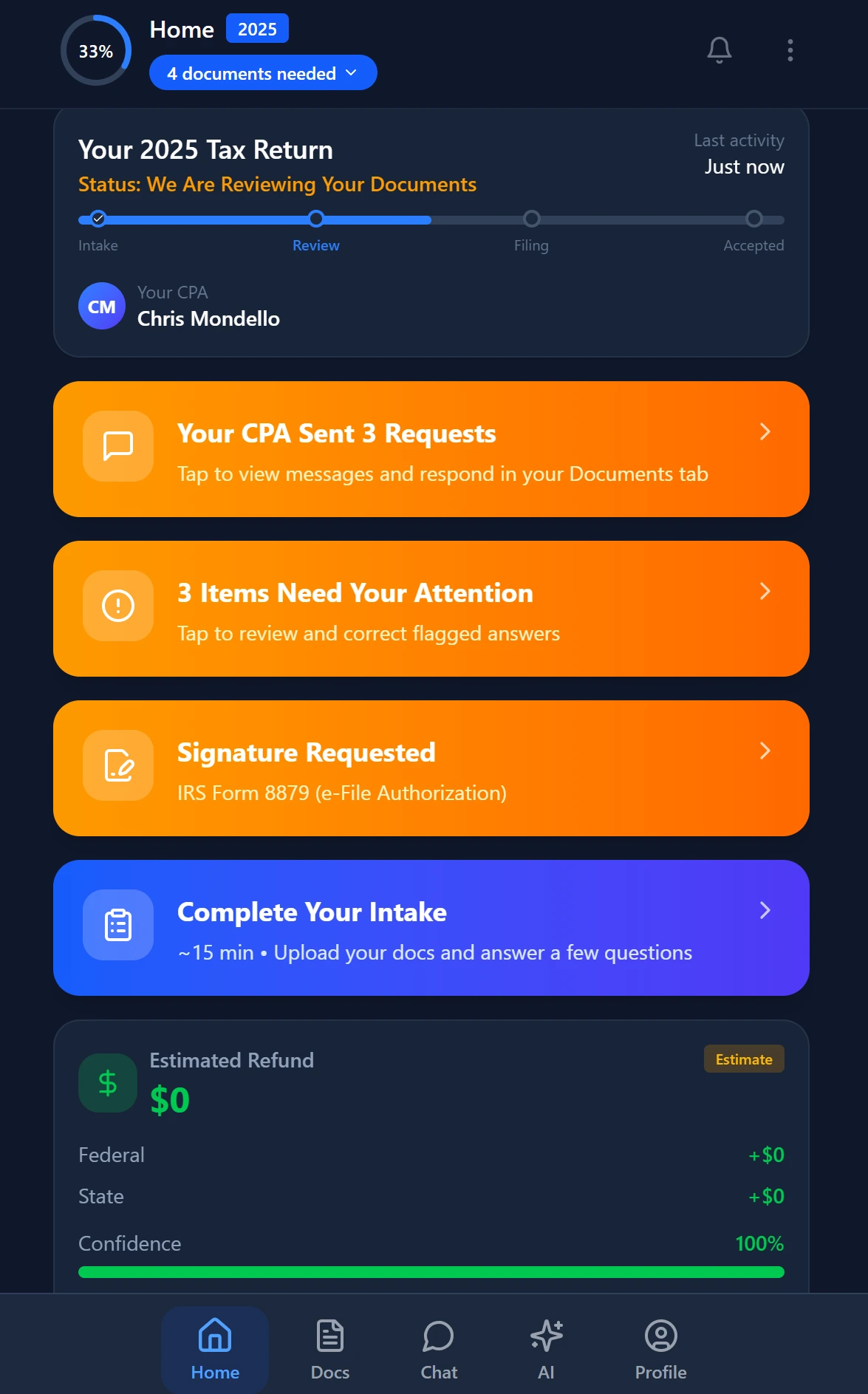
Smart intake auto-fills from uploaded documents and prior-year data
Building a Tiered Dunning Workflow Inside Your Practice Management System
A dunning workflow is a structured, automated sequence of follow-up actions triggered by invoice age. In a CPA firm context, it needs to account for professional tone, engagement letter terms, and seasonal timing — you do not send a work-hold notice to a client whose extension is due in two weeks. The goal is to automate the routine touches so your team only gets involved when a balance crosses a judgment threshold.
The foundational requirement is a practice management system that links your invoicing module to your pipeline and client communication tools. When those systems are siloed — billing in one tool, tasks in another, email in a third — no automation is possible because there is no single source of truth for invoice age, client status, and communication history. TaxScout's invoicing feature connects billing directly to client records and pipeline stages, so you can trigger follow-up tasks automatically when an invoice ages past a defined threshold without manually cross-referencing spreadsheets. For firms serious about accounts receivable aging for CPA firms, this kind of integration is what makes consistent follow-up possible at scale rather than dependent on individual staff memory.
A practical dunning setup for a 10-person CPA firm uses three automation layers: (1) invoice delivery confirmation with embedded payment link on day 0, (2) automated reminder emails at days 7, 31, and 45 with escalating firmness in the subject line and body, and (3) a staff task assigned to the engagement partner at day 60 with the client's full AR balance, invoice history, and any recent communication logged. The third layer is where human judgment replaces automation — but it only fires when the first two layers have already been executed consistently, which is the part most firms skip.
Retainer vs. Project Billing and Its Impact on AR Aging
One of the most underappreciated levers in CPA firm cash flow management is the billing model itself. Firms that generate 60% or more of revenue from retainer or subscription-based arrangements have structurally lower AR aging balances because cash arrives before or concurrent with work delivery, not 30–90 days after. Firms dependent on per-project invoicing face a compounding problem: projects run long, scope creep creates billing disputes, and clients feel surprise at invoice amounts — all of which extend collection cycles.
Analyzing your AR aging report by billing type reveals the true cost of your current model. If your 60-plus-day balances cluster almost entirely in project-billed clients, that is not a collections problem — it is a pricing architecture problem. Shifting even a portion of high-volume clients to monthly retainers smooths cash flow and eliminates the most common source of billing disputes: clients who did not understand what they agreed to pay. For a practical guide to setting up recurring billing that runs on autopilot, see Recurring Invoicing for Accounting Firms.
The transition from project to retainer billing also changes your AR aging report composition in a measurable way within two to three billing cycles. Treasury's guidance on accrual methods for service businesses notes that recurring service arrangements reduce revenue timing uncertainty, which in turn simplifies both cash forecasting and estimated tax payment accuracy — a dual benefit for firm owners who carry their own estimated payment obligation on top of their clients'. For firms benchmarking accounts receivable aging for CPA firms against industry norms, the shift to retainer billing is often the single fastest path to improving days-sales-outstanding metrics without changing collection tactics at all.
AR Aging Bucket Response Framework for CPA Firms
| Bucket | Primary Action | Who Acts | Automation Level |
|---|---|---|---|
| Current – 30 days | Confirm receipt, provide payment link | Staff or automated | Fully automated |
| 31 – 60 days | 3-touch reminder sequence (email, call, notice) | Staff with escalation to partner at day 45 | Automated email; manual call |
| 61 – 90 days | Work-hold notice; partner-level outreach | Engagement partner | Task assigned; manual execution |
| 90+ days | Triage: collections, settlement, or write-off | Firm owner / outside counsel | Manual decision required |

Every client gets organized documents, status tracking, and a complete history

Click any extracted field to see its source highlighted on the original PDF
How AI Flags High-Risk AR Balances Before They Become Write-Offs
The most costly AR problem in a CPA firm is not the invoice you know is overdue — it is the $8,000 balance that aged slowly across three months while your team assumed someone else was handling it. AI-driven monitoring addresses this by applying pattern recognition to your client billing history, flagging anomalies before they compound.
Specifically, an AI layer watching your AR data can identify: clients whose payment velocity has slowed compared to their prior 12-month average, invoice amounts that have grown substantially without a corresponding update to the engagement letter scope, clients with multiple open invoices across different service lines that are collectively approaching a write-off risk threshold, and seasonal timing mismatches where a balance is aging during a period when your leverage to pause work is lowest (for example, the week before an IRS deadline).
TaxScout's pipeline management feature gives firm owners a real-time view of client status across all open engagements, so AR anomalies surface in the same workflow view as document completion and filing status — not in a separate billing report you have to remember to pull. That integration means a staff member reviewing the pipeline for a client can see the outstanding invoice balance in the same screen, without switching tools, and can action it immediately rather than flagging it for a later billing review that may never happen.
Firms that build AI monitoring into their accounts receivable aging for CPA firms processes typically see 90-plus-day balances drop significantly within two tax seasons — not because they collected more aggressively, but because early detection let them intervene at 35 days instead of 95 days, when client relationships and negotiating leverage are both stronger. The Bureau of Labor Statistics' data on professional services revenue cycles shows that days-sales-outstanding in accounting and professional services averages 48–62 days — meaning any firm running below 40 DSO has a genuine competitive advantage in cash conversion.
Reducing Write-Offs During Tax Season With Proactive AR Management
Tax season creates a structural AR risk that most CPA firm billing guides ignore entirely. From January through April, your leverage to pause work or withhold deliverables is dramatically reduced — you cannot realistically hold a client's completed return hostage three days before the filing deadline. That constraint means any balance that has been allowed to drift into the 60-plus-day bucket by February becomes effectively uncollectable until the season ends, by which point it is often 120-plus days old and psychologically written off by both parties.
The correct intervention is a pre-season AR sweep in November and December: pull every balance over 30 days, resolve disputes before the busy season begins, and require clients with prior-year outstanding balances to bring accounts current before new-year work begins. This is not punitive — it is standard professional services practice, and most clients accept it when the policy is communicated clearly in the engagement letter and reinforced consistently. Firms that treat accounts receivable aging for CPA firms as a year-round discipline rather than a year-end scramble report substantially lower write-off percentages, precisely because problems are addressed while leverage still exists rather than after tax season has removed all practical enforcement options.
Pairing the pre-season sweep with automated recurring invoicing for ongoing clients means that by the time January arrives, your AR aging report reflects only new work, not accumulated prior-year debt. That clean baseline makes it far easier to spot a new delinquency at 30 days and act on it before it becomes a tax-season hostage situation. It also gives your firm a more accurate picture of true profitability when you conduct your post-tax-season review in May.

Track firm performance with real-time analytics and client activity monitoring

Your clients see your brand — OTP login, document upload, and real-time status
Choosing Practice Management Software That Supports AR Aging Workflows
Not all practice management platforms treat billing as a first-class feature. Many treat invoicing as an afterthought bolted onto a workflow tool, which means AR data lives in a different system from client records, pipeline stages, and communication history. That fragmentation is the operational reason most CPA firms have inconsistent follow-up: there is no single place where a staff member can see the full picture of a client's status, balance, and recent interaction in one view.
When evaluating software for accounts receivable aging for CPA firms, the critical capabilities are: native invoicing with Stripe-powered online payment (not a third-party integration that breaks), automatic linking of invoice age to pipeline stage so overdue balances surface in daily workflow views, client-level AR history accessible from the same screen as documents and communications, and role-based access so partners see aggregate AR exposure while staff see only their assigned clients. TaxScout's invoicing feature is built on Stripe Connect Express, which means ACH and card payments post directly to your firm account without manual reconciliation.
For firms currently on TaxDome, Canopy, or Karbon, the comparison on billing integration is stark. TaxDome charges approximately $100 per user per month and lacks AI-driven AR monitoring. Canopy charges approximately $45 per user per month but adds $11 per client for smart intake features, making a 10-person firm's all-in cost approach $660 per month. TaxScout's Prep Pro plan covers up to 10 seats and 500 returns for $149 per month — a flat fee with no per-client billing add-ons. See the full TaxScout vs Canopy comparison for a feature-by-feature breakdown.
The key question to ask any vendor is whether invoice age and pipeline stage are linked in the same data model or connected through a third-party integration. If the answer is integration, expect the data to drift out of sync during high-volume periods — exactly when you most need accurate AR visibility. To learn more about what a fully integrated platform looks like, visit the TaxScout demo page.
Profitable on paper but short on cash going into tax season?
TaxScout connects your AR aging, pipeline, and client communications in one platform — so overdue invoices get caught at 30 days, not 90.
Frequently Asked Questions
Weekly during tax season and bi-weekly in off-peak months is the minimum cadence for a firm with more than 100 active clients. Monthly review is adequate only for very small practices with fewer than 30 clients and consistent payers. The goal is to catch invoices entering the 30-day bucket before they drift to 60, when collection leverage decreases and client relationships become more awkward to navigate.
Keep reading
Estate Tax Closing Letter User Fee Update: What CPA Firms Must Do Now
Sep 28, 2026 · 1 min read
Qualified Plan Audit Requirements: How CPAs Prepare Employee Benefit Plans for DOL Review
Sep 24, 2026 · 1 min read
Client Billing Disputes: How CPAs Resolve Fee Conflicts Without Losing the Relationship
Sep 18, 2026 · 1 min read
Stay up to date
Get the latest tax tech insights delivered to your inbox.