SurePrep vs Alternatives: What CPAs Should Know Before Buying AI Tax Prep Software
SurePrep has long been the go-to name in AI-assisted tax document preparation — but a growing chorus of CPAs on r/taxpros are calling it overpriced and under-supported after Thomson Reuters acquired it. This guide breaks down SurePrep vs alternatives so you can make a smarter buying decision…
If you've been researching SurePrep vs alternatives, you're probably not doing it out of curiosity. You're doing it because someone at your firm either got burned by SurePrep's pricing after the Thomson Reuters acquisition, ran into support issues mid-tax-season, or is trying to justify a five-figure annual spend to partners who want to see the ROI. That's a real problem — and one that a growing number of tax professionals are actively discussing.
The r/taxpros community has documented frustrations with SurePrep in detail: steep per-return fees, support degradation after the Thomson Reuters buyout, and an architecture that still treats document extraction as a bolt-on product rather than a native workflow. For firms processing 200 to 1,000+ returns a year, those friction points compound fast. These are exactly the pain points that make the sureprep vs alternatives conversation so urgent for mid-size firms evaluating their options.
This article gives you a clear-eyed breakdown of what SurePrep actually offers, where it falls short, and which alternatives — including newer AI-native platforms — deserve a serious look before you sign another contract. Whether you're renewing a current contract or starting fresh, understanding sureprep vs alternatives is the most important research a CPA firm can do before committing to a tax prep platform.
What SurePrep Does and Why Firms Originally Bought It
SurePrep built its reputation on TaxCaddy, a client-facing document collection portal, and SPbinder, a workpaper organization tool. The core pitch was simple: give clients a portal to upload documents, use OCR to extract data, and automatically organize workpapers in your tax software. For firms still faxing and scanning in the early 2010s, that was genuinely valuable. To properly evaluate sureprep vs alternatives, it helps to first understand exactly what SurePrep was designed to do and where those original design choices now create limitations.
Today, SurePrep integrates with Lacerte, UltraTax CS, Drake, and CCH Axcess — which is its primary selling point for firms already embedded in those ecosystems. The AI document extraction component pulls data from W-2s, 1099s, and a range of other forms and attempts to populate your tax software fields automatically. For firms evaluating their sureprep vs alternatives approach, this trade-off compounds over time.
The problem is that 'AI extraction' in SurePrep's case has historically meant rules-based OCR with limited confidence scoring and no native validation pipeline. When documents come in blurry, rotated, or in non-standard formats — which happens constantly in real practice — the accuracy degrades and someone on your staff has to manually reconcile the differences. This is the core complaint driving CPA firms to start exploring tax document preparation software built on a more modern foundation. Each of these factors directly shapes how sureprep vs alternatives plays out in practice.

Click any extracted field to see its source highlighted on the original PDF
SurePrep Pricing: What Firms Are Actually Paying
SurePrep's pricing model has never been transparent on its website — you have to call for a quote. Based on community reports and industry references, firms typically pay on a per-return basis, with costs often landing in the range of $15 to $40 per return depending on volume commitments and which modules are included. For a firm processing 500 returns a year, that's $7,500 to $20,000 annually, before any TaxCaddy portal seats or SPbinder licenses are factored in. Understanding sureprep vs alternatives in this context is what separates firms that scale from those that stall.
After Thomson Reuters acquired SurePrep in 2022, several firms reported price increases at renewal alongside support staff turnover. This pattern — acquisition, price increase, service decline — is well-documented in other blog resources on CPA software transitions. If your firm is mid-contract, it's worth auditing what you're actually using versus what you're paying for. This is precisely where a deliberate sureprep vs alternatives strategy pays off.
The structural issue with per-return pricing is that it penalizes growth. Every new client adds marginal cost, which means firms on SurePrep often find themselves artificially limiting intake or absorbing cost overruns during high-volume tax seasons. Flat-fee platforms eliminate this dynamic entirely. Sureprep vs alternatives sits at the center of this decision — get it wrong and the rest unravels.
Paying per-return fees that balloon every tax season?
TaxScout.ai offers unlimited clients, 5-layer AI validation, and flat monthly pricing starting at $49 — no per-return surprises. When firms revisit their sureprep vs alternatives priorities, the gaps usually surface here.

Your clients see your brand — OTP login, document upload, and real-time status
SurePrep vs Alternatives: A Feature and Cost Comparison
The table below compares SurePrep against three alternative platforms across the dimensions that matter most to a tax firm: extraction accuracy, pricing model, validation depth, and workflow integration. Note that SurePrep figures are drawn from published community estimates and industry reporting, since SurePrep does not post public pricing.
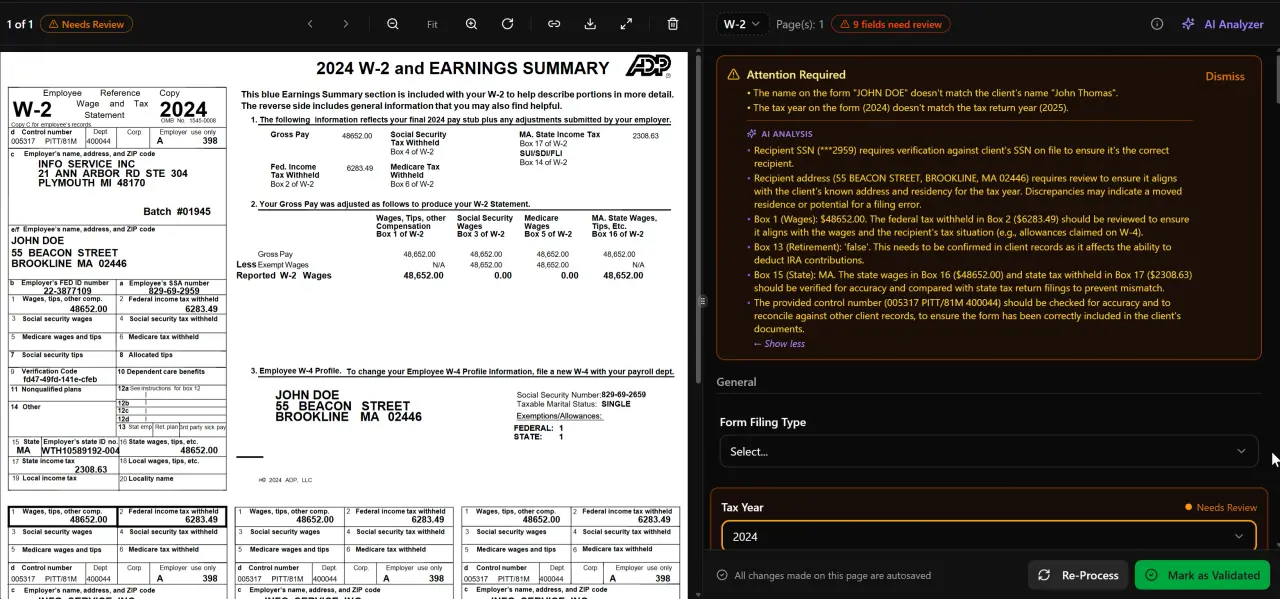
AI classifies, extracts, and validates every document automatically
SurePrep vs alternatives: key feature and pricing comparison (March 2026)
| Feature | SurePrep | TaxScout.ai Prep Pro | TaxDome | Canopy |
|---|---|---|---|---|
| Pricing model | Per-return (~$15–$40/return) | Flat $149/mo, unlimited clients | ~$100/user/month | ~$45/user/month per module |
| 10-person firm annual cost (est.) | $7,500–$20,000+ | $1,788/yr | ~$6,000/yr | ~$7,920/yr |
| AI document extraction | Rules-based OCR | 5-layer validation, 180+ form types | None | None |
| Extraction confidence scoring | Limited | Yes, per-field | N/A | N/A |
| Cross-document validation | No | Yes (18 post-extraction rules) | No | No |
| AI research agents | No | 9 specialized agents (IRS/Treasury/Cornell) | No | No |
| Client portal with OTP login | TaxCaddy (separate license) | Included, branded, passwordless | Yes | Yes |
| Smart intake (13614-C model) | No | Yes, 4-layer prefill | No | Extra $11/client |
| Works with Drake/Lacerte/CCH/UltraTax | Yes | Yes | No native integration | No native integration |
| SSN vault (AES-256-GCM) | No | Yes | No | No |
| E-signatures included | No (separate) | Yes (Documenso) | Add-on | Add-on |
| Flat unlimited seats | No | Yes (10 seats, Prep Pro) | No | No |
Where AI Tax Preparation Software for CPAs Has Improved
The category of AI tax preparation software for CPAs has matured significantly since SurePrep first launched its extraction tools. Modern platforms no longer treat OCR as the finish line — they treat it as the starting point. What differentiates enterprise-grade extraction today is what happens after the initial read: validation layers that catch transposition errors, cross-document checks that flag when a W-2 total doesn't reconcile with a client's reported wages, and confidence scoring that routes uncertain fields to a human reviewer rather than silently populating them wrong.
TaxScout.ai's AI document extraction runs a 5-layer pipeline: document quality routing, AI extraction with confidence scoring, OCR cross-verification, 15 deterministic math rules, 18 post-extraction rules, and cross-document validation across 180+ form types including all 1099 variants, K-1s, 1098 and 1095 series, and Schedule-attached 1040s. The split-screen PDF viewer lets preparers click any extracted field to jump directly to the source location in the original document — a workflow that SurePrep's SPbinder doesn't replicate natively.
For a deeper technical look at how modern extraction differs from first-generation OCR tools, the complete guide to AI document extraction for CPAs covers the underlying architecture in detail. The IRS guidance on electronic filing requirements also underscores why extraction accuracy matters: errors that make it into the return create downstream liability, not just rework.

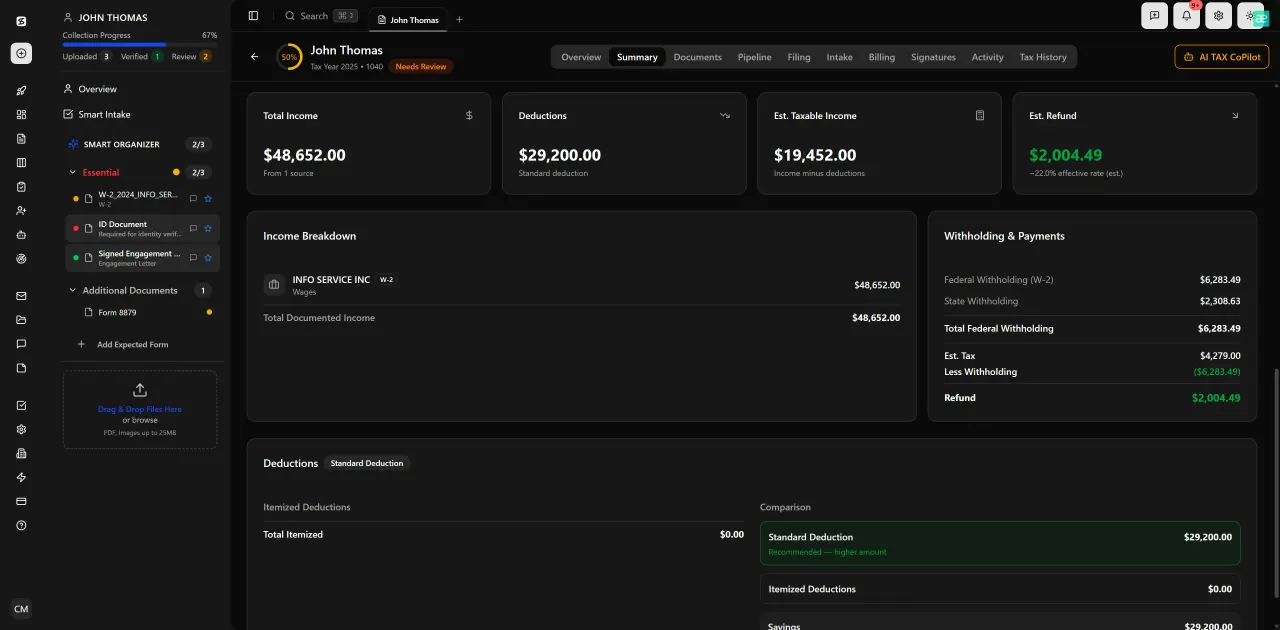
Every client gets organized documents, status tracking, and a complete history
The Hidden Cost of SurePrep: Staff Time and Error Remediation
Per-return fees are the visible cost of SurePrep. The invisible cost is what happens when extraction fails quietly. Without a confidence-scored validation layer, incorrect extractions get flagged only when a preparer manually reviews the organizer output — or, worse, when the client spots an error after filing. According to BLS occupational wage data, the median hourly wage for tax preparers is over $24/hour; for CPAs it's substantially higher. Every manual reconciliation cycle that results from a bad extraction is a direct labor cost.
Firms that have moved from SurePrep to newer tax prep automation software consistently report that the per-seat or per-return savings are only part of the story. The bigger win is the reduction in review time per return. When a 5-layer validation pipeline catches 94%+ of extraction anomalies before a preparer ever opens the file, the time-per-return drops enough to meaningfully change capacity planning — a subject covered in depth in our guide to accounting firm capacity planning.
There's also the security dimension. SurePrep does not publish detailed information about its SSN storage architecture. TaxScout.ai's security infrastructure includes an AES-256-GCM encrypted SSN vault with 13-step DSAR anonymization and 7-role RBAC — relevant for firms subject to IRS Publication 4557 safeguards and state data protection requirements.
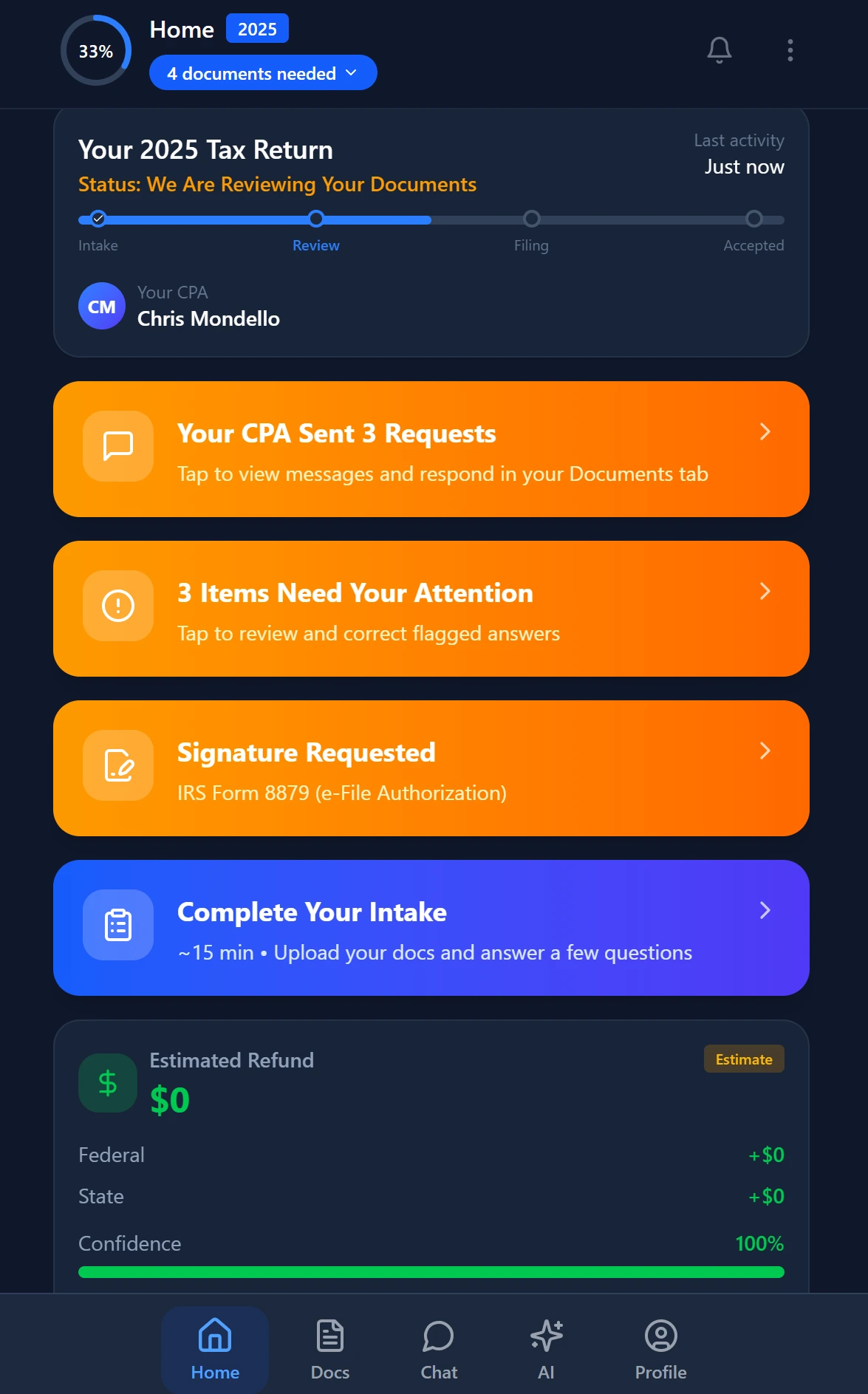
Review with AI assist — 9 agents answer questions with full client context
Other Alternatives Worth Evaluating
Beyond TaxScout.ai, several other platforms appear in comparisons for document extraction tax software. It's worth understanding where each one actually fits.
Canopy is a practice management platform with a solid client portal and task management UI, but it does not include AI document extraction. Their smart intake feature costs $11 per client extra — on top of the base ~$45/user/month per-module pricing. For a 10-person firm, that's approximately $660/month before any intake volume. You can read a full feature breakdown at the Canopy alternative comparison page.
TaxDome is the most widely adopted practice management platform for solo and small firm tax professionals, with strong automation templates and a polished portal. But like Canopy, it has no native AI extraction, no confidence scoring, and no validation pipeline. At ~$100/user/month, a 10-person firm pays roughly $500/month — more than three times TaxScout.ai's Prep Pro plan, with fewer AI features. The TaxDome alternative comparison goes deeper on where TaxDome wins and where it doesn't.
Karbon is built primarily for accounting firms that want email-centric project management and has almost no document extraction functionality at all. At ~$59/user/month, a 10-person firm pays ~$590/month. Unless your primary need is email workflow management rather than tax document processing, Karbon is not a direct SurePrep replacement. See the Karbon alternative comparison for context.
The Cornell Legal Information Institute's coverage of IRS regulations is a useful reference when evaluating which platforms provide genuine research support versus which platforms simply surface static knowledge bases — a distinction that matters when your clients have complex multi-entity situations.
Smart intake auto-fills from uploaded documents and prior-year data
How to Evaluate Document Extraction Tax Software Before You Buy
Given how often firms report post-purchase regret on expensive AI tax prep tools, it's worth building a systematic evaluation process before signing any contract. The Treasury Department's guidance on tax software vendor standards is less granular than firm-level needs require, so the real evaluation has to happen in a live trial.
First, test with your actual document mix — not vendor-provided sample files. Run your hardest documents through the extraction engine: blurry 1099-R scans, multi-page K-1 packages, brokerage consolidated 1099s with 20+ pages. If the vendor won't let you test with real documents, that's a signal. Second, check whether errors surface visibly or silently. A platform with confidence scoring will show you which fields it's uncertain about; a rules-based OCR tool will often populate a wrong number without any flag. Third, understand what 'integration' actually means with your existing tax software. TaxScout.ai works alongside Drake Tax Software, CCH Axcess, UltraTax CS, Lacerte, ProConnect, and ProSeries — meaning it handles intake, extraction, portal, e-signatures, and workflow while your existing software handles the actual return computation.
Finally, model total cost over three years, not just year one. Include per-return fees, per-user fees, add-on module costs (intake, e-sign, portals), and support contract costs. For most firms processing 200 to 800 returns annually, a flat-fee platform will undercut SurePrep's total cost significantly while delivering a more integrated experience. The SSA's guidance on electronic recordkeeping is also worth bookmarking as a reference for how long certain tax records must be retained — relevant when evaluating whether a platform's archive or retention features meet your obligations.
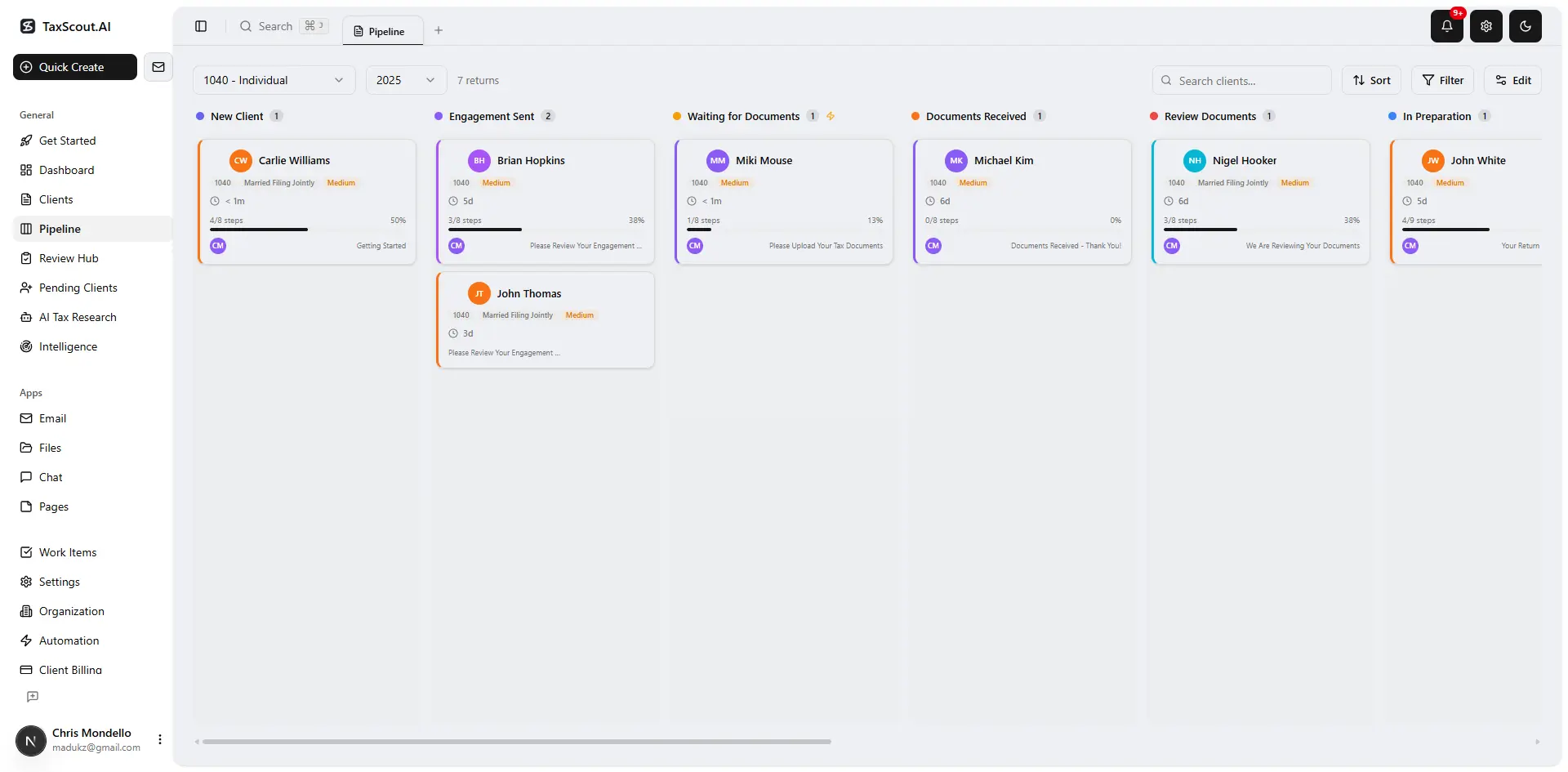
Track every return from intake to filed with drag-and-drop pipeline management
What a Modern AI-Native Workflow Actually Looks Like
The gap between SurePrep-era document preparation software and today's AI-native platforms isn't just about extraction accuracy — it's about how much of the tax preparation workflow is covered by a single system. SurePrep was designed to solve one problem (document collection and workpaper organization) and leave everything else to other tools.
A modern workflow built on TaxScout.ai covers intake through a smart intake engine modeled on IRS Form 13614-C, with 4-layer prefill from documents, prior-year data, client profile, and AI gap analysis. Documents hit a 5-layer extraction and validation pipeline. Preparers work in a split-screen viewer where every extracted field links back to the source document. Research questions go to 9 specialized AI research agents with real-time access to IRS, Treasury, Cornell, SSA, and Congress sources. Engagement letters, Form 8879, and 4868s are signed via built-in e-signature tools. Invoicing runs through Stripe Connect. The entire client relationship lives in a branded client portal with OTP login — no passwords for clients to forget or lose.
This is the architecture that makes per-return pricing obsolete: when the entire workflow runs in one system, the efficiency gains aren't linear. They compound across every return, every client, every season. Running a paperless accounting firm becomes a byproduct of using the platform correctly, not a separate initiative.
Still evaluating whether to renew SurePrep or switch?
TaxScout.ai offers a free demo so you can run your real documents through the 5-layer extraction pipeline and see the difference before you commit.
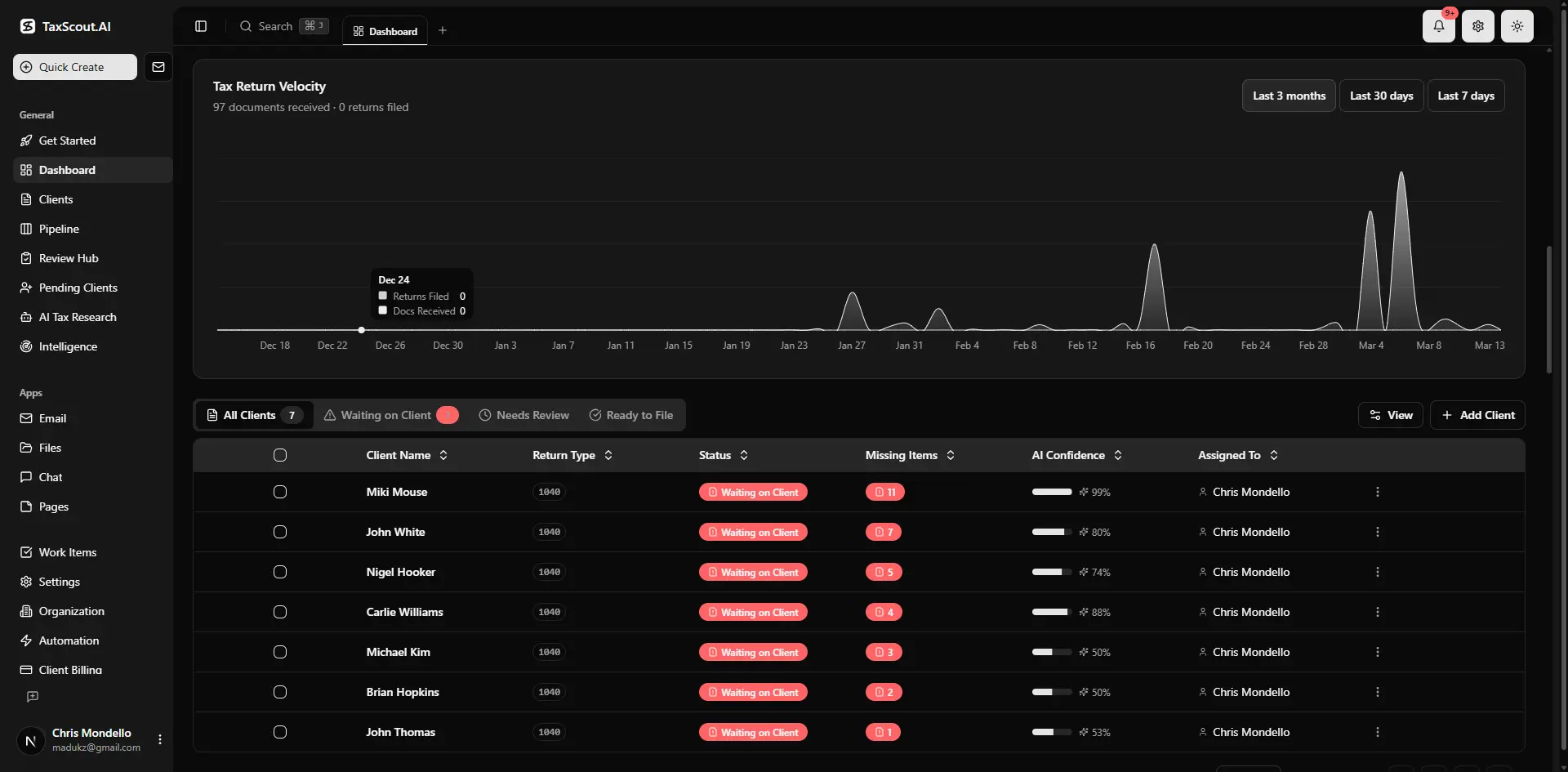
Real-time dashboard showing returns in progress, revenue, and upcoming deadlines
Frequently Asked Questions
For most small CPA firms processing under 300 returns annually, SurePrep's per-return pricing model often results in costs of $5,000 to $12,000 per year — before add-ons like TaxCaddy portal seats. Flat-fee alternatives like TaxScout.ai Prep Starter ($470/year for 150 returns) or Prep Pro ($1,430/year for 500 returns) deliver more AI functionality at a fraction of the cost, making SurePrep difficult to justify for smaller practices on a budget.
Keep reading
Jetpack Workflow Alternative: Why CPA Firms Are Switching to AI-Native Tools
Aug 23, 2026 · 1 min read
Forensic Accounting Software: What CPAs Need for Litigation and Fraud Engagements
Aug 19, 2026 · 1 min read
Close Automation Software for CPA Firms: Month-End Without the Tab-Switching
Aug 8, 2026 · 1 min read
Stay up to date
Get the latest tax tech insights delivered to your inbox.