Add the keyword "IRS power of attorney" naturally 5-8 more times throughout this article. Do NOT change structure, headings, links, or CTAs. Just weave it into existing sentences.
IRS power of attorney is the gateway to nearly everything a CPA does in a client's behalf — pulling transcripts, responding to notices, representing a taxpayer in an examination, and executing installment agreement requests. Yet Form 2848 is one of the most frequently delayed, rejected, and resubmitted documents in a CPA firm's workflow. A misformatted PTIN, a wet-signature uploaded as a digital image when the IRS expected a DocuSign-style electronic signature, or a subtle mismatch between the taxpayer's name on the form and the name on file at the IRS can push CAF processing out by two to four weeks.
For firms managing dozens or hundreds of active authorizations, those delays compound. An audit response window starts running while you are still waiting for your CAF authorization to clear. A transcript you need to answer a client's CP2000 notice sits behind a locked door. The client — who has no visibility into the CAF system — starts calling to ask why nothing is happening. Most competitor articles describe the CAF number field and stop there. This guide goes further: exact preparation steps, common rejection triggers, the Form 8821 vs 2848 decision tree, bulk authorization management, and how modern practice management platforms eliminate the manual friction that causes these delays in the first place. Each stalled IRS power of attorney filing creates a ripple effect that touches every deadline tied to that client's case.
Whether you are onboarding a new audit client, taking over a multi-year representation matter, or simply building an SOP your staff can follow without supervision, the operational details covered here will save your firm hours of rework every tax season. Mastering the IRS power of attorney process is no longer optional for firms that want to scale representation work efficiently.
The first decision on every new engagement is whether the client needs IRS power of attorney (Form 2848) or a Tax Information Authorization (Form 8821). The distinction is more consequential than most practitioners realize, and choosing the wrong form forces you to reprocess the authorization entirely.
Form 2848 grants a representative the authority to act on the taxpayer's behalf — signing consents, extending statutes of limitations, executing agreements, and making representations to IRS personnel. It is required for audit representation, collection due process hearings, and any situation where the CPA must speak or act for the taxpayer. Form 8821, by contrast, is a passive authorization: it allows the designee to receive and inspect tax information — transcripts, account data, notices — but confers no authority to represent the taxpayer or take any action. Understanding exactly what Form 2848 authorizes is the foundation of any reliable IRS power of attorney workflow.
The practical rule: use Form 2848 whenever the engagement involves IRS interaction beyond information gathering. Use Form 8821 when your only need is transcript access for tax preparation, and when having a limited authorization on the CAF is actually preferable (for example, to avoid inadvertent representation obligations on a matter you have not been engaged to handle). Many firms default to Form 2848 for every client, which is workable, but creates unnecessary revocation overhead when the engagement ends. A cleaner approach is to use Form 8821 for pure-preparation clients and Form 2848 for representation matters — and to document the decision in your engagement letter. For firms evaluating their IRS power of attorney approach, this trade-off compounds over time.
If your firm prepares a high volume of individual returns and regularly pulls transcripts for income verification, automating tax client intake can help you capture the authorization scope at the point the client signs the engagement letter, routing them automatically to the correct form. Each of these factors directly shapes how IRS power of attorney plays out in practice.
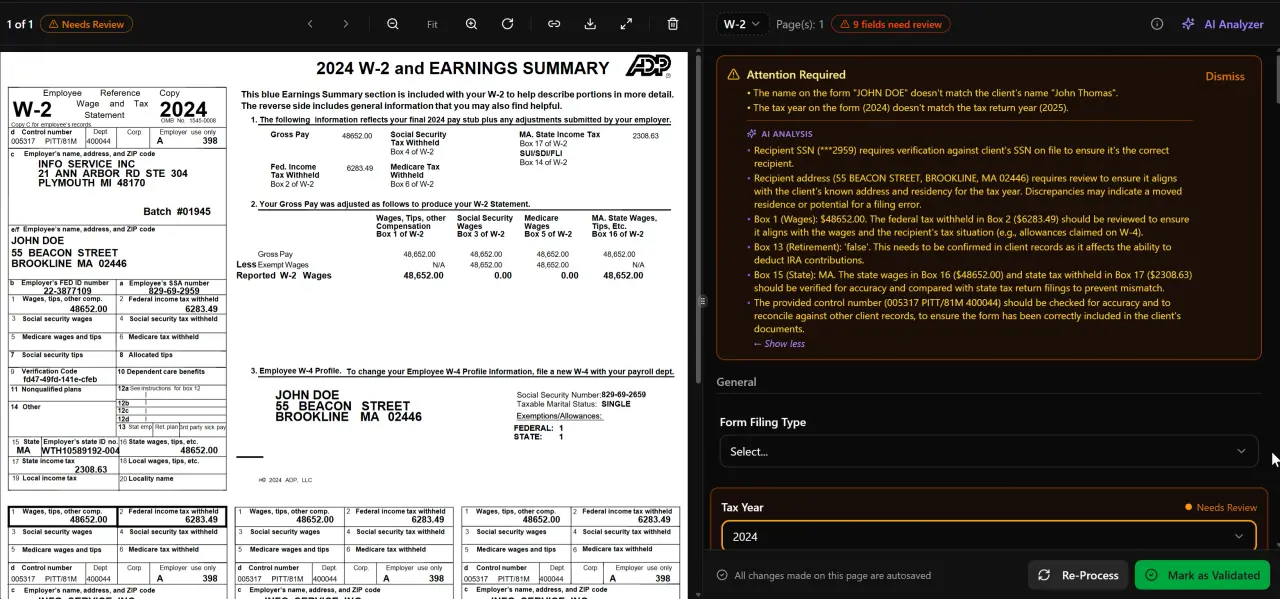
AI classifies, extracts, and validates every document automatically
A Form 2848 rejection almost always traces back to a data-entry error on the form itself — not to the IRS. Before you open the form, confirm every field value from a verified source rather than from memory or a prior-year copy. Understanding IRS power of attorney in this context is what separates firms that scale from those that stall.
Taxpayer information required: legal name exactly as it appears on the most recently filed return, Social Security Number or EIN (verify digit-by-digit — transpositions are a top rejection cause), current address, and the tax form number and tax year or period being covered. Leaving the tax year field blank or writing 'all years' is not accepted; you must specify each year or period individually. For a multi-year audit, list each year on a separate line in Part I, line 3. This is precisely where a deliberate IRS power of attorney strategy pays off.
Representative information required: the CPA's name, firm name, address, CAF number (if already assigned), PTIN, and telephone number. The PTIN must be formatted exactly as P followed by eight digits — for example, P01234567. A common rejection trigger is entering the PTIN without the leading 'P' or with spaces. If you do not yet have a PTIN, consult our companion guide on the Preparer Tax Identification Number before submitting. If you do not yet have a CAF number, leave the field blank; the IRS will assign one after the first submission. IRS power of attorney sits at the center of this decision — get it wrong and the rest unravels.
Acts authorized in Part II: check only the boxes that reflect your actual engagement scope. Leaving boxes unchecked that you will later need forces a superseding 2848 submission. Over-checking boxes you will never use creates malpractice exposure. The IRS instructions for Form 2848 specify what each checkbox permits in detail — review them against your engagement letter before the form is prepared. When firms revisit their IRS power of attorney priorities, the gaps usually surface here.

Click any extracted field to see its source highlighted on the original PDF
The IRS permanently expanded remote and electronic signature options for Form 2848 in 2021, but the rules are specific and the IRS has rejected forms where practitioners misapplied them. Understanding the exact requirements prevents resubmission cycles. A single misstep here can invalidate your entire IRS power of attorney submission, forcing you to restart the authorization process from scratch.
The IRS e-signature policy for third-party authorizations allows taxpayers to sign Form 2848 electronically when using a remote transaction — meaning the taxpayer and the representative are not physically in the same location. The signature must be an image of a handwritten signature, a digitized handwritten signature, a typed name, a shared secret method (e.g., a PIN), or a software-generated electronic signature. The critical compliance point: the practitioner must retain authentication documentation (identity verification records) for three years from the date the form is signed. If the IRS audits the authorization, inability to produce that documentation can invalidate the representation entirely.
Wet (ink) signatures are still required when the 2848 is submitted as part of a paper filing package or when the taxpayer is physically present. A scanned image of a wet signature is acceptable for fax or mail submission. However, submitting a scanned wet signature through the IRS online CAF portal — which expects an electronically authenticated signature — is a common error that triggers rejection without an explanatory notice, leaving firms waiting for a CAF update that never comes.
For firms using e-signatures via Documenso, the signature event log produced at completion (timestamps, IP address, authentication method) satisfies the IRS retention requirement for remote transaction authentication. Store that log in the client file immediately after execution — do not rely on the e-signature platform's cloud retention as your only copy.
Tired of spending 20 minutes manually preparing each Form 2848 only to have it rejected for a formatting error?
TaxScout.ai auto-populates Form 2848 from client data already in your system — PTIN, CAF number, tax years, representative details — reducing preparation to under 2 minutes with built-in validation before submission.

Track every return from intake to filed with drag-and-drop pipeline management
Form 2848 can be submitted through four channels: the IRS Tax Pro Account online portal, fax to the applicable CAF unit, mail to the applicable CAF unit, or as an attachment to a paper return or correspondence. The channel you choose determines how quickly the IRS power of attorney authorization activates on the CAF system.
The IRS Tax Pro Account portal (accessible at IRS.gov/taxproaccount) offers the fastest activation — typically one to two business days when both the practitioner and the taxpayer have verified IRS online accounts. The taxpayer must log into their own IRS account to approve the authorization, which introduces a client-action dependency. For clients who are not technically comfortable with IRS online account setup, this channel creates more friction than it saves.
Fax submission to the Centralized Authorization File (CAF) unit — Ogden for most states west of the Mississippi, Memphis for states to the east — typically processes in five to ten business days under normal IRS staffing conditions, though backlogs during filing season can extend this to three to four weeks. Mail submissions run two to four weeks under normal conditions and longer during peak periods. The IRS CAF unit fax numbers and addresses are printed on the back of Form 2848 itself and updated periodically — always verify from the current form version before faxing.
One critical timing trap: the CAF does not update in real time. Even after your fax transmits successfully, the representative's access to the taxpayer's account through tools like e-Services Transcript Delivery System (TDS) will not activate until the CAF record is actually updated. Firms frequently assume the delay is a fax delivery failure and resubmit, creating duplicate CAF entries that then require revocation. Verify submission success through your fax confirmation page, then wait the published processing window before escalating.

Your clients see your brand — OTP login, document upload, and real-time status
The IRS does not send a formal rejection notice for most Form 2848 errors — the form is simply not processed, and the CAF record is never created. The practitioner discovers the problem only when transcript access is denied or when an IRS representative states that no valid authorization is on file. By that point, a week or more has already been lost.
The most common rejection triggers, based on IRS processing guidelines and practitioner experience, include: (1) PTIN formatted incorrectly — missing the 'P' prefix, containing spaces, or showing a 9-digit number instead of 8; (2) taxpayer name that does not match IRS records — a middle initial present on the form but absent from the IRS master file, or a maiden name used on the form when the IRS file reflects a married name; (3) tax years listed as ranges ('2020-2023') rather than individual years ('2020, 2021, 2022, 2023') — the IRS requires discrete periods; (4) a form version that has been superseded — the IRS updates Form 2848 periodically, and older versions are rejected after the revision date; (5) missing taxpayer signature or a signature that appears to be cut-and-pasted from another document, which flags document integrity review.
For firms managing complex multi-entity clients, a particularly subtle trap is the IRS third party authorization scope: a Form 2848 — and therefore the IRS power of attorney it establishes — for an individual taxpayer does not extend to that taxpayer's S-corporation or partnership — each entity requires its own authorization. Firms that miss this routinely discover the gap mid-audit. Cross-referencing entity structures at intake, a capability supported by client-context memory in platforms like TaxScout.ai, surfaces these gaps before they become crises.
For additional workflow context, our tax workflow management guide includes a section on authorization checkpoints within the broader engagement pipeline.
For a solo practitioner with 50 clients, tracking Form 2848 status in a spreadsheet is workable. For a firm with 300 or more active tax clients, it is a liability. Authorizations expire or need revocation when clients leave. Practitioners change firms and take CAF authorizations with them. A former associate's name may still be listed as an authorized representative years after they departed. An incorrect authorization on file can create unauthorized disclosure exposure under IRC § 6103.
Effective bulk CAF management requires a systematic approach: a centralized record for every client showing the current 2848 or 8821 on file, the authorized tax years, the expiration or revocation status, and the practitioner of record. When a client relationship ends, the revocation of the existing IRS power of attorney should be a standard offboarding step — not an afterthought.
The IRS e-Services suite allows practitioners to view existing CAF authorizations for clients who have verified IRS online accounts. For clients without verified accounts, you are dependent on what you submitted and whether it processed. This asymmetry in visibility is a persistent pain point that firms with structured pipeline management handle by building a CAF verification checkpoint into every new-client onboarding stage — ensuring no file moves to the 'active representation' stage until CAF activation is confirmed.
Firms that have documented their authorization management as a formal SOP — as covered in our guide to CPA firm standard operating procedures — report significantly fewer mid-engagement authorization failures than those treating Form 2848 as a one-time task.
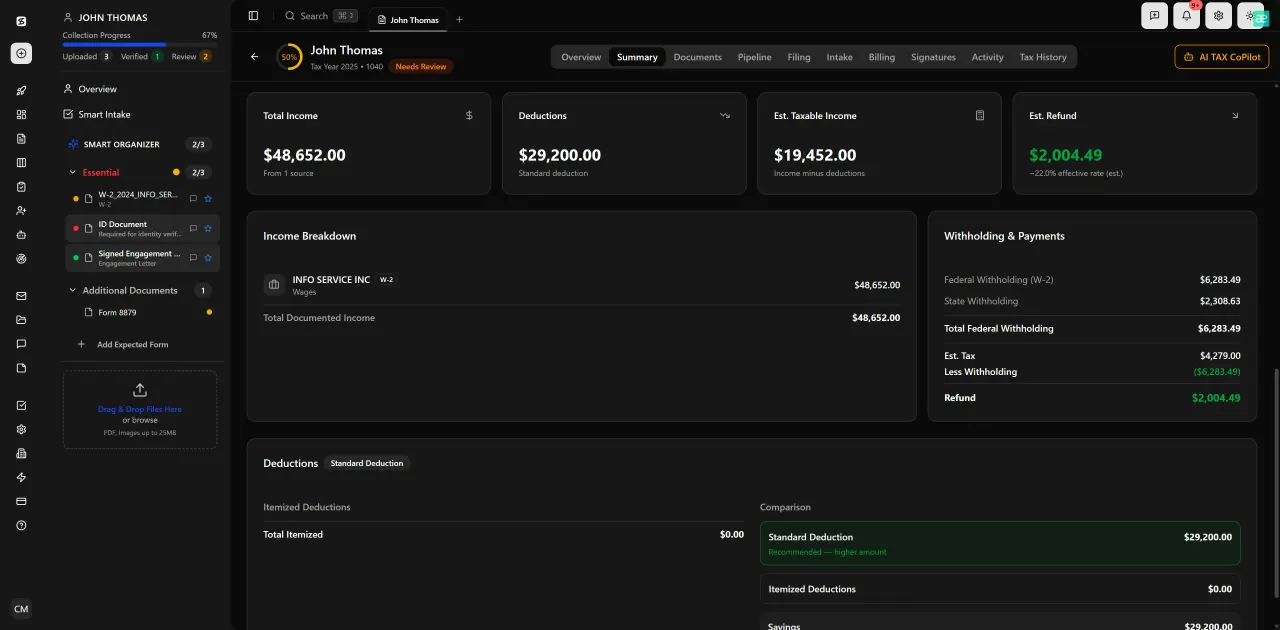
Review with AI assist — 9 agents answer questions with full client context
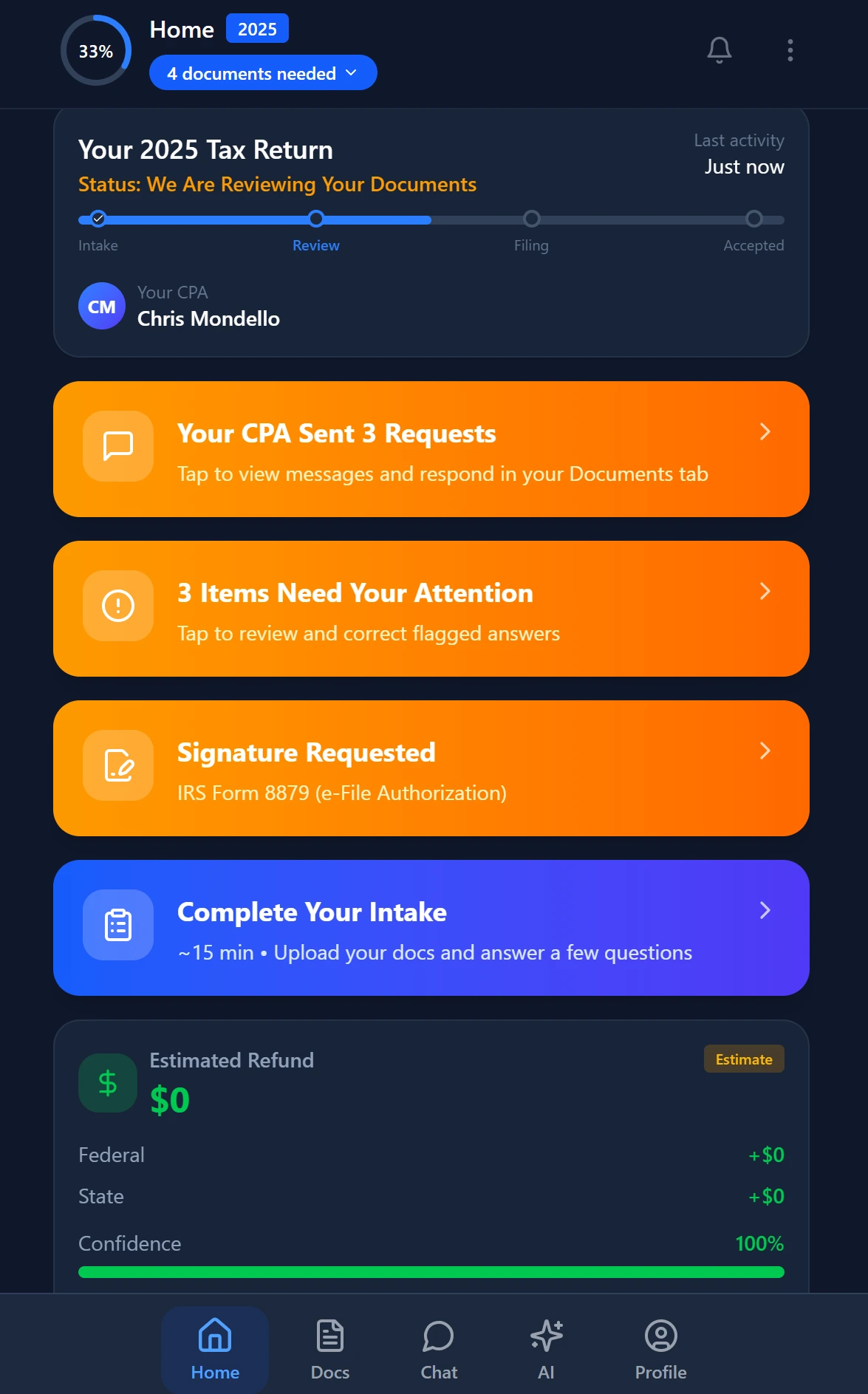
Smart intake auto-fills from uploaded documents and prior-year data
The manual preparation of Form 2848 is a textbook example of a low-value, error-prone task that consumes disproportionate staff time. A practitioner must locate the client's SSN or EIN, confirm the correct legal name format, verify the tax years in scope, retrieve their own PTIN and CAF number, populate the form, route it for the client's signature, and then file it — all before any substantive representation work can begin. Done carefully, this takes 15 to 20 minutes per client. Done hurriedly, it produces the kinds of errors described above.
AI-assisted practice management platforms that maintain client-context memory — including entity structures, filing history, and prior authorization records — can reduce this to under two minutes by pre-populating every field from data already in the system. When a new representation engagement opens, the system generates the draft Form 2848 with the correct taxpayer name format pulled from prior return data, the tax years scoped from the engagement record, the practitioner's PTIN and CAF number from the firm profile, and the correct form revision. Staff review the pre-populated draft, confirm the authorized acts, and route it for e-signature without touching a single field from scratch.
Platforms like TaxScout.ai combine this auto-generation capability with AI document extraction and a 5-layer validation pipeline — document quality routing, AI extraction with confidence scoring, OCR cross-verification, 15 deterministic math rules, and 18 post-extraction rules — to catch data mismatches before the form is submitted. The client portal with OTP login handles e-signature collection from the client side without requiring the client to create an IRS online account or navigate complex authentication flows.
Once submitted, the IRS power of attorney status can be tracked as a stage in the firm's pipeline management workflow — moving from 'Submitted to CAF' to 'Activation Confirmed' before the file advances to active representation. Firms exploring other practice management options may find the comparison at /compare/taxdome-alternative useful when evaluating whether incumbent platforms support this level of automation.
For firms looking to explore other blog resources on building efficient tax workflows, TaxScout.ai publishes operational guides across the full engagement lifecycle — from intake through final delivery.
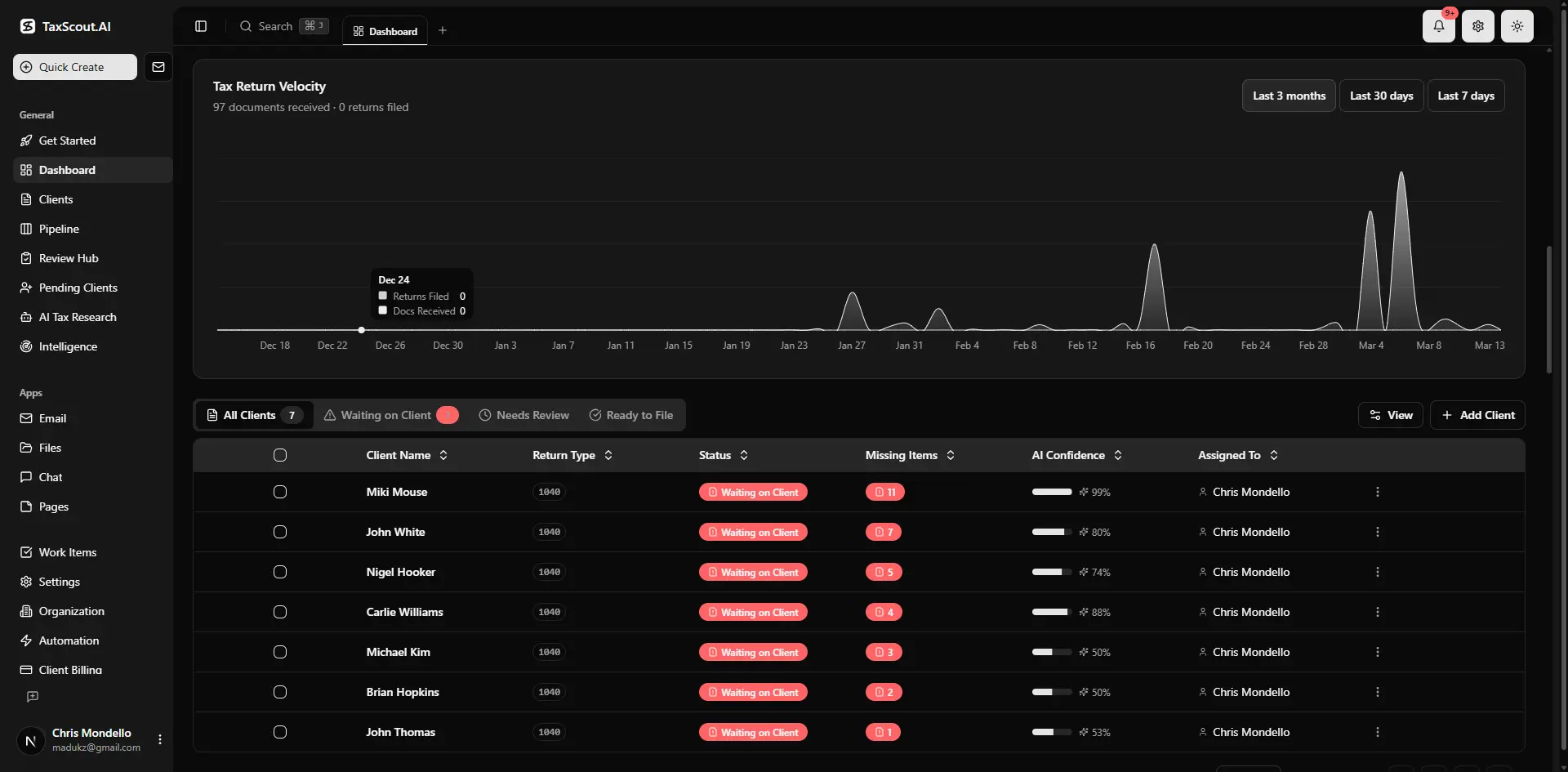
Real-time dashboard showing returns in progress, revenue, and upcoming deadlines
A Form 2848 does not expire unless you specify an expiration date in Part I, line 4. Left unrevoked, it remains active on the CAF indefinitely — which means a practitioner who leaves your firm may retain authorized access to client accounts long after departure. This is not merely an administrative nuisance; it is a potential Treasury Circular 230 compliance issue and an unauthorized disclosure risk.
To revoke an existing authorization, submit a signed copy of the existing Form 2848 with the word 'REVOKE' written across the top. To submit a superseding authorization — for example, to add tax years to an existing engagement — submit a new Form 2848 that covers the full intended scope; it automatically supersedes prior authorizations for the same periods unless you check the box in Part I, line 5a indicating you do not want prior authorizations revoked. This checkbox is frequently overlooked, and firms have accidentally terminated another practitioner's valid IRS power of attorney on a co-representation matter by failing to check it.
The Social Security Administration's taxpayer identification guidance is relevant when the taxpayer's SSN on file at IRS was established under a prior legal name — a situation that arises in post-divorce engagements or after legal name changes, and that creates Form 2848 validation failures if the name on the form does not match the IRS master file record. In these cases, confirm the exact name format through the IRS practitioner priority service before preparing the form.
Building revocation and supersession reviews into annual client file maintenance — alongside engagement letter renewal and authorization scope confirmation — closes the loop on bulk CAF management for firms with large client rosters.
Still manually tracking CAF authorization status across hundreds of clients in a spreadsheet?
TaxScout.ai gives your firm unlimited team members, AI-driven authorization pre-population, and pipeline stages that move files forward only after CAF activation is confirmed — at $49/month for up to 150 returns.

Every client gets organized documents, status tracking, and a complete history